
Building your own PC is definitely worth it because it allows you to customize components, save money, and gain satisfaction from creating a system tailored to your needs. You’ll have better control over quality, performance, and future upgrades. While it may seem overwhelming at first, proper planning and research make it manageable. If you want to know how to start and maximize your build’s potential, there’s plenty more to explore.

Get the little things that make your day delivered free — and shop member deals
- Fast, free delivery on millions of items
- Access to Prime Big Deal Days deals on October 6–7
- Prime Video, Amazon Music and more included
Key Takeaways
- Building your own PC offers customization, better value, and understanding of components compared to pre-built systems.
- Proper planning ensures compatibility, optimal performance, and future upgrade potential for a tailored build.
- DIY assembly can be cost-effective, saving money on labor and allowing flexible budgeting for essential parts.
- The process enhances technical skills and confidence, making troubleshooting and upgrades easier later on.
- While time-consuming, a self-built PC provides satisfaction and a personalized system suited to specific needs.
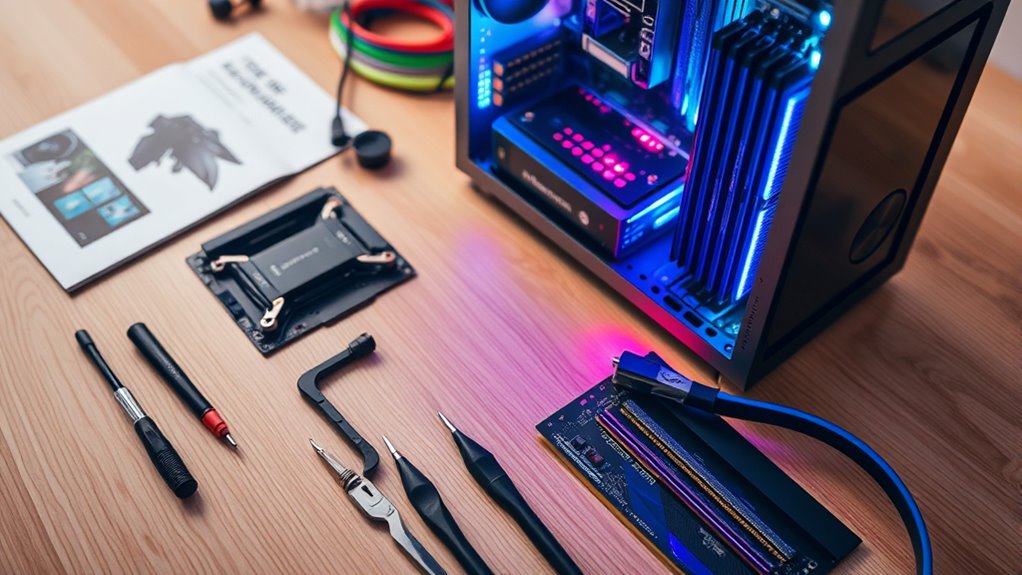
Building your own PC might seem intimidating at first, but with the right guidance, it’s a rewarding project that puts you in control of your system’s performance. One of the first things to consider is your budget. Before diving into parts, decide how much you’re willing to spend. Setting a clear budget helps you prioritize components and avoid overspending on unnecessary features. Remember, you don’t need the most expensive parts to build a capable machine; balancing cost and performance is key. Be realistic about what you’ll use your PC for—gaming, content creation, or general use—and allocate funds accordingly. This way, you can choose components that deliver the best value within your financial limits.
Once you’ve established your budget, it’s essential to ensure component compatibility. Every part needs to fit together and work seamlessly. Start by selecting a CPU that matches your intended use, then pick a compatible motherboard. For example, if you choose an AMD processor, you’ll need a motherboard with an AM4 socket, whereas an Intel CPU requires an LGA socket motherboard. RAM compatibility is also vital; check the motherboard’s specifications to see what type and speed of RAM it supports. Power supply units (PSUs) must provide enough wattage for all your components, so double-check the power requirements. Cases vary in size, so confirm that your chosen motherboard and other components will fit comfortably inside.
Ensure component compatibility by matching CPUs with motherboards, checking RAM specifications, and confirming power supply and case sizes.
Planning around compatibility prevents costly mistakes and saves you time. It’s a good idea to use online compatibility tools or PC building websites that cross-reference parts for you. These resources help you avoid mismatched components that could cause issues later on. Also, consider future upgrades. Picking a motherboard with extra RAM slots or additional PCIe slots can make upgrades easier down the line. Additionally, understanding your component specifications can help you select parts that are not only compatible but also optimized for performance.
Building with budget considerations and component compatibility in mind ensures your system will run smoothly and meet your needs without breaking the bank. It’s worth spending some time researching each part, reading reviews, and checking forums for advice. This diligence pays off by helping you assemble a balanced, reliable PC. When you’re ready to start building, having a clear understanding of these factors makes the process more straightforward and enjoyable. Ultimately, a well-planned build tailored to your budget and compatible parts guarantees a computer that performs well, lasts longer, and provides the satisfaction of having built it yourself.
As an affiliate, we earn on qualifying purchases.
Frequently Asked Questions
What Is the Average Cost to Build a Gaming PC?
You can expect to spend around $600 to $1,200 on building a gaming PC. Budget-friendly options are available if you stick to basic components, but if you want high-end components, the cost can rise to $2,000 or more. Your choice depends on your gaming needs and budget. Building your own PC gives you control over quality and performance, making it worth the investment for many gamers.
How Long Does It Take to Assemble a PC?
You can typically assemble a PC in about 1 to 3 hours, depending on your skill level. Picture yourself confidently connecting cables and slotting components into a sleek case, feeling the satisfaction grow with each step. If you’re new, it might take a bit longer, around 3 hours, as you carefully follow instructions. As your assembly speed improves, you’ll breeze through the process, making it quicker and more enjoyable each time.
Can I Upgrade My PC Components Later?
Yes, you can upgrade your PC components later, as long as you consider future upgrades and component compatibility. When choosing parts now, pick a motherboard and power supply that support your desired upgrades. Keep in mind the compatibility of your CPU, RAM, and GPU. Planning ahead guarantees smoother upgrades in the future, saving you time and money while keeping your system current with evolving technology.
What Tools Are Necessary for Building a PC?
You’ll need a tools checklist to build your PC, including a Phillips-head screwdriver, anti-static wrist strap, and possibly tweezers. Set up your assembly workspace in a clean, static-free area with plenty of lighting. Keep your components organized and handle them carefully. These essential tools and a tidy workspace make the process smoother and help prevent damage, ensuring your build goes smoothly from start to finish.
Is It Better to Buy Pre-Built or Custom-Build?
Choosing between pre-built and custom-built PCs depends on your priorities. Pre-built advantages include convenience and quicker setup, but they often lack extensive customization options. If you value tailored performance and components, building your own offers full control over specs, upgrades, and budget. However, it requires time and technical skills. Consider your needs carefully—if you want simplicity, go pre-built; if you crave personalization, custom-building is the way to go.
As an affiliate, we earn on qualifying purchases.
Conclusion
Building your own PC can save you up to 20% compared to pre-built options, making it a smart choice for tech enthusiasts. Not only do you get customized performance, but you also gain the satisfaction of creating something yourself. If you’re willing to spend a little time and effort, the benefits far outweigh the initial challenges. So, is it worth it? Absolutely—your perfect, budget-friendly machine is just a build away.
As an affiliate, we earn on qualifying purchases.
As an affiliate, we earn on qualifying purchases.
NFL season / tailgating Picks
team gear
As an affiliate, we earn on qualifying purchases.