
Did you know Alexa can do more than just play music or answer questions? You can ask it to find your phone, control multiple smart devices at once, or get detailed info about movies and TV shows. You can even play ambient sounds for relaxation, discover secret recipes, or manage your calendar and tasks hands-free. These hidden commands make Alexa even more useful; explore further to uncover all these clever tricks.
Key Takeaways
- Discover hidden commands like “find my phone” to locate devices or sync with smart home routines.
- Access detailed movie info, including summaries, cast, and next episode airings.
- Control multiple smart devices simultaneously using custom routines and trigger phrases.
- Play ambient sounds such as rain or ocean waves for relaxation or focus sessions.
- Manage calendars and to-do lists hands-free, keeping your schedule organized effortlessly.
Top picks for "alexa secret command"
Open Amazon search results for this keyword.
As an affiliate, we earn on qualifying purchases.
Use Alexa to Find Your Phone or Device

Have you ever misplaced your phone or device around the house? If so, Alexa can help you locate it quickly. All you need to do is say, “Alexa, find my phone,” and she’ll make your phone ring loudly, even if it’s on silent. This works with compatible Android and iOS devices linked to your Amazon account. You can also ask Alexa to find other connected devices, like tablets or Bluetooth speakers, if they’re registered. Make sure your device’s location services are enabled for the feature to work effectively. It’s a simple, hands-free way to save time and frustration, especially when your device is buried under cushions or lost in another room. Just speak, and Alexa does the rest.
Get Detailed Movie and TV Show Information

Ever wonder how to quickly get detailed information about movies and TV shows? Just ask Alexa! Say, “Alexa, tell me about [movie or show],” and she’ll provide a summary, cast details, and ratings. Need more specifics? Try, “Alexa, what’s the plot of [title]?” or “Who stars in [show]?” Alexa can also give you release dates, episode counts, and viewer reviews. For ongoing series, ask, “What’s the latest episode of [show]?” or “When does [show] next air?” This feature makes it easy to stay updated on your favorite entertainment without searching multiple apps or websites. Just speak naturally, and Alexa delivers quick, all-encompassing information, helping you decide what to watch or learn more about with minimal effort.
Control Multiple Smart Home Devices Simultaneously

Controlling multiple smart home devices at once becomes effortless when you use Alexa’s routines and grouping features. With routines, you can set up a command that triggers several actions simultaneously, like turning off lights, locking doors, and lowering the thermostat when you say, “Good night.” Grouping allows you to organize devices into categories, so you can control all lights or all plugs with a single command. To set this up, open the Alexa app, create a routine, and add the devices you want to control together. Once configured, just give the routine a trigger phrase, and Alexa will execute all the actions at once. This simplifies managing your smart home, saving you time and effort.
Play Ambient Sounds for Relaxation or Focus

To create a calming environment or boost your focus, you can ask Alexa to play ambient sounds such as rain, ocean waves, or white noise. Simply say, “Alexa, play rain sounds,” or “Alexa, play ocean waves for relaxation.” These sounds help mask distracting noises and promote concentration or relaxation. You can also customize the duration by adding “for 30 minutes,” or set up routines to play ambient sounds at specific times. For a seamless experience, enable specific skills or playlists dedicated to ambient noise. This feature is perfect for winding down after a busy day or creating a focused workspace. By using Alexa’s ambient sounds, you can easily craft the ideal atmosphere without needing external devices or apps.
Discover Hidden Recipes and Cooking Tips
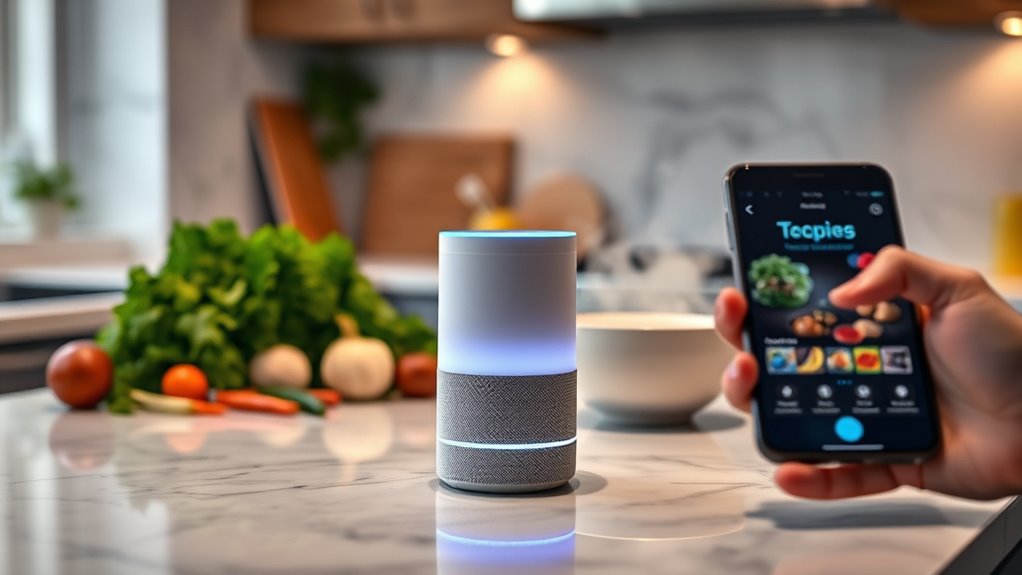
You can reveal hidden recipe skills and discover quick meal ideas with Alexa’s help. Ask for cooking tips and tricks to make your prep easier and more efficient. These secrets can transform your kitchen experience and save you time.
Hidden Recipe Skills
Many hidden recipe skills on Alexa can help you uncover delicious dishes and useful cooking tips that you might not find through standard searches. These skills access specialized databases and curated content, offering unique recipes and expert advice. For example, you can ask Alexa for secret family recipes, regional dishes, or dietary-specific ideas. To give you a quick overview, here’s a table of some hidden recipe skills:
| Skill Name | Description |
|---|---|
| Family Recipe Finder | Share and discover family secrets |
| Regional Cuisine | Explore dishes from different regions |
| Dietary Recipes | Find meals for specific diets |
| Gourmet Cooking Tips | Advanced cooking techniques |
| Ingredient Substitutes | Creative replacements for ingredients |
Unlock these skills and elevate your cooking game effortlessly.
Instant Meal Ideas
Ever wondered how to whip up a quick, satisfying meal with minimal fuss? Your Alexa can help you discover instant meal ideas effortlessly. Just ask, “Alexa, suggest quick dinner recipes,” and it’ll provide options tailored to your preferences. Whether you’re craving a comforting pasta, a hearty sandwich, or a nutritious bowl, Alexa can guide you through simple recipes that require minimal ingredients and prep time. You can also request specific dish ideas like “easy breakfast ideas” or “15-minute lunch recipes.” Many of these suggestions include clever tips to save time and make cooking easier. With Alexa’s instant meal ideas, you spend less time planning and more time enjoying your meal. It’s your secret weapon for quick, delicious solutions whenever hunger strikes.
Cooking Tips & Tricks
Have you ever wondered how to open hidden recipes and master secret cooking techniques? With Alexa, you can unlock a treasure trove of culinary secrets. Just ask, “Alexa, reveal a secret cooking tip,” and she’ll share expert advice to elevate your skills. Curious about hidden recipes? Say, “Alexa, find secret recipes for [dish],” and she’ll guide you to unique dishes you won’t find in standard cookbooks. Want to learn new techniques? Request, “Alexa, teach me a cooking trick,” and she’ll provide useful hacks to improve your prep and presentation. These commands help you discover insider tips effortlessly, making cooking more fun and innovative. With Alexa’s hidden knowledge, you can impress friends and family with your newfound culinary mastery.
Track Your Packages and Delivery Updates

You can ask Alexa for package tracking commands to get real-time updates on your deliveries. Simply say, “Where’s my package?” or “Track my order,” and Alexa will provide the latest delivery status updates. This way, you stay informed without constantly checking your apps or inbox.
Package Tracking Commands
Wondering how to stay updated on your package’s status? Alexa has you covered with simple voice commands. First, just ask, “Alexa, track my package,” and she’ll identify the carrier and provide updates. Second, you can specify the carrier, like “Amazon,” “FedEx,” or “UPS,” to get more precise info. Third, ask, “Where is my package?” for real-time location updates if supported. Fourth, request delivery estimates by saying, “When will my package arrive?” This way, you stay informed without opening multiple apps. Alexa’s package tracking commands are quick, easy, and keep you in the loop, so you don’t have to worry about missed deliveries or surprises. Just speak, and Alexa handles the rest.
Delivery Status Updates
Curious how Alexa keeps you updated on your package’s delivery status? Simply ask, “Alexa, where’s my package?” or “What’s the delivery status of my order?” If you linked your Amazon account, Alexa pulls real-time updates directly from Amazon. For packages shipped through other carriers like UPS or FedEx, you can ask, “Is my package out for delivery?” or “Has my order been delivered?” Alexa provides clear, timely updates, so you don’t have to check multiple apps or websites. You can also ask, “When will my package arrive?” to get an estimated delivery time. This hands-free convenience keeps you informed without hassle, ensuring you know exactly when to expect your deliveries.
Access Personal Calendar and To-Do Lists Hands-Free

Accessing your personal calendar and to-do lists hands-free with Alexa is simple and convenient. Once set up, you can manage your schedule effortlessly with voice commands. Here’s how to get started:
- Say, “Alexa, what’s on my calendar today?” to hear your schedule.
- Use, “Add an appointment to my calendar,” followed by the details.
- Check your to-do list by asking, “What are my tasks for today?”
- Mark tasks as complete with, “Check off [task name] from my to-do list.”
These commands allow you to stay organized without lifting a finger. Alexa syncs seamlessly with most calendar apps, so your schedule is always up to date. Stay productive and keep your day flowing smoothly with these hands-free features.
Frequently Asked Questions
Can Alexa Help With Setting up New Smart Home Devices?
Yes, Alexa can help you set up new smart home devices easily. You just need to say, “Alexa, discover devices,” and it will automatically find compatible gadgets in your home. Make sure your devices are connected to Wi-Fi and compatible with Alexa. Once discovered, you can control them with voice commands or through the Alexa app, simplifying your smart home setup and making everything more convenient.
How Do I Customize Alexa’s Wake Word?
Want to change Alexa’s wake word? First, open the Alexa app and tap Devices. Then, select your device, go to Settings, and choose Wake Word. You’ll see options like “Amazon,” “Echo,” or “Computer.” Tap your preferred word, confirm, and voilà—your device’s wake word is customized. Keep in mind, not all devices support all wake words, so double-check compatibility before switching.
Does Alexa Support Third-Party App Integrations?
Yes, Alexa supports third-party app integrations. You can connect various skills and services through the Alexa app, expanding its functionality. Simply browse the Skills Store, enable the skills you want, and link your accounts if needed. This allows you to control smart home devices, order food, check traffic, and much more, all through voice commands. Integrating third-party apps makes Alexa more versatile and tailored to your daily needs.
Can Alexa Recognize Different Voices for Personalized Responses?
Alexa can recognize different voices, making it easy to get personalized responses. Once you set up voice profiles, Alexa can distinguish who’s talking and tailor its replies accordingly. It’s like having your own personal assistant who knows you inside out. Just keep in mind that setting up voice recognition takes a bit of effort, but it’s worth it for the convenience and a more customized experience.
Is It Possible to Program Custom Alexa Routines?
Yes, you can program custom Alexa routines easily. Just open the Alexa app, go to the Routines section, and tap the plus sign to create a new one. You can set triggers like voice commands, time, or device actions. Then, add the actions you want Alexa to perform, such as playing music, controlling smart devices, or giving weather updates. Customize your routines to fit your daily needs effortlessly.
Conclusion
Now that you’ve revealed these secret commands, Alexa becomes your personal genie, ready to grant your everyday wishes. With a simple voice whisper, you can summon a symphony of smart home magic, navigate the digital maze of movies and recipes, or keep your day running smoothly. Think of Alexa as your loyal compass, guiding you effortlessly through a world of convenience. Embrace these hidden tricks and turn your home into a seamless symphony of smart technology.