
To set up a better streaming space at home, start by choosing a spot with natural light or add soft, diffuse lighting at a 45-degree angle for a flattering look. Soundproof the area with thick curtains, foam panels, and rugs to reduce echo. Keep your equipment organized with cable ties and position your microphone carefully, using a pop filter. Maintain a clutter-free environment with good lighting and acoustic treatments. If you want to learn more tips and tricks, keep going to refine your setup further.

Get the little things that make your day delivered free — and shop member deals
- Fast, free delivery on millions of items
- Access to Prime Big Deal Days deals on October 6–7
- Prime Video, Amazon Music and more included
Key Takeaways
- Choose a well-lit area with natural light and supplement with soft, diffused lighting at a 45-degree angle.
- Add acoustic treatments like foam panels and rugs to minimize echo and sound reflections.
- Organize equipment with cable management to keep the space tidy and prevent disruptions.
- Set up a dedicated, clutter-free zone for better control over lighting and sound.
- Regularly evaluate and adjust lighting, soundproofing, and organization for continuous improvement.
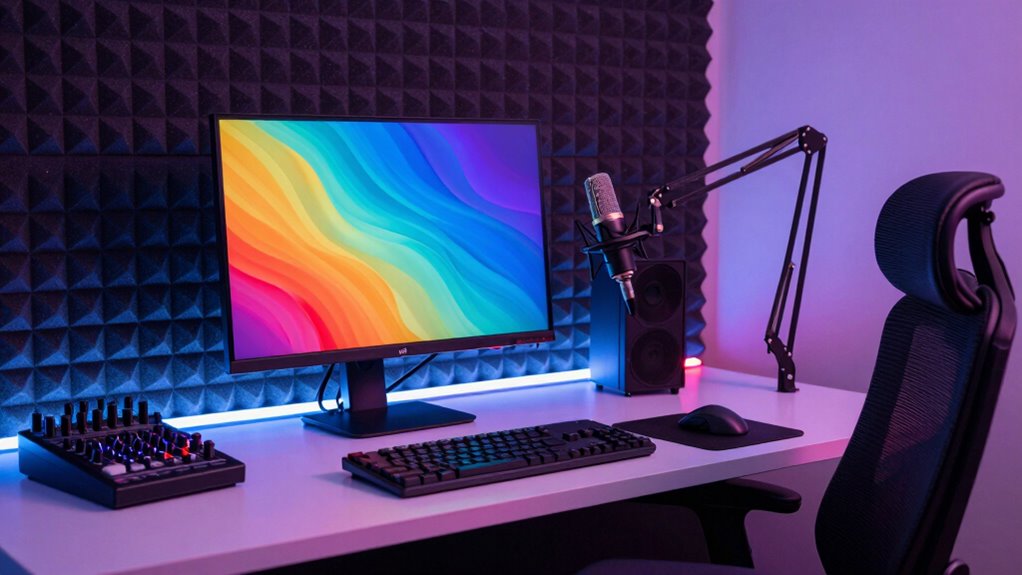
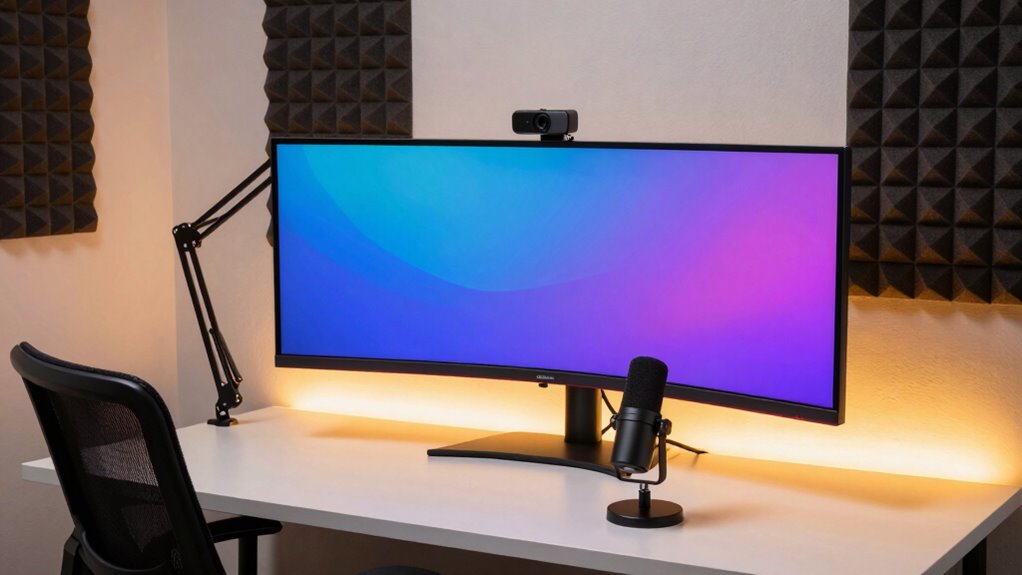
Creating a dedicated streaming space at home can substantially improve the quality of your broadcasts and make your environment more comfortable. When you carve out a specific area for streaming, you’re better able to control the lighting setup, which is essential for professional-looking videos. Start by choosing a spot with natural light if possible, but remember to supplement with soft, diffused lighting to avoid harsh shadows. Use ring lights or softboxes to create even, flattering light on your face, and position them at a 45-degree angle to prevent glare. Proper lighting not only enhances your appearance but also helps your viewers focus on you without distractions. Additionally, paying attention to soundproofing techniques can significantly reduce background noise and echo. Sound quality is equally important, and soundproofing techniques play a fundamental role here. You don’t need a professional studio to minimize noise, but small modifications can make a big difference. Add thick curtains or foam panels to your walls to absorb echo and reduce outside noise. Rugs or carpets on the floor can also help dampen sound reflections. If you live in a noisy area, consider sealing gaps around windows and doors with weatherstripping or draft stoppers. Using a quality microphone and adjusting its position relative to your mouth will ensure clear audio, which is essential for keeping viewers engaged. Avoid placing your mic near noisy devices like fans or computers, and consider investing in a pop filter to eliminate plosive sounds. Proper cable management not only keeps your setup tidy but also prevents accidental disconnections during a stream. Setting up your space thoughtfully means paying attention to both visual and acoustic elements. Organize your equipment so it’s easily accessible but doesn’t clutter your background. Keep cables tidy with clips or ties to avoid tripping hazards or distracting messes. When it comes to lighting setup, experiment with different angles and intensities until you find the best look that highlights you without creating unwanted shadows or glare. For soundproofing, test how different materials absorb or block noise, and adjust accordingly. Incorporating acoustic treatments can further optimize your environment for sound. Remember, a quiet, well-lit environment not only looks more professional but also helps you stay relaxed and confident during your streams. By regularly evaluating and adjusting these elements, you can create a professional streaming environment that elevates your content quality.
As an affiliate, we earn on qualifying purchases.
Frequently Asked Questions
What Are the Best Budget-Friendly Streaming Gear Options?
You can find budget-friendly streaming gear by focusing on lighting enhancements and camera accessories. Invest in affordable ring lights or softboxes to improve your lighting without breaking the bank. For camera accessories, consider a decent webcam or smartphone tripod to stabilize your shot. These options boost your stream quality, making your setup look more professional while staying within your budget. You don’t need expensive gear to create a compelling streaming space.
How Can I Improve My Internet Connection for Streaming?
To improve your internet connection for streaming, start by boosting your internet speed with a reliable connection plan. Use a Wi-Fi extender to eliminate dead zones and guarantee a strong, stable signal across your streaming area. Position your router centrally and avoid obstructions for maximum coverage. Regularly update your router’s firmware, and consider wired Ethernet options if possible, to reduce lag and ensure smooth, high-quality streams.
What Lighting Setups Are Ideal for Streaming?
You don’t need fancy gear to improve your lighting—use soft, ambient lighting with warm or neutral color schemes to create a welcoming, professional look. Avoid harsh shadows by layering lights or using diffusers. Position your main light in front of you, slightly above eye level, and add background lights for depth. This setup minimizes glare, enhances visibility, and makes your stream visually appealing without breaking the bank.
How Do I Soundproof My Streaming Space Effectively?
To soundproof your streaming space effectively, start with soundproofing techniques like sealing gaps around doors and windows. Use acoustic treatments such as foam panels, bass traps, and diffusers to absorb sound reflections and reduce echo. Add heavy curtains or rugs to further dampen noise. These steps will improve audio quality, minimize background noise, and create a professional streaming environment you’re proud of.
What Are Some Ergonomic Tips for Long Streaming Sessions?
To stay comfortable during long streaming sessions, prioritize ergonomic posture and comfortable seating. Sit with your back straight, shoulders relaxed, and feet flat on the floor. Use an adjustable chair to support your lower back and keep your monitor at eye level to prevent neck strain. Take regular breaks to stretch and move around, which helps maintain circulation and reduces fatigue, ensuring you stay focused and comfortable throughout your streams.
As an affiliate, we earn on qualifying purchases.
Conclusion
Creating a better streaming space at home is like tending a garden—you nurture it with care, patience, and attention, and it blossoms into something truly special. With the right setup, your space becomes more than just a background; it transforms into your personal stage where your passion shines. Keep tweaking and improving, and watch your streaming garden grow lush and vibrant, reflecting your unique style and dedication. Your perfect streaming space is just a few thoughtful touches away.
As an affiliate, we earn on qualifying purchases.
As an affiliate, we earn on qualifying purchases.
NFL season / tailgating Picks
team gear
As an affiliate, we earn on qualifying purchases.