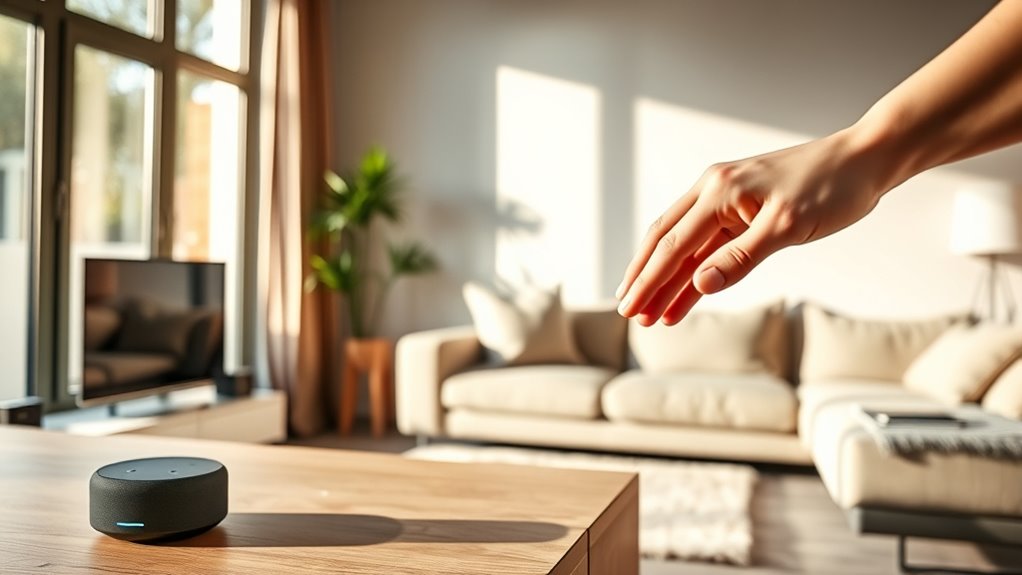

To stop your smart home devices from listening all the time, you should start by exploring their privacy settings through the app or device menu. Turn off voice recognition features, disable the microphone, or toggle listening mode to pause recording. You can also physically mute the microphone or delete stored recordings regularly. Keep in mind, adjusting these options helps protect your privacy and gives you more control—there’s more you can do, if you want to learn further.
Key Takeaways
- Access device settings via app or control panel to disable or limit voice recognition features.
- Use physical microphone mute buttons or toggle options to temporarily stop listening.
- Review and delete stored recordings regularly; disable saving voice data when possible.
- Turn off or restrict background microphone access in device privacy settings.
- Regularly update device firmware and privacy configurations to maintain control over listening features.

Smart home devices are designed to make your life easier, but their constant listening can feel invasive and raise privacy concerns. Many of these devices rely on voice recognition technology to respond to your commands, but that means they’re always listening in the background, ready to pick up your voice at any moment. This persistent surveillance can make you uncomfortable, especially if you’re worried about what data is being collected and who has access to it. Fortunately, you can take control of your privacy by adjusting your device’s privacy settings to minimize or halt continuous listening.
Smart home devices listen constantly, but you can control privacy by adjusting settings and disabling continuous voice recognition.
First, you should explore the privacy options available through your device’s app or settings menu. Most smart home gadgets, like voice assistants, offer dedicated privacy settings that let you disable or limit voice recognition features. For example, you might find an option to turn off the microphone or restrict voice data collection. These settings often include a toggle to pause voice recognition entirely, so your device won’t listen unless you explicitly activate it. Adjusting these controls helps prevent your device from constantly listening in the background, giving you peace of mind that your conversations aren’t being recorded or analyzed without your consent.
You should also be aware that many devices keep recordings stored on servers, even if voice recognition is turned off. Check the privacy settings within the device’s app to review or delete stored recordings regularly. Some manufacturers allow you to disable voice recording storage altogether or opt for local processing, which keeps your voice data on the device instead of sending it to the cloud. If privacy is a top priority, opt for these local options and ensure you understand what data is being stored and for how long. Additionally, understanding the role of cookies in data collection can help you better manage your privacy preferences and limit tracking across your smart devices.
Finally, you can disable voice recognition features temporarily when you don’t need them. Many devices have a physical microphone mute button or a quick setting in the app to toggle listening on and off. Use this whenever you want to prevent accidental activation or if you’re simply uncomfortable with constant listening. Remember to review and update your privacy settings periodically, as manufacturers often release updates that can change how your device handles voice data.

JOUNIVO USB Microphone, 360 Degree Adjustable Gooseneck Design, Mute Button & LED Indicator, Noise-Canceling Technology, Plug & Play, Compatible with Windows & MacOS
360 Degree Position Adjustable Gooseneck Design –Plug and play USB microphone Pick up the sound from 360-degree with…
As an affiliate, we earn on qualifying purchases.
As an affiliate, we earn on qualifying purchases.
Frequently Asked Questions
Can Smart Devices Be Hacked to Listen Without Permission?
Yes, smart devices can be hacked for voice hacking and unauthorized eavesdropping. Hackers exploit vulnerabilities in your device’s security, allowing them to listen in without your permission. To protect yourself, make certain your device firmware is up-to-date, use strong passwords, and enable two-factor authentication. Regularly review device permissions and disconnect devices when not in use. Staying vigilant helps prevent malicious actors from accessing your smart home’s private conversations.
Do All Smart Home Devices Have Microphones?
Not all smart home devices have microphones, but many do for voice recognition. Some devices silently listen for their wake word, waiting to activate. You control this by checking device permissions and disabling voice features if you’re concerned. Always stay alert—hidden microphones could be listening without you realizing. Protect your privacy by understanding which devices have microphones and managing their permissions carefully. Stay one step ahead of potential eavesdroppers.
Are There Privacy Settings to Limit Device Listening?
Yes, you can limit device listening with privacy mode settings and voice command customization. Most smart home devices offer privacy options to disable microphones or restrict listening when not in use. Check your device’s app or settings menu to activate privacy mode, which stops the device from listening constantly. Adjust these settings to protect your privacy and control when your device responds to voice commands.
How Does Voice Data Get Stored and Used?
Imagine your voice data as a message in a bottle, drifting into a vast digital ocean. It gets stored in servers, like treasures in a hidden chest, and is used according to data usage policies. These policies dictate how companies analyze or share your voice data, often for improving services or targeted ads. You should review privacy settings and understand these policies to keep control over your voice information.
Can Disabling Microphones Affect Device Functionality?
Disabling microphones can impact your device’s functionality, especially if you rely on voice commands for control. While it addresses privacy concerns, it may limit features like voice activation and hands-free operation. You might find some device limitations, such as reduced responsiveness or missing out on smart features. However, if privacy is a priority, disabling microphones is a good trade-off, just be aware of potential inconveniences in your smart home experience.

Amazon Echo Dot 5th Gen Made Easy User Guide: Tips, Tricks & Hidden Features to Unlock Alexa’s Full Potential
As an affiliate, we earn on qualifying purchases.
As an affiliate, we earn on qualifying purchases.
Conclusion
By turning off voice activation, disabling microphones, and reviewing privacy settings, you take control of your smart home. You silence the constant listening, block the unwanted recordings, and reclaim your privacy. You set boundaries, protect your space, and restore your peace of mind. With each step, you create a home that listens when you want it to, respects your privacy, and keeps your world secure. Take control today and make your smart home truly your own.

Yahboom AI Voice Recognition Module Voice Broadcast Integrated Custom Wake-up Word Programmable Sound Sensor Support Jetson/Raspberry Pi/ESP32/STM32
【Highly customizable voice commands】Supports 110+ preset commands. Users can edit command content online and generate firmware burning through…
As an affiliate, we earn on qualifying purchases.
As an affiliate, we earn on qualifying purchases.

ecobee Smart Thermostat Enhanced – Programmable Wifi Thermostat – Works with Siri, Alexa, Google Assistant – Energy Star Certified – Smart Home
Save up to 26% per year on heating and cooling costs Automatically adjusts the temperature when you’re away…
As an affiliate, we earn on qualifying purchases.
As an affiliate, we earn on qualifying purchases.