You can easily turn old smartphones into smart home gadgets by installing apps like Alfred or Manything for security cameras, or voice assistant platforms such as Google Assistant or Alexa. Position the devices in strategic spots, connect them to Wi-Fi, and secure them in protective cases for durability. These DIY setups improve home security and automation without extra costs. Keep exploring to discover more tips on customizing your smart home with recycled devices.
Key Takeaways
- Install security camera apps like Alfred or Manything to turn old smartphones into surveillance devices.
- Mount devices strategically with Wi-Fi and constant power supply, enabling motion alerts and two-way audio.
- Repurpose smartphones as voice assistants by installing Google Assistant or Alexa, placing them in common areas.
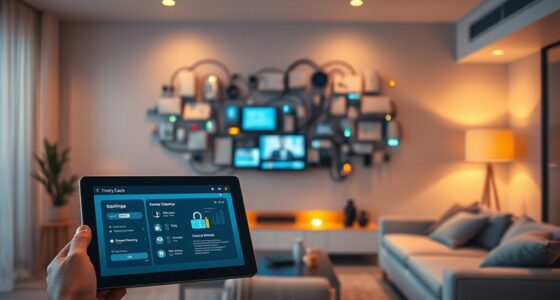
- Use old phones for smart home control, connecting to Wi-Fi to manage lights, thermostats, and locks remotely.
- Regularly update apps and secure devices in protective cases for durability, safety, and optimal smart home integration.

If you have an old smartphone gathering dust, you can easily transform it into a useful smart home gadget. One of the most popular ways to do this is by turning it into a security camera. With the right apps, your old device can stream live video directly to your phone or tablet, allowing you to monitor your home remotely. Apps like Alfred, Manything, or Presence make setup simple. Just mount your phone in a strategic spot, connect it to Wi-Fi, and you’re good to go. These apps typically offer motion detection alerts, two-way audio, and cloud storage options, making your old device a reliable security camera without extra costs. You’ll want to guarantee your phone is plugged into power to keep it running continuously, and consider securing it in a protective case to withstand daily wear and tear.
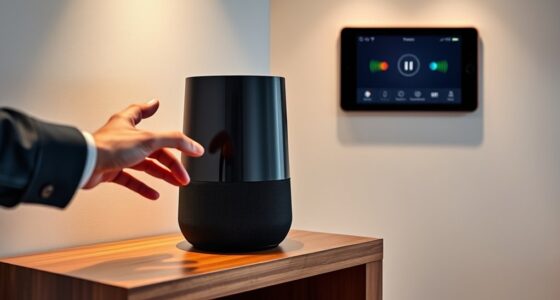
Beyond security cameras, your old smartphone can also serve as a voice assistant hub. By installing popular voice assistant apps such as Google Assistant or Amazon Alexa, you turn your device into a voice-controlled smart home controller. Once set up, you can issue commands to control smart lights, thermostats, locks, and more. The advantage here is that your old phone remains integrated into your smart home ecosystem, providing quick voice access without needing to buy a new device. Position it near your main living area for easy voice commands. Make sure to enable voice activation features and connect the device to your Wi-Fi network to guarantee seamless interaction. This setup allows you to ask your voice assistant about weather updates, traffic, or even set reminders—all while keeping your current smart home system organized and accessible. Additionally, utilizing high refresh rates can improve the responsiveness of your device for smoother voice command recognition.
Using your old smartphone as a security camera and voice assistant is a cost-effective way to extend the functionality of your smart home. Both options require minimal effort and expense but deliver significant benefits. When configuring security cameras, pay attention to placement—high vantage points and areas with good lighting will yield better footage. For voice assistants, ensure your device is always connected and within range of your Wi-Fi network for smooth operation. These DIY projects not only recycle your outdated tech but also enhance your home’s security and convenience. With just a few steps, you can breathe new life into an old device, making it an essential part of your smart home setup that saves you money and boosts your home’s safety and automation.
Amazon Alexa compatible smart home hub
As an affiliate, we earn on qualifying purchases.
As an affiliate, we earn on qualifying purchases.
Frequently Asked Questions
Can I Use Any Smartphone Model for This DIY Project?
You can use most smartphone models for this DIY project, but model compatibility and hardware limitations matter. Older or less powerful phones might struggle with performance or running specific apps. Check if your device supports the necessary software and has a good battery life. Modern smartphones with decent hardware are ideal, but even some older models can work if they meet the app and connectivity requirements.
What Are the Best Apps to Turn My Phone Into a Smart Device?
To turn your phone into a smart device, you should choose apps that offer great app compatibility and allow for device customization. Popular options include Home Assistant, which supports a wide range of smart home devices, and IoT Smart Home, known for easy setup and flexible controls. These apps help you customize your device’s functions, ensuring seamless integration with your existing smart home ecosystem.
How Do I Ensure My Old Phone Stays Secure During Use?
To keep your old phone secure during use, follow security best practices like regularly updating the OS and apps, enabling strong passwords or biometric locks, and turning off unnecessary permissions. Be mindful of data privacy considerations by avoiding sensitive information storage and using secure networks. Additionally, install reputable security apps and monitor device activity to prevent unauthorized access, ensuring your device remains protected as a smart home gadget.
Are There Power Consumption Concerns With Repurposed Smartphones?
You might worry about power consumption, but most repurposed smartphones are surprisingly energy-efficient. As they run low-power apps or sensors, they use minimal energy, often comparable to dedicated smart devices. Imagine your old phone quietly managing your smart home, sipping energy without noticeably impacting your utility bills. While some power draw exists, optimizing settings and choosing energy-efficient apps keeps your device running smoothly without draining power or raising concerns.
Can I Connect Multiple Phones for a More Integrated Smart Home System?
Yes, you can connect multiple phones for a more integrated smart home system. Using multi-phone synchronization, you can coordinate devices across your home for seamless control. Set up a centralized control system that links all your repurposed smartphones, allowing you to manage everything from one interface. This approach enhances automation and convenience, making your smart home more efficient and responsive to your needs.
security camera apps for old smartphones
As an affiliate, we earn on qualifying purchases.
As an affiliate, we earn on qualifying purchases.
Conclusion
Now, picture your old smartphone gently glowing on a countertop, transforming into a helpful smart home gadget. With just a few simple steps, you breathe new life into a device you once thought was outdated, turning it into a vigilant guardian or a cozy assistant. It’s more than just recycling; it’s about giving your home a smarter, more connected heart. Embrace this DIY journey and watch your space come alive with innovation and purpose.
best protective cases for smartphones
As an affiliate, we earn on qualifying purchases.
As an affiliate, we earn on qualifying purchases.
Wi-Fi smart home control devices
As an affiliate, we earn on qualifying purchases.
As an affiliate, we earn on qualifying purchases.