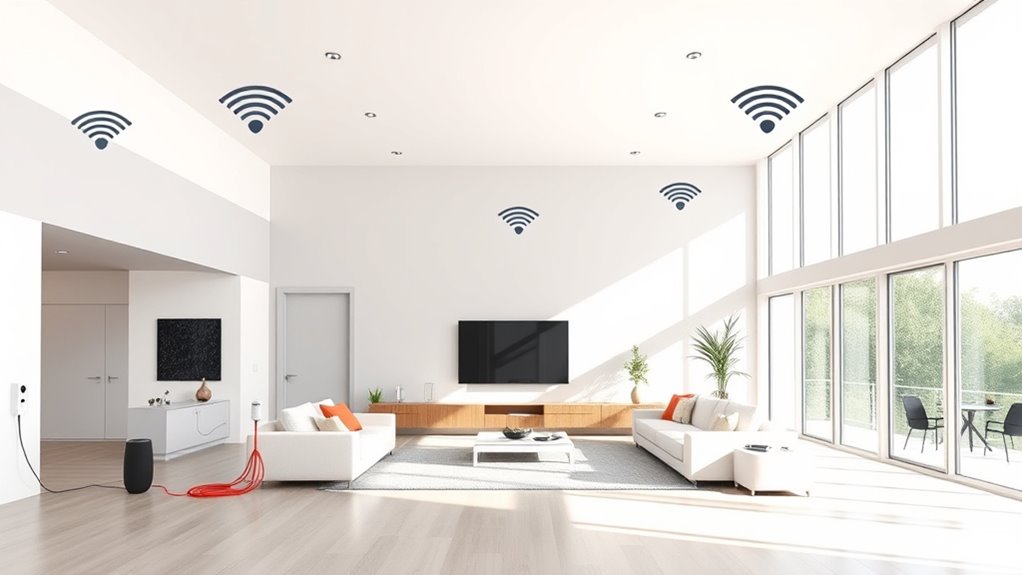

To extend Wi-Fi in a large smart home, set up a mesh network with multiple connected nodes placed strategically around your space. This creates a seamless Wi-Fi experience by automatically routing devices to the closest, strongest signal. Adding signal boosters to problematic areas can further strengthen coverage. Proper placement is key—aim for central locations free of obstacles. Keep exploring for detailed tips to optimize your smart home connectivity even better.
Key Takeaways
- Use a mesh Wi-Fi system with multiple interconnected nodes to ensure seamless coverage throughout your large home.
- Position mesh units centrally and away from obstacles to maximize signal strength and reduce dead zones.
- Add signal boosters or extenders in areas with weak signals to reinforce coverage, especially in hard-to-reach spots.
- Avoid placing devices near thick walls or metal objects that can obstruct Wi-Fi signals.
- Combine mesh networks with signal boosters for comprehensive, strong, and consistent Wi-Fi coverage across all rooms.
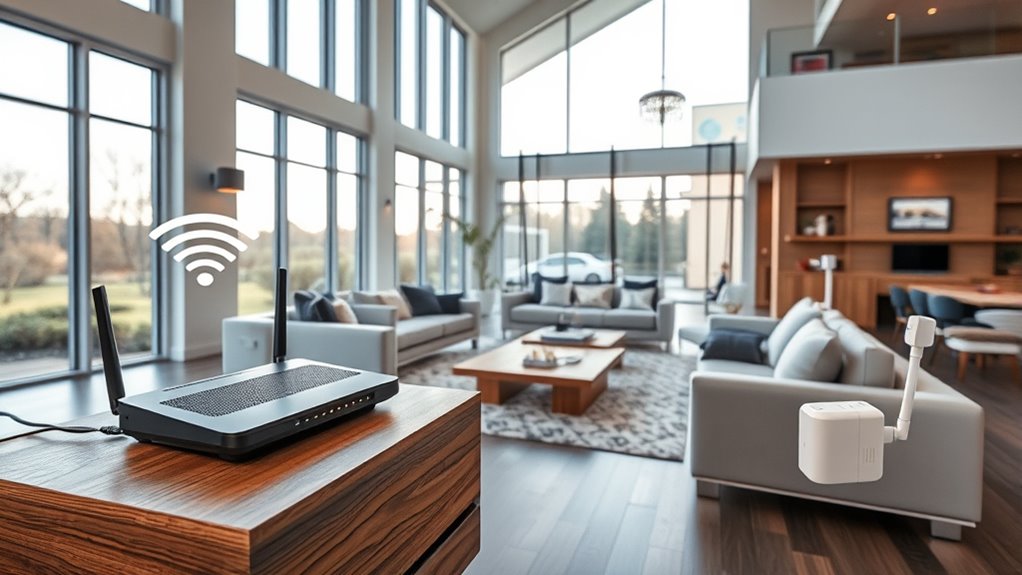
A large smart home often means multiple devices competing for Wi-Fi bandwidth, which can lead to dead zones and slow connections. To keep everything running smoothly, you need to extend your Wi-Fi coverage effectively. One of the best solutions is mesh networking, which creates a seamless network by connecting multiple nodes throughout your home. Unlike traditional routers, mesh systems communicate with each other, ensuring that each area gets a strong, consistent signal. With mesh networking, you don’t have to worry about dead spots or manually switching networks when you move from room to room. These systems automatically route your device’s connection to the nearest and fastest node, providing reliable coverage throughout your entire home. mesh networking is especially effective in large or multi-story homes, where traditional setups often struggle to maintain signal strength.
Mesh networks ensure strong, seamless Wi-Fi coverage across large smart homes, eliminating dead zones and manual network switching.
In addition to mesh networking, signal boosters can help amplify your Wi-Fi signal, especially in areas that are hard to reach. Signal boosters—also known as Wi-Fi extenders or repeaters—capture your existing Wi-Fi signal and rebroadcast it, expanding coverage into areas where the signal is weak or nonexistent. These devices are relatively easy to install and can be a quick fix for specific dead zones. However, they often create separate networks or reduce overall speed, which can be frustrating if you’re streaming or gaming. That’s why combining signal boosters with a mesh network can be a game-changer. The boosters fill in the gaps, while the mesh system maintains a unified, high-speed connection across your entire home.
When setting up your Wi-Fi extension, consider the layout of your home and the placement of devices. Position your mesh nodes or signal boosters in central locations, away from thick walls or metal objects that can block signals. Proper placement ensures that each device receives maximum coverage. Also, keep in mind that the number of mesh nodes or boosters you need depends on your home’s size and construction. Larger homes or those with multiple floors may require several units to blanket the space with reliable Wi-Fi.
Ultimately, combining mesh networking with signal boosters gives you the best of both worlds: broad, seamless coverage and reinforced signals in critical areas. This approach minimizes dead zones, boosts speeds, and ensures your smart home devices stay connected no matter where you are. By investing in these technologies and smart placement, you’ll create a robust Wi-Fi network capable of supporting your smart home’s growing demands.
mesh Wi-Fi system for large home
As an affiliate, we earn on qualifying purchases.
As an affiliate, we earn on qualifying purchases.
Frequently Asked Questions
Can I Use Existing Router Equipment to Extend Wi-Fi Coverage?
Yes, you can use your existing router equipment to extend Wi-Fi coverage. First, check your router compatibility with signal boosting features like mesh or range extender modes. Many routers support these functions, allowing you to create a seamless network. Using your current router simplifies setup and saves money, but make certain it’s capable of handling expanded coverage. Proper placement and configuration are key to maximizing signal strength across your large smart home.
What Is the Best Placement for Wi-Fi Extenders in a Large Home?
Your Wi-Fi signal can stretch across a mansion if you place extenders wisely—it’s not rocket science! Position your Wi-Fi extenders halfway between your router and the dead zones, ideally in open areas away from thick walls and metal objects. This guarantees ideal router placement for strong signal strength, preventing weak spots and buffering. Keep extenders elevated and central to maintain a seamless, high-speed connection throughout your large home.
How Do I Secure My Extended Wi-Fi Network From Unauthorized Access?
To secure your extended Wi-Fi network from unauthorized access, you should enable strong network encryption like WPA3 or WPA2. Change your default passwords and use unique, complex ones for your Wi-Fi and extender admin accounts. Regularly update your firmware and practice good password management by avoiding shared or easily guessable passwords. This helps protect your network and keeps your smart home devices safe from intruders.
Will Multiple Extenders Slow Down My Wi-Fi Speed?
Think of your Wi-Fi as a busy highway; adding multiple extenders is like creating new lanes. While this boosts coverage, it can also invite traffic jams caused by wireless interference, leading to signal degradation. This can slow down your internet speed. To keep traffic flowing smoothly, choose high-quality extenders, place them strategically, and minimize interference from other devices, ensuring your network stays fast even with multiple extenders.
How Often Should I Update My Wi-Fi Firmware for Optimal Performance?
You should update your Wi-Fi firmware whenever available, ideally every few months, to guarantee peak performance. Firmware updates improve device compatibility, fix bugs, and enhance security. Regular updates help your network run smoothly, especially with multiple smart devices. Check your router’s settings or manufacturer’s website for updates, and install them promptly to keep your Wi-Fi fast, secure, and compatible with new devices.
Wi-Fi signal booster extender
As an affiliate, we earn on qualifying purchases.
As an affiliate, we earn on qualifying purchases.
Conclusion
So, you’ve finally set up a sprawling smart home with perfect Wi-Fi—only to realize it’s like trying to keep a secret in a crowded room. Ironically, the more you boost your signal, the more you might find yourself chasing dead zones or tangled in a web of routers. But don’t worry—just like your smart devices, your Wi-Fi extension will adapt. After all, who knew that making your home smarter would require you to become a Wi-Fi wizard?
Wi-Fi mesh node set
As an affiliate, we earn on qualifying purchases.
As an affiliate, we earn on qualifying purchases.
Wi-Fi range extender for smart home
As an affiliate, we earn on qualifying purchases.
As an affiliate, we earn on qualifying purchases.