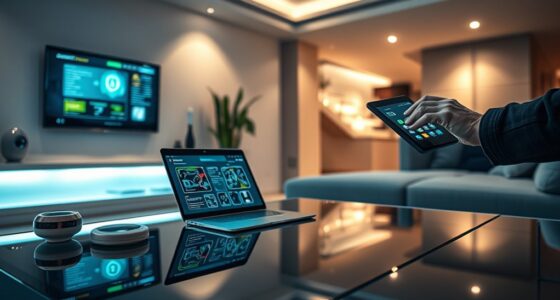
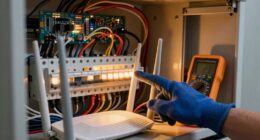
You can easily upgrade your home with smart tech without hiring an electrician by replacing standard switches with smart ones, installing smart bulbs, and setting up voice assistants. You can also add wireless security cameras and create a smart thermostat system to boost comfort and safety. Smart plugs make controlling devices simple and affordable. If you continue exploring, you’ll discover how to make your home smarter and more efficient with simple DIY steps.
Listen free for 30 days with Audible
Thousands of audiobooks and originals — cancel anytime.
As an affiliate, we earn on qualifying purchases.
Key Takeaways
- Replace standard switches with compatible smart switches by turning off power, disconnecting wires, and matching wire connections safely.
- Install smart bulbs in existing fixtures, ensuring compatibility with your home’s control systems and matching bulb bases.
- Set up a voice-activated assistant by connecting it to your Wi-Fi and linking it with your smart home devices using their respective apps.
- Mount and configure wireless security cameras using basic tools, positioning them to cover key areas, and connecting to Wi-Fi for remote access.
- Install and set up a smart thermostat and smart plugs following manufacturer instructions to control temperature and devices remotely.
As an affiliate, we earn on qualifying purchases.
Replacing Standard Switches With Smart Switches

Replacing standard switches with smart switches is one of the easiest ways to upgrade your home’s automation system. It’s a straightforward process that doesn’t require extensive electrical knowledge. First, turn off the power at your circuit breaker to ensure safety. Remove the existing switch by unscrewing it from the wall and disconnecting the wires. Then, connect the smart switch following the manufacturer’s instructions, typically matching the wires by color—hot to hot, load to load, and ground to ground. Secure the switch into the wall box, turn the power back on, and test its functionality. Many smart switches also integrate with voice assistants or apps, allowing you to control your lights remotely. With a few simple tools and careful attention, you can enjoy automated lighting in no time.
As an affiliate, we earn on qualifying purchases.
Installing Smart Bulbs for Customized Lighting

When installing smart bulbs, make sure they’re compatible with your existing fixtures and control systems to avoid surprises. You’ll appreciate the convenience of remote control, allowing you to adjust lighting from anywhere in the house. With the right bulbs, you can easily customize your lighting to suit any mood or activity.
Smart Bulb Compatibility Tips
To guarantee your smart bulbs work seamlessly with your existing setup, it’s important to check their compatibility with your smart home ecosystem. First, identify which platform you use—like Alexa, Google Assistant, or Apple HomeKit—and verify if the bulbs support it. Compatibility ensures smooth integration and voice control. Also, consider the bulb base type (e.g., E26, GU10) to match your fixtures. Some bulbs may require a hub, while others connect directly via Wi-Fi or Bluetooth. Here’s a quick compatibility overview:
| Feature | Compatibility Details |
|---|---|
| Smart Home Ecosystem | Alexa, Google, Apple HomeKit |
| Connection Type | Wi-Fi, Zigbee, Bluetooth |
| Power Requirements | Standard voltage (120V/240V) |
| Hub Needed | Yes or No, check specifications |
Matching these factors guarantees a hassle-free setup.
Remote Control Convenience
Installing smart bulbs allows you to control your lighting easily from anywhere, providing instant customization at your fingertips. With a simple app, you can turn lights on or off, adjust brightness, and change colors without leaving your couch or even while away. This level of control adds convenience and enhances security, as you can simulate occupancy when you’re not home. Setting schedules becomes effortless, ensuring your lights turn on at sunset or off at bedtime automatically. Many smart bulbs also integrate with voice assistants like Alexa or Google Assistant, letting you adjust lighting through voice commands. No more fumbling for switches in the dark or worrying about leaving lights on. Smart bulbs give you seamless remote control, making your home more comfortable, efficient, and secure.
wireless security cameras for home
As an affiliate, we earn on qualifying purchases.
As an affiliate, we earn on qualifying purchases.
Setting Up a Voice-Activated Assistant

When setting up your voice-activated assistant, make sure it’s compatible with your existing devices to avoid compatibility issues. Position it in a central location where it can clearly hear your commands without privacy concerns. Keep privacy in mind by adjusting settings and placing it away from sensitive areas to protect your personal space.
Voice Assistant Compatibility
Setting up a voice-activated assistant is an essential step in making your smart home truly hands-free. To guarantee smooth compatibility, check that your devices work with your chosen assistant, like Alexa, Google Assistant, or Siri. Review the device specifications and manufacturer details to confirm compatibility. Some smart devices only work with specific platforms, so it’s important to verify before purchase. Once confirmed, connect your devices through the respective app, linking them to your voice assistant account. This integration allows you to control lights, thermostats, and other appliances using simple voice commands. Keep firmware updated to avoid connectivity issues. Compatibility is key to seamless automation and a truly integrated smart home experience, so take the time to verify each device’s compatibility upfront.
Placement and Privacy Tips
To guarantee your voice-activated assistant functions effectively and respects your privacy, careful placement is essential. Position your device where it can clearly hear commands, but avoid placing it near windows or vents that could interfere with sound quality. Keep it away from noisy appliances to prevent miscommunication. Also, consider privacy concerns; avoid placing it in sensitive areas like bedrooms or home offices where private conversations might be unintentionally recorded.
Here are some placement tips:
- Place the device at ear level in common areas for better voice recognition.
- Keep it away from windows and vents to reduce sound interference.
- Position it in a spot where it won’t pick up unnecessary background conversations.
As an affiliate, we earn on qualifying purchases.
Adding Wireless Security Cameras

Adding wireless security cameras is a straightforward way to enhance your home’s safety without the hassle of complicated wiring. You can mount cameras on walls or ceilings using basic tools, and many models come with easy-to-follow installation instructions. Choose cameras with features like night vision, motion detection, and remote access through your smartphone. Position cameras to cover entry points, driveways, and common areas, ensuring you have a clear view while respecting privacy. Wi-Fi connectivity makes setup simple—just connect the camera to your network and download the accompanying app. Regularly check your footage and update the firmware for ideal security. With minimal effort, wireless cameras provide peace of mind and a visible deterrent to intruders.
Creating a Smart Thermostat System

Ever wondered how you can optimize your home’s comfort and energy savings simultaneously? Creating a smart thermostat system is easier than you think. First, choose a compatible smart thermostat that fits your HVAC system. Next, follow the manufacturer’s instructions to install it—usually involves wiring or a simple replacement. Once installed, connect it to your Wi-Fi network using the accompanying app. Finally, set your preferred temperature schedules and enable features like geofencing or adaptive learning to automate adjustments.
Here are three key ideas:
- Select a compatible, user-friendly smart thermostat.
- Install it following step-by-step instructions.
- Customize settings for maximum efficiency and comfort.
Integrating Smart Plugs for Greater Control

Integrating smart plugs into your home automation setup gives you greater control over your devices and energy use. With smart plugs, you can turn devices on or off remotely via your smartphone or voice commands, even when you’re away. They’re easy to install—simply plug them into an outlet and connect them to your Wi-Fi network. Once set up, you can schedule when devices operate, which helps save energy and reduces utility bills. Smart plugs also let you monitor energy consumption, giving you insights into which devices use the most power. This added control enhances your home’s automation system without complex wiring or professional help. Overall, smart plugs are an affordable way to make your home smarter, more efficient, and more convenient.
Frequently Asked Questions
Do I Need a Wi-Fi Network to Operate These Smart Devices?
Yes, you need a Wi-Fi network to operate most smart devices. These devices rely on your network to connect to the internet and communicate with your smartphone or voice assistant. Without Wi-Fi, your smart gadgets won’t function properly or be controllable remotely. Make sure your Wi-Fi is stable and has enough bandwidth to support multiple devices for seamless operation. Setting up a reliable network is essential for your smart home experience.
Are There Compatibility Issues With Existing Home Wiring?
Compatibility issues with existing home wiring are rare because most smart devices use Wi-Fi, Zigbee, or Z-Wave protocols, which don’t rely heavily on your wiring. However, if your wiring is outdated or has specific configurations, you might face some challenges connecting certain devices. To avoid problems, check each device’s requirements and compatibility before installation. If unsure, consult product guides or seek advice from online communities.
How Secure Are These Smart Home Devices From Hacking?
These smart home devices are incredibly secure—almost like having a digital fortress protecting your home. Manufacturers use advanced encryption and frequent updates, making hacking extremely difficult. However, you still need to stay vigilant—use strong, unique passwords and enable two-factor authentication. While no system is foolproof, taking these precautions dramatically reduces your risk, giving you peace of mind knowing your smart home is as safe as possible from cyber threats.
Can I Automate Multiple Devices to Work Together?
Yes, you can automate multiple devices to work together using a smart home hub or compatible apps. These tools allow you to create routines and scenes that coordinate actions across different devices seamlessly. Simply link your smart devices to a central system or app, then set triggers and actions. This makes managing your smart home easier, saving you time and effort while enhancing your home’s automation capabilities.
What Is the Estimated Cost for a Full DIY Smart Home Upgrade?
A full DIY smart home upgrade typically costs between $1,000 and $5,000, depending on the devices you choose and the size of your home. You’ll need to budget for smart hubs, security cameras, thermostats, smart lighting, and sensors. Keep in mind, you can save by choosing affordable brands and doing the installation yourself. Planning ahead and researching compatible devices will help you stay within your budget.
Conclusion
With these DIY smart home upgrades, you’re taking control of your space without calling in the Knights of the Round Table. From smart switches to security cameras, you can transform your home into a modern haven—no wizardry needed. Just remember, while you don’t need an electrician, read instructions carefully, and don’t forget your metaphorical Excalibur (or your trusty screwdriver). Soon, your home will be smarter, safer, and more convenient—your very own Camelot of comfort.
Fall yard work Picks
leaf blowers
As an affiliate, we earn on qualifying purchases.