
To set up an effective family charging station, choose a central, accessible spot like a kitchen or entryway with enough outlets or surge protectors. Incorporate a dedicated charging spot to keep devices organized and reduce clutter, using cable clips or multi-port docks for neatness. Opt for safe, reliable chargers and consider wireless options to simplify cords. Keep backup cables and stay mindful of safety. If you keep exploring, you’ll discover more tips to create a functional space everyone will love.
Key Takeaways
- Choose a central, accessible location with enough outlets and minimal interference for wireless charging.
- Use a dedicated charging station with organized compartments to keep devices tidy and reduce clutter.
- Incorporate cable management tools like clips and multi-port docks to prevent tangling and maintain neatness.
- Select safe, compatible chargers with safety features, and keep backup cables for non-wireless devices.
- Ensure proper lighting and safety standards to create an inviting, functional, and hazard-free space.
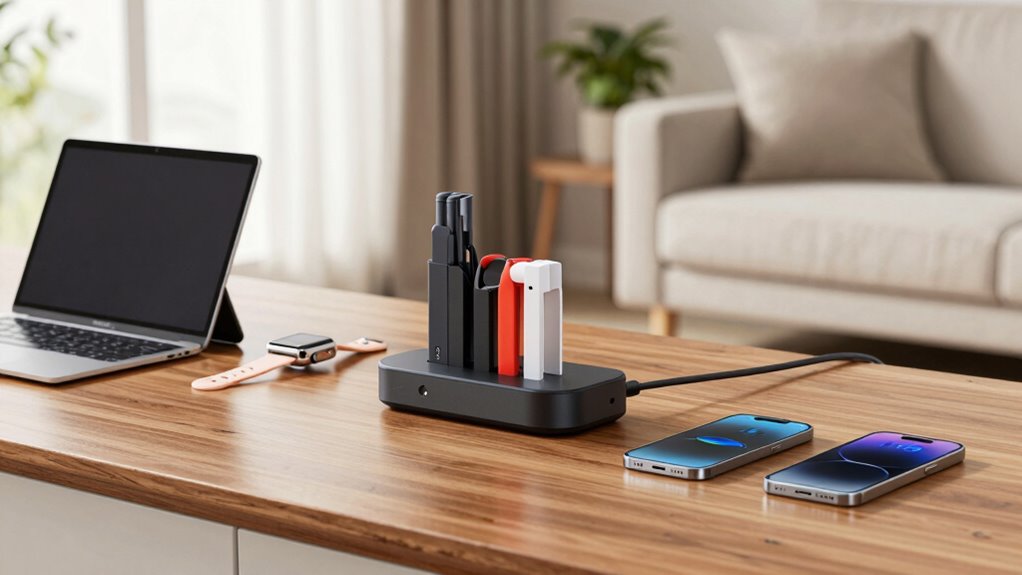
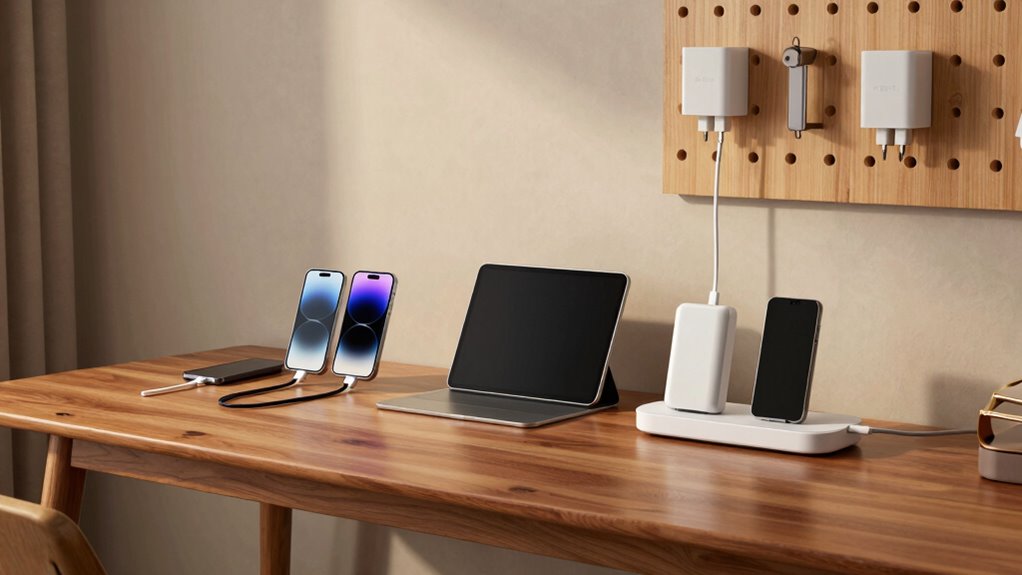
Setting up a family charging station can simplify your daily routines and keep everyone’s devices organized. When you create a dedicated spot for charging, it prevents clutter from spreading across countertops or bedside tables. To make the most of your setup, consider incorporating wireless charging options. Wireless chargers eliminate the need for constant plugging and unplugging, which can be a hassle, especially when multiple devices need charging. Simply place your phone or compatible device on the pad, and it starts charging immediately. This not only saves time but also reduces wear and tear on charging ports.
A dedicated charging spot keeps devices organized and reduces clutter at home.
Cord management is another essential aspect of a well-organized family charging station. Use cable clips, sleeves, or boxes to keep cords tidy and prevent tangling. Labeling cords can help everyone quickly identify their own device’s charger, minimizing confusion during busy mornings or evenings. By neatly bundling cables, you create a clean, streamlined look and reduce the risk of tripping over loose cords. Some people find that using a multi-port charging dock helps further declutter the space, allowing you to charge several devices simultaneously from a single power outlet. These docks often come with built-in cord management features, helping you keep everything neat and accessible. Additionally, understanding tech product research can help you select the most reliable and efficient charging solutions for your family’s needs. Conducting proper product research can also ensure you choose safe and compatible charging devices, preventing potential damage. A well-planned setup can also incorporate power strip safety, ensuring your charging station remains secure and protected from overloads.
When choosing a location for your station, pick a spot that’s central and easily accessible for everyone — like a kitchen counter, entryway table, or a dedicated shelf in your living room. Make sure the area has enough outlets or a surge protector to accommodate multiple devices. If you’re opting for wireless charging, ensure the surface is flat and free of interference that could hinder charging efficiency. Keep in mind that some devices may not support wireless charging, so having traditional charging cables as backup is essential. Additionally, understanding affiliate disclosures can help you make informed decisions when selecting products for your station. Furthermore, considering color temperature adjustments can optimize the lighting in your charging area to reduce eye strain and create a more inviting space. Proper lighting can also enhance the overall ambiance, making the space more welcoming and functional for everyone.

420W Charging Station for Multiple Devices, Zobirez 10-Port USB C Fast Charger Stations for MacBook, iPhone, Android Cell Phone, iPad, Tablet, Family Multi-Device Organizer Charging Dock, Black
10-Port Charging Station Organizer: Unlike charging stations with only USB-A ports, our multi-device charging station features 5 USB-C…
As an affiliate, we earn on qualifying purchases.
As an affiliate, we earn on qualifying purchases.
Frequently Asked Questions
What Safety Precautions Should I Consider for the Charging Station?
You should prioritize battery safety by ensuring chargers are in good condition and not damaged. Use surge protection to guard against power spikes that could damage devices or cause fires. Keep the charging station away from water and avoid overloading outlets to prevent electrical hazards. Regularly inspect cords and plugs, and teach family members safe charging habits. These precautions help keep everyone safe and maintain the longevity of your devices.
How Many Devices Can a Single Charger Support Effectively?
A single charger can typically support 3 to 6 devices effectively, depending on its power distribution and device compatibility. Check the charger’s output capacity to guarantee it can handle multiple devices simultaneously without overload. Distribute power wisely, connecting higher-power devices to dedicated ports, and avoid overloading one outlet. This way, you keep everything running smoothly and safely, maximizing the charger’s efficiency and lifespan.
What Is the Ideal Location for a Family Charging Station?
You should place your family charging station near a central, easily accessible power outlet with ample device placement options. Choose a spot in a common area like the living room or hallway, where everyone can reach their devices comfortably. Make sure the power outlet has enough capacity to support multiple chargers without overload, and use surge protectors if needed for safety. This setup keeps devices organized and charging efficiently.
Are There Eco-Friendly Charging Options Available?
Yes, eco-friendly charging options are available. You can install solar panels to harness renewable energy, reducing your carbon footprint. Additionally, choose biodegradable cables made from eco-friendly materials to minimize environmental impact. These options not only help the planet but also make your family’s charging station more sustainable. By combining solar power with biodegradable cables, you create an efficient, eco-conscious setup that benefits both your family and the environment.
How Can I Prevent Cable Clutter in the Charging Area?
You can prevent cable clutter by implementing effective cable management and device organization. Use cable clips or sleeves to keep cords neatly bundled and routed along edges or behind furniture. Add a charging dock or station to centralize devices, making organization easier. Label cords to identify devices quickly, and regularly tidy up to prevent tangling. This approach keeps your charging area tidy, safe, and more efficient for everyone in your family.
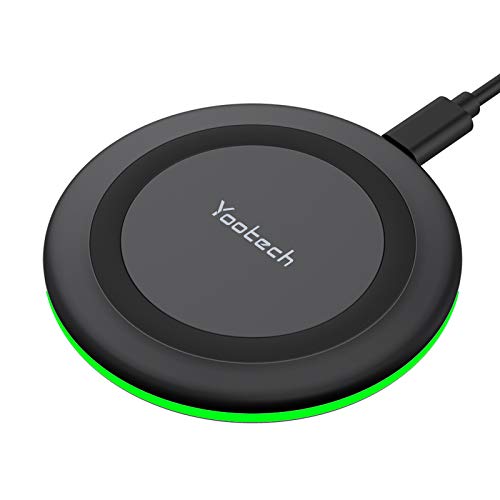
Yootech Wireless Charger,10W Max Wireless Charging Pad Compatible with iPhone 17/17 Pro/17 Pro Max/Air/16/15/14/13/SE 2022/12/11,Samsung Galaxy S25/S24/S23,for AirPods Pro 3(No AC Adapter)
【3 Charging modes Available for Different Phones】7.5W charging mode is for iPhone 17/17 Pro/17 Pro Max/Air/16/15/14/14 Plus/14 Pro/14…
As an affiliate, we earn on qualifying purchases.
As an affiliate, we earn on qualifying purchases.
Conclusion
Setting up a family charging station keeps everyone connected and reduces clutter. Did you know that the average household has over 10 devices needing charging daily? By creating a dedicated spot, you streamline the process, save time, and protect your devices. Plus, everyone stays organized and less frustrated. Investing a little effort now means fewer interruptions later—making your home more efficient and tech-friendly. Get started today and enjoy the convenience of a well-organized charging hub!

N NOROCME 192 PCS Cable Management Kit 4 Wire Organizer Sleeve,11 Cable Holder,35Cord Clips 10+2 Roll Cable Organizer Straps and 100 Fastening Cable Ties for Computer TV Under Desk, black,clear
Cable Management Kit: 4pcs Cable Sleeves( 20 in L x 0.4 in w), 20pcs reusable wire ties,35Cable Clips…
As an affiliate, we earn on qualifying purchases.
As an affiliate, we earn on qualifying purchases.

6Ft Power Strip Surge Protector – Yintar Extension Cord with 6 AC Outlets and 3 USB Ports for for Home, Office, Dorm Essentials, 1680 Joules, ETL Listed, (Black)
Power Strip with 6 Outlets & 3USB Ports: 6 AC Surge protector outlets(1680 Joules) including 1 Widely Spaced…
As an affiliate, we earn on qualifying purchases.
As an affiliate, we earn on qualifying purchases.