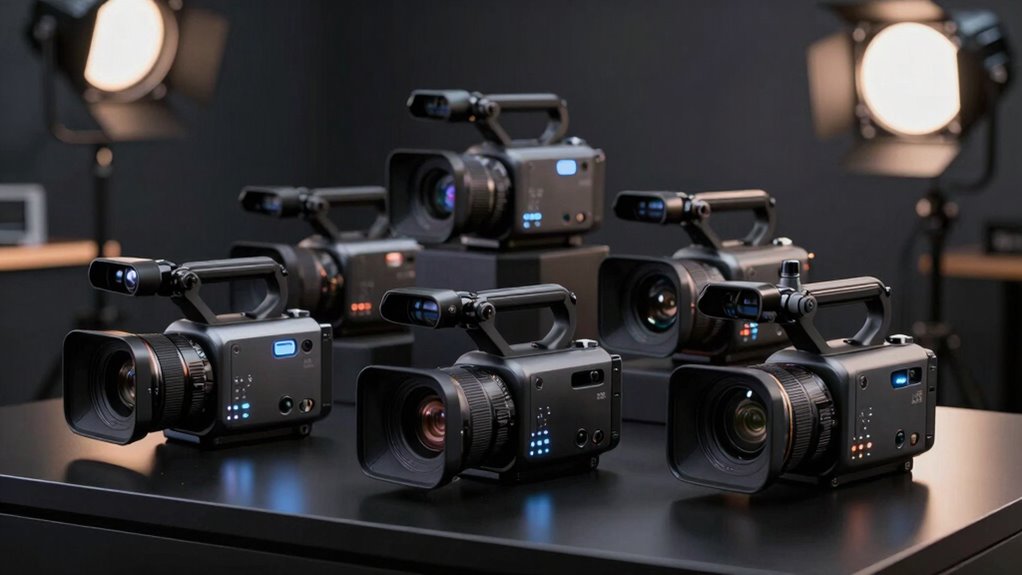
The best professional video camera for most buyers in this roundup is the Canon XF605, whose broad production features make it the most capable all-round choice. The Panasonic AG-CX350 stands out for buyers who need a versatile field camera, while the Sony HXR-NX800 offers a strong alternative for demanding event and live-production work. The key tradeoffs are advanced controls and connectivity versus portability, ease of operation, and the cost of building out a complete kit. Canon’s XA models balance professional handling with more accessible workflows, while the VIXIA G70 is the simpler fit for smaller productions. Read on for the full breakdown and guidance on matching a camera to your work.

Get the little things that make your day delivered free with Prime
- Fast, free delivery on millions of items
- Prime Video, Amazon Music and more included
- Member-only deals all year
Key Takeaways
- The Canon XF605 leads on versatility: it is the standout choice for buyers who need a camera equipped for more demanding production work, rather than a simple recording setup.
- The Panasonic AG-CX350 and Sony HXR-NX800 suit field and live work: they offer alternatives to Canon’s lineup for buyers whose priority is a professional camcorder workflow.
- The Canon XA60, XA65, and XA70 occupy the practical middle ground: the XA family is worth comparing for buyers who want professional-style handling without stepping up to the XF605.
- The VIXIA HF G70 is the more approachable option: it makes more sense for smaller crews and straightforward projects than cameras selected for advanced production requirements.
- Near-duplicate listings require care: the roundup includes multiple XA60 and VIXIA G70 listings, including bundles, so compare the actual included accessories and camera configuration rather than assuming every listing is a distinct camera.
| Canon XA60 Professional UHD 4K Camcorder |  | Best Compact Professional Camcorder | Sensor: 1/2.3-inch CMOS | Image processor: DIGIC DV6 | Video: 4K UHD and Full HD | VIEW ON AMAZON | See Our Full Breakdown |
| Canon XF605 4K UHD HDR Camcorder with 15x Optical Zoom and 64GB Memory Card |  | Best for Broadcast and Event Production | Sensor: 1-inch CMOS | Video: 4K UHD HDR, up to 60 fps | Optical zoom: 15x | VIEW ON AMAZON | See Our Full Breakdown |
| Sony HXR-NX800 4K NXCAM Professional Camcorder |  | Best for Automated Subject Tracking | Sensor: 1-inch Exmor RS BSI CMOS | Lens: 24–480 mm, f/2.8–f/4.5 | Optical zoom: 20x | VIEW ON AMAZON | See Our Full Breakdown |
| Canon VIXIA HF G70 4K Camcorder with 20x Optical Zoom and Bundle |  | Best for Entry-Level 4K Production | Sensor: 1/2.3-inch CMOS | Video: 4K UHD | Video format: MP4 | VIEW ON AMAZON | See Our Full Breakdown |
| Panasonic AG-CX350 4K Professional Camcorder with Accessory Bundle |  | Best for Multi-Connection Production Work | Sensor: 1-inch MOS, 15 MP | Video: UHD 4K and 1080p | Optical zoom: 20x | VIEW ON AMAZON | See Our Full Breakdown |
| Canon XA65 4K Professional Camcorder |  | Best for Live Production Connections | Sensor: 1/2.3-inch CMOS | Processor: DIGIC DV6 | Maximum resolution: 4K UHD | VIEW ON AMAZON | See Our Full Breakdown |
| Canon XA70 4K Professional Camcorder |  | Best for a Larger Sensor in a Compact Camcorder | Sensor: 1-inch CMOS | Processor: DIGIC DV6 | Video resolution: 4K UHD and Full HD | VIEW ON AMAZON | See Our Full Breakdown |
| Canon VIXIA HF G70 4K UHD Camcorder with 20x Optical Zoom |  | Best for Straightforward 4K Recording | Sensor: 1/2.3-inch 4K UHD CMOS | Image processor: DIGIC DV6 | Optical zoom: 20x | VIEW ON AMAZON | See Our Full Breakdown |
| Canon XA60 Professional 4K UHD Camcorder with 20x Optical Zoom |  | Best for a Ready-to-Use Event Kit | Sensor: 1/2.3-inch CMOS | Maximum resolution and frame rate: UHD 4K at up to 30 fps | Processor: DIGIC DV 6 | VIEW ON AMAZON | See Our Full Breakdown |
| Sony 4K HDR 1″ Sensor NXCAM Camcorder & Card Reader Bundle |  | Best for High-Frame-Rate and Streaming Work | Sensor: 1-inch Exmor RS CMOS | Video formats and frame rates: UHD up to 4K120; 1080p up to 240 fps | Optical zoom: 20x | VIEW ON AMAZON | See Our Full Breakdown |
| professional video camera | Sensor | Optical zoom | Image stabilization | Video |
|---|---|---|---|---|
| Canon XA60 Professional UHD 4K | 1/2.3-inch CMOS | 20x | — | 4K UHD and Full HD |
| Canon XF605 4K UHD HDR Camcord | 1-inch CMOS | 15x | Optical | 4K UHD HDR, up to 60 fps |
| Sony HXR-NX800 4K NXCAM Profes | 1-inch Exmor RS BSI CMOS | 20x | Digital, hybrid | 4K and 1080p |
| Canon VIXIA HF G70 4K Camcorde | 1/2.3-inch CMOS | 20x | Optical | 4K UHD |
| Panasonic AG-CX350 4K Professi | 1-inch MOS, 15 MP | 20x | 5-axis hybrid | UHD 4K and 1080p |
| Canon XA65 4K Professional Cam | 1/2.3-inch CMOS | 20x | — | — |
| Canon XA70 4K Professional Cam | 1-inch CMOS | 15x | 5-axis Dynamic IS | — |
| Canon VIXIA HF G70 4K UHD Camc | 1/2.3-inch 4K UHD CMOS | 20x | — | — |
| Canon XA60 Professional 4K UHD | 1/2.3-inch CMOS | 20x | 5-axis Dynamic IS | — |
| Sony 4K HDR 1" Sensor NXCAM Ca | 1-inch Exmor RS CMOS | 20x | Hybrid | — |
More Details on Our Top Picks
Canon XA60 Professional UHD 4K Camcorder
The Canon XA60 is the practical pick for crews that need professional audio and recording safeguards in a compact camcorder. Its 20x optical zoom and five-axis stabilization help cover changing distances without relying on digital zoom, while dual SD slots can record simultaneously or extend a shoot. Two XLR inputs and four-channel linear PCM give it a stronger production-audio setup than the VIXIA HF G70. It also supports XF-AVC and MP4, offering more format flexibility than the G70’s listed MP4 recording. The tradeoff is its 1/2.3-inch sensor: buyers prioritizing a larger sensor and 4K 60p should look to the Canon XF605 or Panasonic AG-CX350. USB-C supports HD live streaming, but a cable is required and USB audio output is not supported.
Pros:- 20x optical zoom with optical and five-axis Dynamic IS
- Two XLR terminals and four-channel linear PCM recording
- Dual SD slots support simultaneous or relay recording
- Records 4K UHD and Full HD in XF-AVC or MP4
Cons:- 1/2.3-inch sensor is smaller than the sensors in the XF605 and AG-CX350
- USB-C cable is required for computer connection and is not included
- USB connection does not support audio output
Best for: Small production teams, event videographers, and institutional crews that need XLR audio, long zoom reach, and dual-card recording in a compact 4K camcorder.
Not ideal for: Shooters who need a larger sensor, 4K 60p, or audio output over USB; the XF605 is a better fit for higher-end broadcast connectivity.
- Sensor:1/2.3-inch CMOS
- Image processor:DIGIC DV6
- Video:4K UHD and Full HD
- Optical zoom:20x
- Recording formats:XF-AVC and MP4
- Stabilization:Optical and Dynamic IS, 5-axis
- Audio:Two XLR terminals; 4-channel linear PCM
- Media:Dual SD card slots
- Connectivity:Mini-HDMI; USB Type-C with UVC support
Our verdict“Choose the XA60 for a compact, audio-ready production camera with dual-card safeguards, but choose the XF605 or AG-CX350 when sensor size and advanced production needs matter more.”
Canon XF605 4K UHD HDR Camcorder with 15x Optical Zoom and 64GB Memory Card
For broadcast, documentary, and live-event crews, the Canon XF605 brings the most production-focused connectivity in this group. Its 1-inch sensor, HDR recording, and 4K capture up to 60 fps suit work where image detail and motion handling matter more than maximum zoom reach. Dual Pixel autofocus with 193 focus points can help keep moving subjects sharp, while 12G-SDI and Ethernet support more involved signal and network workflows than the XA60’s Mini-HDMI and USB-C connections. The compromise is reach: its 15x optical zoom falls short of the 20x lenses on the XA60, Sony HXR-NX800, and Panasonic AG-CX350. At a listed 10 pounds, it is also a heavier choice for handheld coverage. I’d favor it for a production setup, not a lightweight run-and-gun kit.
Pros:- 1-inch CMOS sensor with 4K UHD HDR recording up to 60 fps
- Dual Pixel phase-detection autofocus with 193 points
- 12G-SDI, Ethernet, and Wi-Fi connectivity
- Optical image stabilization and included 64GB memory card
Cons:- Listed weight of 10 pounds makes extended handheld shooting less comfortable
- 15x optical zoom offers less reach than several 20x alternatives
- Not water resistant
Best for: Broadcast operators, event crews, and documentary teams that need 4K 60p, HDR, reliable autofocus, and SDI or Ethernet connections.
Not ideal for: Solo shooters who need a lighter handheld camera or maximum zoom reach; the XA60 offers 20x optical zoom in a more compact professional format.
- Sensor:1-inch CMOS
- Video:4K UHD HDR, up to 60 fps
- Optical zoom:15x
- Autofocus:Dual Pixel phase-detection AF, 193 points
- Connectivity:Wi-Fi, Ethernet, 12G-SDI
- Recording formats:MP4, MOV, AVI
- Image stabilization:Optical
- Maximum aperture:f/2.8
- Weight:10 lb
Our verdict“Pick the XF605 for broadcast-style 4K 60p production and SDI connectivity, but look at the XA60 if portability and longer zoom range take priority.”
Sony HXR-NX800 4K NXCAM Professional Camcorder
The Sony HXR-NX800 is the strongest fit here for operators who want subject recognition and framing assistance built into a professional camcorder. Its AI-based autofocus and auto framing can reduce the workload when one person is covering a speaker, presenter, or event, while the electronic variable ND filter helps manage exposure as lighting changes. The 1-inch Exmor RS sensor and 20x lens place it closer to the Panasonic AG-CX350 than the smaller-sensor Canon XA60 in core imaging format and zoom reach. Sony also supports wireless live streaming. Those tools come with practical costs: the listed weight is 10.2 pounds, and battery life is specified at 90 minutes. Buyers who need XLR inputs explicitly listed should compare the AG-CX350 or XA60 before choosing this model.
Pros:- 1-inch Exmor RS BSI CMOS sensor and 20x optical zoom
- AI-based subject recognition autofocus and auto framing
- Built-in electronic variable ND filter
- Wireless connectivity supports live streaming
Cons:- Listed weight of 10.2 pounds is substantial for handheld operation
- Listed battery life is 90 minutes
- Not water resistant
Best for: One-person event and corporate video operators who value AI-assisted focus, auto framing, and wireless streaming while working with a 1-inch sensor.
Not ideal for: Crews that need a lightweight camera for long handheld shoots, extended battery operation, or clearly specified professional XLR audio connections.
- Sensor:1-inch Exmor RS BSI CMOS
- Lens:24–480 mm, f/2.8–f/4.5
- Optical zoom:20x
- Video:4K and 1080p
- Autofocus and framing:AI-based subject recognition AF; auto framing
- Image stabilization:Digital, hybrid
- Connectivity:Ethernet, HDMI Type-A, USB, wireless, REMOTE
- Display:3.5-inch screen, 2.76 MP
- Battery life:90 minutes
Our verdict“Choose the HXR-NX800 when automated tracking and framing are central to a solo workflow, but favor the AG-CX350 for a more clearly specified XLR-based audio setup.”
Canon VIXIA HF G70 4K Camcorder with 20x Optical Zoom and Bundle
The Canon VIXIA HF G70 is the accessible step into 4K camcorder work for creators who want manual controls without moving into a heavier, more connection-rich camera. Its 20x optical zoom, optical stabilization, and dual SD slots cover useful basics for interviews, school events, and small productions; the included shoulder bag and 64GB card also provide a ready-to-carry starting kit. Compared with the professional XA60, the G70’s supplied details list HDMI but not XLR inputs or XF-AVC recording, so it is less suited to crews with demanding audio and format requirements. Its 1/2.3-inch sensor is also smaller than the 1-inch sensors in the XF605 and AG-CX350. This is a sensible simpler setup, not the strongest choice for broadcast workflows.
Pros:- 4K UHD recording with a 20x optical zoom lens
- Optical image stabilization for handheld coverage
- Dual SD card slots support redundant or extended recording
- Bundle includes a shoulder bag, 64GB card, battery pack, and lens hood
Cons:- Listed connectivity is limited to HDMI, with no XLR or SDI connection specified
- 1/2.3-inch sensor is smaller than the 1-inch sensors in the XF605 and AG-CX350
- MP4 is the only listed recording format
Best for: Newer video operators, educators, and small organizations that need 4K, manual shooting options, and a bundled carry kit for events or interviews.
Not ideal for: Broadcast crews and audio-led productions that need XLR inputs, SDI connectivity, or a larger sensor; consider the XA60 or XF605 instead.
- Sensor:1/2.3-inch CMOS
- Video:4K UHD
- Video format:MP4
- Optical zoom:20x
- Focus:Manual and auto
- Lens maximum aperture:f/1.8
- Image stabilization:Optical
- Media slots:Dual SD card slots
- Included accessories:Shoulder bag, 64GB memory card, USB power adapter, battery pack, lens hood, lens cap
Our verdict“Choose the G70 for straightforward 4K event and interview work with useful accessories, but step up to the XA60 when professional audio connections and recording formats are needed.”
Panasonic AG-CX350 4K Professional Camcorder with Accessory Bundle
The Panasonic AG-CX350 is a versatile choice for crews that need a broad connection panel and long zoom range in one camcorder. Its 1-inch MOS sensor, 20x optical zoom, and 5-axis hybrid stabilization make it a more production-oriented alternative to the Canon VIXIA HF G70, whose listed connections are limited to HDMI. The AG-CX350 adds 3G-SDI, HDMI, LAN, timecode in/out, and two XLR inputs, making it better suited to coordinated shoots and external audio workflows. The included bundle is unusually extensive, with items such as a tripod, microphone, LED light, filters, and wide- and telephoto lenses; that can help a new kit get moving, but may add clutter for crews with established gear. Four-channel audio recording requires firmware v2, so check that requirement before planning a multichannel setup.
Pros:- 1-inch, 15 MP MOS sensor with UHD 4K and 1080p recording
- 20x optical zoom with 5-axis hybrid image stabilization
- Two XLR inputs and connections including 3G-SDI, LAN, and timecode in/out
- Bundle includes batteries, tripod, microphone, LED light, and lenses
Cons:- Four-channel audio recording requires firmware v2
- Extensive accessory bundle may include items established crews do not need
- The 3.2-inch display is smaller than the listed 3.5-inch displays on the XA60 and HXR-NX800
Best for: Small production houses and event crews that want a 1-inch-sensor camcorder with XLR audio, SDI, timecode connections, and a broad starter accessory kit.
Not ideal for: Operators who already own production accessories or need a lightweight, simple kit; the bundle may duplicate gear, and the XA60 is a more compact alternative.
- Sensor:1-inch MOS, 15 MP
- Video:UHD 4K and 1080p
- Optical zoom:20x
- 35mm equivalent focal length:24.5–490 mm
- Image stabilization:5-axis hybrid
- Display and viewfinder:3.2-inch LCD touchscreen; OLED viewfinder
- Audio:Built-in stereo microphone; two XLR inputs; four-channel recording requires firmware v2
- Connections:3G-SDI, HDMI, USB 3.0, USB 2.0 host, LAN, LANC, TC In/Out
- Media slots:Two
Our verdict“Pick the AG-CX350 for connection-heavy shoots and a broad bundled kit, but choose the XA60 for a more compact setup or the G70 for simpler HDMI-based production.”
Canon XA65 4K Professional Camcorder
The Canon XA65 is a strong fit for crews that need a compact camcorder to feed both streaming and broadcast workflows. Its 3G-SDI and mini-HDMI outputs give it more connection flexibility than the XA70, while two XLR inputs and four-channel audio support professional sound capture. The 20x optical zoom also reaches farther than the XA70’s 15x, which helps when camera placement is fixed or a subject is distant.
The tradeoff is its 1/2.3-inch sensor: the XA70’s larger 1-inch sensor is the more appealing choice when low-light performance or a shallower depth of field matters. Dual SD slots provide relay or simultaneous recording, but this model is not water resistant, and USB audio output is unsupported. I’d choose it for output options and reach, not for sensor size.
Pros:- 3G-SDI and mini-HDMI provide useful connections for production monitors and switchers
- 20x optical zoom reaches farther than the XA70’s 15x lens
- Two XLR inputs and four-channel linear PCM support professional audio capture
- Dual SD slots allow relay or simultaneous recording
Cons:- The 1/2.3-inch sensor is smaller than the XA70’s 1-inch sensor
- USB audio output is not supported, and the computer connection cable is not included
- Not water resistant
Best for: Small production teams and event operators who need 20x optical reach, XLR audio, and SDI output from a compact camera.
Not ideal for: Videographers prioritizing a larger sensor for low-light work, or crews needing weather protection or USB audio output.
- Sensor:1/2.3-inch CMOS
- Processor:DIGIC DV6
- Maximum resolution:4K UHD
- Optical zoom:20x
- Recording formats:XF-AVC, MP4
- Video bitrate:4K UHD 160 Mbps; Full HD 45 Mbps
- Audio:Two XLR terminals; 4-channel linear PCM
- Outputs and connectivity:USB Type-C, mini-HDMI, 3G-SDI
- Storage:Dual SD card slots
Our verdict“Choose the XA65 if SDI connectivity and a 20x lens matter more to your production than the XA70’s larger sensor.”
Canon XA70 4K Professional Camcorder
The Canon XA70 stands out in this group for pairing professional handling with a 1-inch CMOS sensor. Compared with the XA65 and XA60, both of which use 1/2.3-inch sensors, its larger sensor is a better match for dim venues and for shots where more background separation is desirable. It also retains two XLR inputs, dual SD recording, and USB-C UVC support, making it practical for crews that need both recorded footage and a direct streaming option.
Its main compromise is reach: the 15x optical zoom falls short of the 20x lenses on the XA65, XA60, and VIXIA HF G70. The XA65 also adds 3G-SDI, a connection absent from the listed XA70 specs. I’d pick the XA70 for sensor size and flexible recording, but not when long-distance framing or SDI output is the priority.
Pros:- 1-inch CMOS sensor is larger than the sensors in the XA65 and XA60
- Two XLR inputs and four-channel linear PCM support professional audio workflows
- Dual SD slots support relay and simultaneous recording
- USB-C UVC support enables HD livestreaming
Cons:- 15x optical zoom offers less reach than the 20x lenses on the XA65 and XA60
- The listed connectivity omits the XA65’s 3G-SDI output
- Not water resistant
Best for: Event videographers and small production crews who want a 1-inch sensor, XLR audio, and dual-card recording in a compact camcorder.
Not ideal for: Operators who need maximum telephoto reach, 3G-SDI output, or a weather-resistant camera.
- Sensor:1-inch CMOS
- Processor:DIGIC DV6
- Video resolution:4K UHD and Full HD
- Optical zoom:15x
- Image stabilization:5-axis Dynamic IS
- Recording formats:XF-AVC, MP4
- Audio inputs:Two XLR terminals
- Connectivity:USB Type-C with UVC support; mini-HDMI
- Storage:Dual SD card slots
Our verdict“Choose the XA70 if a larger sensor matters more than the longer zoom and SDI connection offered by the XA65.”
Canon VIXIA HF G70 4K UHD Camcorder with 20x Optical Zoom
The Canon VIXIA HF G70 is the straightforward choice here for buyers who want 4K recording, a long zoom, and face-detection autofocus without the XA series’ emphasis on professional audio connections. Its 20x optical zoom matches the XA65 and XA60 for reach, while hybrid autofocus with face detection can help keep a person in focus during interviews, ceremonies, or solo shooting. UVC support also allows HD livestreaming to a computer.
Compared with the XA65, the HF G70’s listed feature set does not include dual SD slots or XLR inputs, so it is less suited to redundant recording and multi-source audio work. Its on-screen date, time, and timecode display can serve documentation-focused recordings, but the provided specs say less about professional recording formats and audio options. I’d favor this model for simpler camera operation, not as a substitute for a fully outfitted event camera.
Pros:- 20x optical zoom provides useful framing flexibility
- Hybrid autofocus with face detection helps track people
- UVC support enables HD livestreaming to a PC or Mac
- On-screen date, time, and timecode can aid documented recordings
Cons:- The listed specs do not include XLR inputs, unlike the XA65 and XA70
- Dual SD card recording is not listed
- The provided product data gives limited detail about recording formats and audio capabilities
Best for: Solo videographers and organizations that need 4K footage, face-detection autofocus, and computer-based HD livestreaming without a stated need for XLR audio.
Not ideal for: Professional crews that require dual-card recording, XLR microphone inputs, or detailed broadcast-style audio controls.
- Sensor:1/2.3-inch 4K UHD CMOS
- Image processor:DIGIC DV6
- Optical zoom:20x
- Digital zoom:800x
- Autofocus:Hybrid AF with face detection
- Aperture:8-blade
- Connectivity:HDMI, USB, UVC livestreaming
- Recording feature:On-screen date, time, and timecode display
Our verdict“Choose the HF G70 for approachable 4K shooting and face-aware autofocus, but choose an XA-series model for XLR audio and dual-card workflows.”
Canon XA60 Professional 4K UHD Camcorder with 20x Optical Zoom
The Canon XA60 bundle is the practical pick for an operator who wants a professional-style camcorder and several basic accessories in the same package. The camera combines 20x optical zoom, 5-axis Dynamic IS, dual SD slots, and two XLR inputs with phantom power. That gives it a familiar event-production toolset, much like the XA65, while USB-C UVC support can send a live feed to a computer.
The bundle’s shoulder bag, USB power adapter, and 64GB card make it easier to assemble a starter kit, but they do not change the camera’s core limits. Its 1/2.3-inch sensor is smaller than the XA70’s 1-inch sensor, and the XA65 adds 3G-SDI for more involved video routing. The XA60’s UHD 4K recording tops out at 30 fps, so it is aimed more at conventional event and documentary coverage than high-frame-rate slow motion.
Pros:- 20x optical zoom paired with 5-axis Dynamic IS
- Dual XLR inputs with phantom power and four-channel LPCM
- USB-C UVC support enables direct livestreaming
- Bundle includes a USB power adapter, shoulder bag, and 64GB memory card
Cons:- 1/2.3-inch sensor is smaller than the XA70’s 1-inch sensor
- UHD 4K recording is limited to 30 fps
- Digital zoom up to 800x can reduce image quality, and the listed data omits battery life and weight
Best for: Event videographers building a basic field kit who need long optical reach, XLR audio, dual SD recording, and included storage and carrying accessories.
Not ideal for: Crews seeking a 1-inch sensor, 3G-SDI output, or high-frame-rate 4K recording.
- Sensor:1/2.3-inch CMOS
- Maximum resolution and frame rate:UHD 4K at up to 30 fps
- Processor:DIGIC DV 6
- Optical zoom:20x
- Lens range:29.3–612mm (35mm equivalent)
- Image stabilization:5-axis Dynamic IS
- Recording formats:XF-AVC, MP4
- Audio:Dual XLR with phantom power; 4-channel LPCM
- Included accessories:USB power adapter, shoulder bag, 64GB memory card
Our verdict“Choose the XA60 bundle for a ready-to-carry 20x event camera with XLR audio, not for larger-sensor shooting or advanced video routing.”
Sony 4K HDR 1″ Sensor NXCAM Camcorder & Card Reader Bundle
The Sony HXR-NX800 bundle is the most capability-focused option in this group for productions that need more than standard 4K capture. It records up to 4K120 and 1080p240, giving editors more room for slow-motion sequences than the XA60’s listed 4K30 ceiling. A 1-inch sensor, AI-enhanced autofocus, and 20x optical zoom also make it a more advanced all-in-one option than the VIXIA HF G70, while built-in Wi-Fi and Ethernet support direct streaming and file transfer workflows.
That range of features comes with a more substantial body: the listed weight is 4.3 pounds, heavier than the compact-camcorder emphasis of the Canon options. It is also not water resistant. The bundle’s card and accessories add practical kit support, but buyers should confirm their preferred recording media and formats before choosing; the specs list CFexpress memory and dual CFexpress Type-A/SD slots.
Pros:- Records high-frame-rate video up to 4K120 and 1080p240
- AI-enhanced autofocus and auto-framing support subject tracking
- Built-in Wi-Fi and Ethernet enable direct streaming and file-transfer workflows
- 1-inch sensor and 20x optical zoom combine sensor size with broad framing range
Cons:- At 4.3 pounds, it is heavier than the compact Canon camcorders listed
- Not water resistant
- The listed CFexpress Type-A/SD recording media may require a different card setup than SD-only cameras
Best for: Production teams and advanced solo operators who need high-frame-rate capture, AI-assisted autofocus, and direct network streaming in one camcorder.
Not ideal for: Travel shooters prioritizing a lighter camera, or crews that need water resistance and have not verified their media workflow.
- Sensor:1-inch Exmor RS CMOS
- Video formats and frame rates:UHD up to 4K120; 1080p up to 240 fps
- Optical zoom:20x
- Autofocus:AI-enhanced autofocus
- Image stabilization:Hybrid
- Streaming and networking:Built-in Wi-Fi and Ethernet; RTMP/RTMPS and SRT support
- Memory card slots:Dual CFexpress Type-A/SD
- Weight:4.3 pounds
- Bundle:64GB memory card, case, card reader, and accessories
Our verdict“Choose the NX800 if high-frame-rate capture and network streaming matter more than a lighter body or weather protection.”

How We Picked
I ranked these professional video cameras by how well their features support real production work: image and recording capability, lens reach, controls, connectivity, handling, and suitability for run-and-gun or fixed setups. A professional label alone does not make a camera the right fit; I weighed whether its capabilities match the needs of event crews, field operators, educators, and smaller productions.
The XF605 ranks first for its broad role in a professional workflow, while the AG-CX350 and HXR-NX800 stand out as alternatives for buyers with specific field or live-production priorities. The XA models follow as practical, less elaborate choices, and the VIXIA G70 sits lower because it is better suited to simpler production needs. Where listings repeat a camera model or add a bundle, I treat the included kit as a purchasing distinction, not proof of a different core camera. Buyers should confirm exact configuration and accessories before choosing.
| professional video camera | Recording formats | Connectivity |
|---|---|---|
| Canon XA60 Professional UHD 4K | XF-AVC and MP4 | Mini-HDMI; USB Type-C with UVC support |
| Canon XF605 4K UHD HDR Camcord | MP4, MOV, AVI | Wi-Fi, Ethernet, 12G-SDI |
| Sony HXR-NX800 4K NXCAM Profes | — | Ethernet, HDMI Type-A, USB, wireless, REMOTE |
| Canon VIXIA HF G70 4K Camcorde | — | — |
| Panasonic AG-CX350 4K Professi | — | — |
| Canon XA65 4K Professional Cam | XF-AVC, MP4 | — |
| Canon XA70 4K Professional Cam | XF-AVC, MP4 | USB Type-C with UVC support; mini-HDMI |
| Canon VIXIA HF G70 4K UHD Camc | — | HDMI, USB, UVC livestreaming |
| Canon XA60 Professional 4K UHD | XF-AVC, MP4 | — |
| Sony 4K HDR 1" Sensor NXCAM Ca | — | — |
Factors to Consider When Choosing Professional Video Cameras
Before choosing from these professional video cameras, start with the demands of your shoots and the workflow around them. A camera that is ideal for a solo operator may be a poor match for a live crew, and extra capabilities only help when they solve a real production need.
Match the Camera to the Shoot, Not the Job Title
“Professional” covers very different work, from a locked-off lecture recording to a roaming event shoot. List the situations you film most often: changing light, long recording sessions, distant subjects, or multiple camera positions. Then rank those needs instead of buying the most feature-rich body by default. A camcorder-style camera can be a practical choice when you need an integrated lens and quick operation, while a more advanced model may fit crews with defined production workflows. One common mistake is paying for capabilities that never leave the menu. Choose around repeatable assignments, with occasional specialty work as a secondary factor.
Think Through Lens Reach and Camera Placement
Optical zoom can matter more than sensor size when you film ceremonies, performances, sports, or speakers from a fixed position. Long reach helps frame distant subjects without changing location, but it cannot replace good lighting or a stable support. If you usually work close to your subjects, a long zoom range may add less value than easy handling and fast access to controls. Consider whether the camera will live on a tripod, move through a crowd, or switch between both roles. Check that your support system and shooting distance suit the camera you choose. Buyers often underestimate how much placement affects the usable image.
Plan for the Whole Recording Workflow
A camera is only one part of a production chain: recording media, power, audio, monitoring, file transfer, and editing all affect whether a setup works smoothly. Before purchase, map how footage will reach the editor and confirm that the camera’s recording formats fit the software and storage available to you. Long events call for a plan for media capacity, battery changes, and uninterrupted operation. A bundle may help if its accessories match your needs, but included extras are not automatically useful or compatible with every workflow. Avoid choosing by accessory count alone. The right setup reduces bottlenecks after the shoot, not just during it.
Choose Controls and Connectivity for Your Crew
Solo operators benefit from controls they can reach quickly while maintaining framing, while multi-camera productions may prioritize connections and coordinated operation. Think about whether you need to monitor audio, feed a live switcher, or hand off a camera to someone with less technical experience. Advanced controls can speed up work once configured, but they may add complexity for occasional users. Test your planned workflow on paper: name each device the camera must connect to and how it will communicate with it. Then verify those needs against the exact model specification. Don’t assume cameras in the same family provide identical connections or features.
Budget for Support Gear and Ongoing Use
The camera body is not the entire working kit. Batteries, media, microphones, headphones, tripod support, and protective cases can shape the final setup and its reliability on location. Decide which items you already own, which are essential on day one, and which can wait. Bundle listings deserve special scrutiny because included components can vary and may not suit a professional workflow. Also consider how easy it will be to manage, transport, and maintain the complete kit between shoots. A simpler camera with appropriate support gear can serve a small crew better than a more capable body with missing essentials. Compare the total setup, not just the camera name.
Know When to Step Up—or Keep It Simple
Pay more for a camera when its extra capabilities address a recurring production limit, such as needing a more advanced workflow or greater operational flexibility. If your work is mostly straightforward recording, an approachable option may leave more room for essential audio, lighting, or support gear. Think about the next few years of assignments, but avoid buying for a hypothetical project that may never happen. A move up the product range can bring more controls and setup demands as well as more capability. Make a short list of requirements that would change the way you shoot, then use it to judge whether an upgrade has a practical payoff. This keeps the decision tied to work rather than spec-sheet ambition.
Frequently Asked Questions
Is the Canon XF605 the right choice for a small production team?
The XF605 is the roundup’s strongest all-round pick for buyers who can make use of a more capable professional workflow. For a small team, the deciding factor is whether its broader production features solve regular needs or add complexity without enough benefit. Compare the XF605 with the XA70 and XA65 if your shoots are mainly straightforward interviews, events, or presentations. Also budget for media, power, audio, and support gear that fit your production. If those extras are more useful to your work than the XF605’s added capability, a simpler XA model may be the better fit.
Which camera makes the most sense for filming events from the back of a room?
For distant subjects and fixed positions, prioritize optical reach, stable tripod use, and dependable recording over compact size. The VIXIA HF G70 and the XA60 listings are worth comparing because the roundup identifies them as zoom-oriented options, while the XA family is aimed at buyers seeking more professional-style handling. Your venue size and typical subject distance matter more than a headline zoom figure alone. Check the exact camera configuration and whether a listing’s bundle includes useful support items. If you also need a more demanding production workflow, compare those options with the XF605 or HXR-NX800.
Should I choose a Canon XA model or the VIXIA HF G70?
Choose between them based on workflow demands, not just the fact that both are Canon camcorders. The XA60, XA65, and XA70 are presented here as the practical middle ground for buyers seeking professional-style operation, while the VIXIA G70 is the more approachable fit for smaller or simpler productions. If multiple operators need to use the camera, or if your work depends on specific connections and controls, check the exact specifications before deciding. The G70 may make more sense when ease of use is the priority. Avoid assuming the similarly named listings or bundles contain identical configurations.
Are bundle listings a good way to buy a professional video camera?
A bundle can be convenient when it includes accessories you already planned to buy, but the bundle label alone does not indicate a better production setup. Compare the included media, reader, power accessories, and other items against your existing kit and confirm compatibility with the exact camera. A card reader, for example, may help with transfer but will not improve recording capability. The roundup includes repeated XA60 and G70 listings, so confirm whether a listing differs by accessories rather than assuming it is a separate camera model. Buy the bundle only when its contents reduce real setup gaps.
When should I choose the Panasonic AG-CX350 or Sony HXR-NX800 instead of a Canon?
Look at the AG-CX350 or HXR-NX800 when their particular role in your production matters more than staying within Canon’s lineup. The Panasonic is a strong option for buyers seeking a versatile field camera, while the Sony is positioned as an alternative for demanding event and live-production work. Your existing cameras, media, editing workflow, and crew familiarity can make one system easier to integrate than another. Compare exact recording features and connections against the devices you already use before switching brands. If you do not have a specific workflow reason to choose either, the XF605 remains the roundup’s broadest all-round recommendation.
Conclusion
For the best overall, I recommend the Canon XF605 for buyers who want the broadest professional capability in this lineup. The Panasonic AG-CX350 is my pick for a field-oriented alternative, while the Sony HXR-NX800 suits crews focused on event or live-production needs. For the best value in a simpler setup, compare the Canon XA60, XA65, and XA70 against your required controls and workflow; the VIXIA HF G70 is my best choice for beginners and small productions that do not need advanced operation. For specific needs, choose a zoom-oriented XA60 or G70 listing for distant event coverage, and verify bundle contents before ordering. The right camera is the one that fits your repeat assignments and complete kit—not simply the one with the longest feature list.