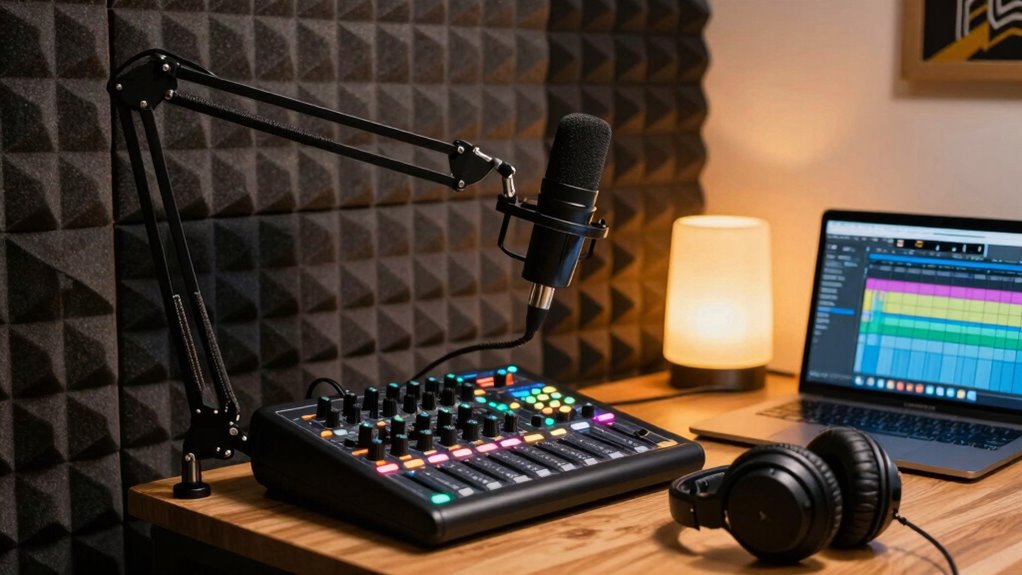

To set up a beginner-friendly podcast at home, start by choosing a quiet corner and adding soft furnishings like carpets and curtains to reduce echoes and noise. Keep your microphone 6-12 inches from your mouth and slightly off to the side, using pop filters to cut plosives. Use simple editing tools to trim and adjust sound levels. Focus on environment and microphone placement first—keep listening quality in mind as you learn more tips to improve your sound.

Get the little things that make your day delivered free with Prime
- Fast, free delivery on millions of items
- Prime Video, Amazon Music and more included
- Member-only deals all year
Key Takeaways
- Choose a quiet, acoustically treated space with soft furnishings to minimize noise and echoes.
- Position your microphone 6-12 inches from your mouth, slightly off to avoid plosives.
- Use free editing tools like Audacity to trim, adjust volume, and add effects for a polished sound.
- Keep the microphone away from noisy appliances and reflective surfaces to improve audio clarity.
- Regularly monitor recordings with headphones and practice to ensure clear, natural-sounding episodes.

Are you ready to launch your own podcast? The first step is setting up a space that sounds good and is easy to work in. You don’t need a fancy studio—just a quiet corner at home will do. Once you’ve chosen your spot, focus on creating an environment that minimizes background noise and echoes. Soft furnishings like carpets, curtains, and cushions can help absorb sound, making your recordings clearer. The next essential step is selecting the right microphone placement. Proper positioning ensures your voice sounds natural and reduces unwanted noise. Keep the microphone about 6 to 12 inches from your mouth, and slightly off to the side to avoid popping sounds from plosive consonants like “p” and “b.” Experiment with different angles and distances until you find a sweet spot that captures your voice clearly and comfortably. Good microphone placement also helps eliminate room noise and echoes, giving your audio a professional feel from the start. Additionally, understanding the environmental factors that affect sound quality can help you create a more consistent recording experience. Being aware of the room acoustics can significantly impact how your recordings turn out. Paying attention to soundproofing techniques can further improve your setup by reducing external noise intrusion.
Once your mic is in place, it’s time to think about audio editing. This process allows you to clean up your recordings, removing mistakes, long pauses, or background noise. You don’t need complex software to get started—basic audio editing tools like Audacity or GarageBand are free and user-friendly. When editing, focus on trimming out any unnecessary parts, adjusting volume levels, and adding music or sound effects if needed. This step is vital to produce polished episodes that keep your audience engaged. Remember, editing doesn’t mean overdoing it; keep your edits natural and true to your voice, so your personality shines through.
As you set up, also consider the environment around your microphone. Avoid placing your microphone near noisy appliances, windows that let in traffic sounds, or reflective surfaces that cause echo. If possible, use a simple pop filter or foam windscreen to reduce plosive sounds and protect your microphone. Having a dedicated recording space, even if it’s small, helps maintain consistency in your sound quality and makes editing easier. Finally, invest in a good pair of headphones. Listening to your recordings through quality headphones lets you catch issues you might miss otherwise and ensures your final product sounds professional.
Getting your podcast setup right at home isn’t complicated once you understand the basics. Focus on your microphone placement, create a quiet environment, and learn simple audio editing techniques. With a little practice, you’ll produce episodes that sound clear, engaging, and professional enough to attract and retain listeners.
USB condenser microphone for podcasting
As an affiliate, we earn on qualifying purchases.
As an affiliate, we earn on qualifying purchases.
Frequently Asked Questions
How Do I Choose the Best Podcast Hosting Platform?
To choose the best podcast hosting platform, consider how well it supports guest interviews and audience engagement. Look for features like easy guest upload options, reliable analytics, and interactive tools such as comments or polls. Make certain it offers good storage, distribution to major platforms, and affordability. A platform that simplifies guest collaboration and helps you connect with listeners will make your podcast more professional and engaging.
What Are Affordable Microphone Options for Beginners?
Imagine your voice as the star of the show—affordable microphones help it shine without breaking the bank. For beginner audio gear, consider budget microphones like the Audio-Technica ATR2100x-USB or the Samson Q2U; both deliver great sound quality at a low price. These options are perfect for starting out, offering reliability and clarity without overwhelming your budget. Your podcast’s success begins with the right, budget-friendly microphone.
How Do I Improve Sound Quality in a Noisy Environment?
To improve sound quality in a noisy environment, start by using soundproofing techniques like sealing gaps around doors and windows, adding heavy curtains, or installing foam panels. Employ noise reduction methods such as using a directional microphone to focus on your voice and reduce background noise. You can also place a makeshift shield around your microphone, like a DIY pop filter, to further cut down unwanted sounds and enhance clarity.
What Editing Software Is Easiest for Beginners?
If you’re new to audio editing, beginner software like Audacity is your best bet. It’s free, user-friendly, and offers essential features for editing your podcast. You can easily cut, trim, and add effects without a steep learning curve. With its intuitive interface, you’ll quickly learn the basics of audio editing. As you gain experience, you can explore more advanced tools, but for now, Audacity keeps things simple and effective.
How Can I Promote My Podcast Effectively?
Think of promoting your podcast like planting seeds in a bustling garden. Use social media strategies to grow your audience engagement, sharing snippets and behind-the-scenes moments that spark curiosity. Interact with listeners through comments and live sessions, turning casual listeners into loyal fans. Consistently promote your episodes across platforms, and watch your podcast blossom as your community spreads the word organically, creating a thriving, engaged listener base.
soundproof foam panels for home studio
As an affiliate, we earn on qualifying purchases.
As an affiliate, we earn on qualifying purchases.
Conclusion
Now that you’ve got the basics down, your home podcast setup is like a sturdy boat ready to navigate the vast seas of storytelling. With a little practice, your voice will cut through the noise, reaching listeners far and wide. Remember, every great podcaster started with simple tools and a spark of passion. Keep refining your space, and soon, your words will flow as effortlessly as a river carving its path—powerful and unstoppable.
As an affiliate, we earn on qualifying purchases.
audio editing software for beginners
As an affiliate, we earn on qualifying purchases.
As an affiliate, we earn on qualifying purchases.
Halloween Picks
halloween
As an affiliate, we earn on qualifying purchases.