
TL;DR

Get the little things that make your day delivered free with Prime
- Fast, free delivery on millions of items
- Prime Video, Amazon Music and more included
- Member-only deals all year
This article shows how a single video or source file can produce a full publishing kit—descriptions, social posts, metadata, and launch plans—using offline tools. It emphasizes automation, privacy, and speed, perfect for creators who want control without sacrificing efficiency.
Imagine pressing one button and watching a full marketing, distribution, and launch kit assemble itself—without uploading to a server or relying on cloud services. That’s not sci-fi; it’s the future of independent publishing and content creation. If you’ve ever spent hours repackaging a single video into social clips, blog drafts, and promo descriptions, you’ll understand the frustration—and the promise.
This article reveals how local, AI-powered tools can turn one video into dozens of ready-to-publish assets, all without your media ever leaving your machine. We’ll explore how it works, what it produces, and why it matters for creators who value privacy, speed, and total control.
Key Takeaways
- A local, AI-powered publishing workflow can generate up to 15 different assets from a single source video or file, reducing dependency on cloud services.
- Processing locally ensures your media stays private, speeds up your entire publishing process, and offers greater control over every asset.
- Automation speeds up repetitive tasks but still requires human oversight to ensure quality, authenticity, and brand voice.
- You can produce everything from titles and descriptions to social clips and launch plans, all in one integrated, offline system.
- Choosing a local-first workflow is ideal for creators who value privacy, speed, reliability, and independence from internet issues.
As an affiliate, we earn on qualifying purchases.
How a Local Workflow Turns One Video Into a Full Publishing Kit
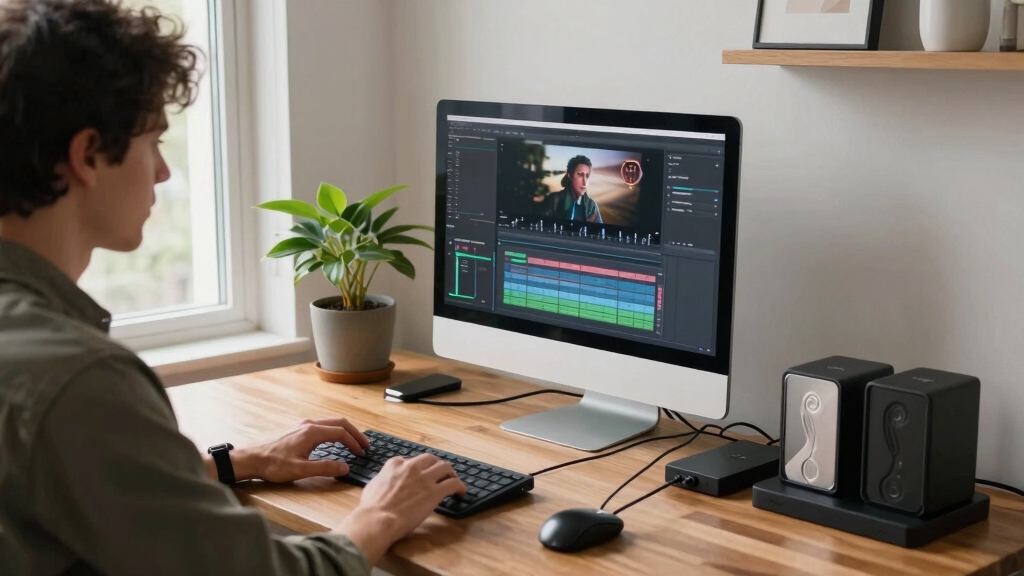
When you drop a video into a local system, it doesn’t just transcribe and summarize. It analyzes the audio, detects scene changes, reads on-screen text, and fuses all that data into a structured understanding of your content. Imagine a team of editors working behind the scenes—except it’s all on your machine.
For example, a 10-minute interview about eco-friendly gardening can generate a detailed transcription, identify key moments for clips, extract on-screen labels, and even suggest hooks for social media—all automatically. The system then packages these assets into a coherent kit ready for review and release.

As an affiliate, we earn on qualifying purchases.
What ‘Without the Cloud’ Really Means in Your Publishing Workflow
’Without the cloud’ means all processing happens locally on your machine. No uploading, no waiting for servers. This approach offers privacy—your content stays in your hands—and speed—no slow internet bottlenecks. Imagine editing a 4K video and instantly generating social clips, descriptions, and metadata without ever hitting upload limits.
For instance, an indie author can run a publishing pipeline on a laptop, creating a launch kit from a single manuscript or video, then distribute across platforms like YouTube, TikTok, and Instagram—all from their desktop. This independence from cloud servers reduces reliance on third-party providers and keeps your process secure.

As an affiliate, we earn on qualifying purchases.
The 10 Automatic Outputs You Get From One Source File
| Output Type | What It Includes | Why It Matters |
|---|---|---|
| Video Titles | Multiple options scored by engagement potential | Pick the most click-worthy, or customize as needed |
| Descriptions & Chapters | SEO-friendly summaries with timestamps | Boost visibility and viewer retention |
| Social Clips | Vertical snippets for TikTok, Reels, Shorts | Maximize reach with minimal effort |
| Meta Tags & Keywords | Auto-generated tags, relevant keywords | Improve discoverability across platforms |
| Thumbnails & Hooks | Suggested images and clip moments | Catch the eye in feeds and searches |
| Blog & Newsletter Drafts | Pre-written content for articles and emails | Save hours repurposing content |
| Social Posts & Threads | Platform-specific posts, tailored copy | Engage audiences across networks |
| Launch Planning | Step-by-step release strategy | Streamline your publishing schedule |
| Media & Asset Packaging | Organized folders, metadata, provenance | Keep everything tidy and traceable |
| Performance Tracking & Reports | Initial engagement estimates | Guide your audience targeting |
As an affiliate, we earn on qualifying purchases.
How the Workflow Works in Four Simple Steps
- Drop in or link up: Upload your video or paste a URL. The system detects the source, even recognizing the channel or project.
- Understand and analyze: Background workers transcribe, read visuals, fuse data, and generate an intelligence brief—like a mini brain on your content.
- Review and refine: Check the auto-generated assets in a dedicated studio interface. Edit, regenerate, or approve assets as needed.
- Dispatch and publish: Send everything to your platforms, track the status, and watch your full kit go live—without ever leaving your machine.
Where Human Input Still Makes the Difference
Automation is powerful, but it’s not perfect. You’ll want to review titles, tweak descriptions, and select the best clips. Think of it like a chef using a high-end mixer—you’re still adding the seasoning.
For example, the AI might suggest a catchy headline, but you may prefer a more brand-aligned phrase. Or, a social clip might need a small crop or a quick caption rewrite. Human oversight ensures your content stays authentic and on-brand.
Automation speeds up the heavy lifting, but your eye for detail and voice keeps the final product sharp and true to your style.

Privacy, Control, and Reliability: Why Local Matters
Processing locally means your media and data stay on your machine. No third-party servers, no data leaks. It’s like brewing your coffee at home instead of buying from a chain—more control, fewer surprises.
This approach also means faster turnaround times. No waiting for uploads or downloads. If your internet drops, your workflow keeps humming. Plus, it’s more reliable—no service outages can halt your progress.
For instance, a small publisher can create a complete launch kit overnight, without relying on cloud uptime or risking content theft. It’s peace of mind for privacy-conscious creators.

Real-World Use Cases: From Indie Creators to Small Publishers
Indie authors can generate a media kit, social snippets, and a marketing plan from one manuscript or video. Small publishers can automate their launch assets, reducing staff time and costs. Content creators can produce a full promotional set for every new release—all on their own laptop.
Take Sarah, an independent YouTuber. She drops her latest tech review, and within minutes, she has a set of social clips, a description, SEO tags, and a launch schedule—ready to post across platforms. All offline, all fast.
Or, Mike runs a boutique publisher. He uploads a video, and the system generates a press release draft, social media posts, and a targeted outreach plan—saving him days of manual work.

Limitations and When to Watch Out
No tool is perfect. Automated assets may need refinement. AI might miss nuances or context, so review is essential. A clip suggested as a hook might not hit the right tone or audience.
Processing large files or complex videos can still take time, especially on older machines. And while privacy is a big plus, the initial setup and learning curve can be a hurdle for some.
Remember, these tools are assistants, not replacements. Use them to speed up your workflow, not to eliminate your creative judgment.

How This Compares to Cloud-Based Publishing Tools
| Feature | Local-First Workflow | Cloud-Based Tools |
|---|---|---|
| Privacy | All processing happens on your machine; data stays private | Uploads to servers; potential data leaks or privacy issues |
| Speed | Fast turnaround, no upload/download lag | Dependent on internet speed; can be slower |
| Control | Full control over assets and processes | Limited, often controlled by platform policies |
| Reliability | Unaffected by server outages; local hardware matters | Subject to service outages or downtime |
| Cost | One-time setup; lower ongoing costs | Subscription-based, recurring fees |
Conclusion
For creators who want total control over their content and workflow, a local, automated publishing kit offers a game-changing edge. It’s fast, private, and frees you from the endless cycle of uploading and waiting.
Imagine finishing your video and having an entire launch plan ready to go—without leaving your desk or exposing your media to the cloud. That’s the future of independent publishing. Are you ready to take the leap?
NFL season / tailgating Picks
team gear
As an affiliate, we earn on qualifying purchases.