
TL;DR

Get the little things that make your day delivered free with Prime
- Fast, free delivery on millions of items
- Prime Video, Amazon Music and more included
- Member-only deals all year
Building your own AI workstation used to save money, but recent component shortages and price spikes mean prebuilt options can now be cost-competitive or even cheaper. The choice hinges on control, support, and how much effort you’re willing to invest. Know your workload and priorities before deciding.
Imagine turning on your AI project and suddenly realizing you spent more time troubleshooting than training. That’s the tradeoff when choosing between building or buying your AI workstation. This decision isn’t just about cost; it’s about speed, support, and control. In 2026, the landscape shifts again—components are pricier, but prebuilt systems now often match or beat DIY prices. So, what’s the smarter move for your AI workload? Let’s break down the real story behind build vs buy in this new era.
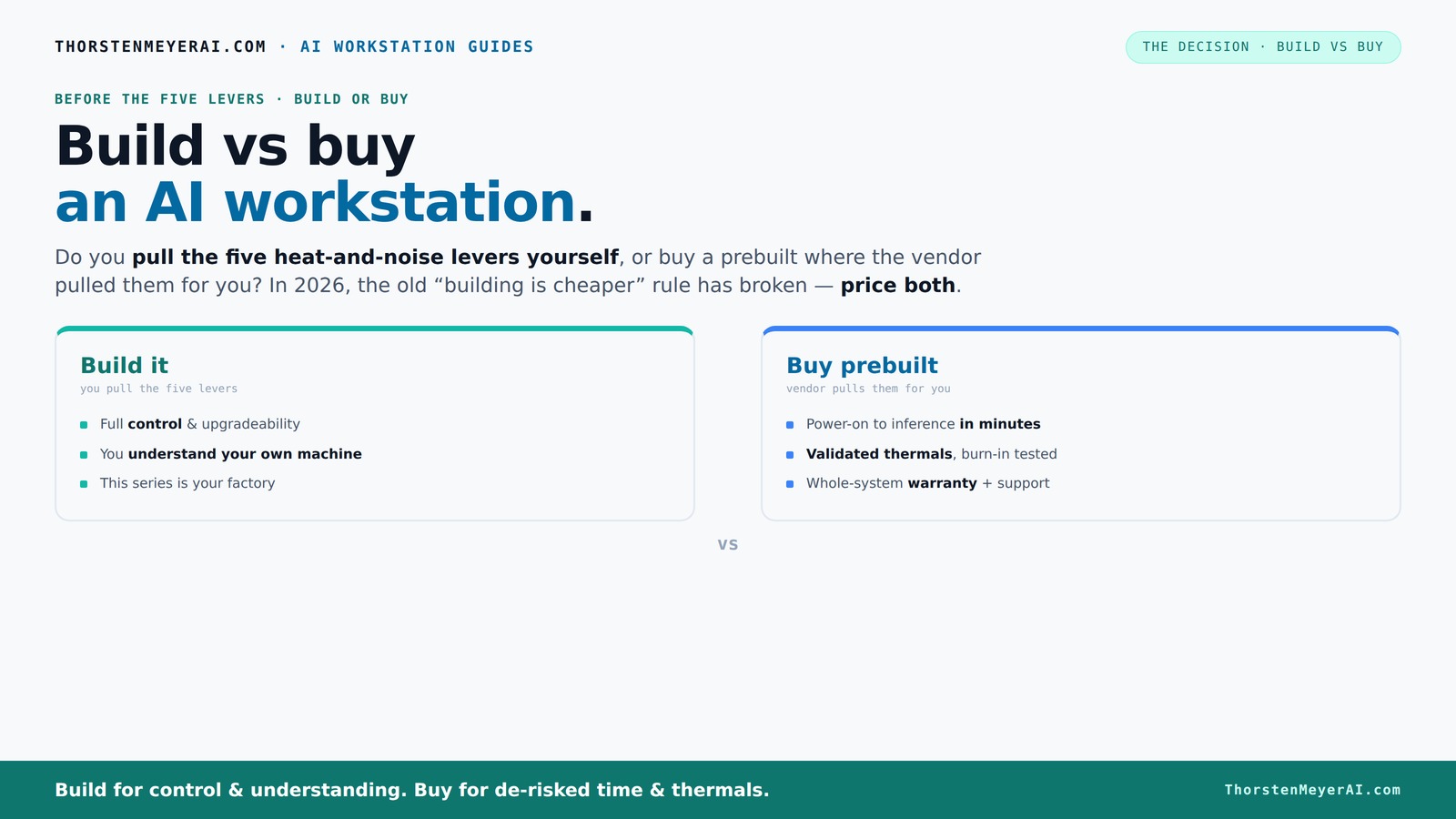
Build vs buy
an AI workstation.
The real question behind this whole series: do you pull the five heat-and-noise levers yourself, or buy a prebuilt where the vendor pulled them for you? And in 2026, the old “building is cheaper” rule has broken. Match your situation in Part 3.
Key Takeaways
- Component shortages in 2026 have made prebuilt AI workstations often as affordable as DIY builds, breaking the long-held rule that building is always cheaper.
- Thermal management is the hidden lever that makes or breaks AI performance; prebuilt systems validate this at the factory, while DIY requires expertise and time.
- Prioritize GPU VRAM and cooling solutions — they are the bottlenecks in AI workloads, not just the GPU's raw power.
- Support, warranty, and upgrade paths are often overlooked but critical — prebuilt offers peace of mind, DIY offers control.
- Your choice depends on your skills, workload, and how much time you want to spend tuning or troubleshooting.
As an affiliate, we earn on qualifying purchases.
Why the old rule — build cheaper, buy faster — no longer holds in 2026
For decades, building your own AI workstation was the clear winner on cost. You picked parts, assembled, and saved thousands. But recent shortages and demand spikes have flipped the script. DDR5 RAM, GPUs, and SSDs now cost 20-30% more, often pushing DIY rigs over $1,300 before even adding software or a warranty. This increase isn't just a matter of higher prices; it fundamentally alters the cost-benefit analysis because the traditional savings of DIY are diminished or eliminated.
Moreover, bulk purchasing by major vendors allows them to negotiate better prices, enabling them to offer complete systems that are often priced competitively with or cheaper than piecing together individual components. This shift means that the financial advantage of building your own system has eroded, especially when factoring in the time and expertise required for assembly and troubleshooting. The implication? Cost is no longer the sole or even primary factor—consider support, reliability, and total ownership costs when making your decision.
As an affiliate, we earn on qualifying purchases.
Who pulls the five levers? Building or buying, it's all about thermal tuning
Running a high-power AI workstation is like managing a furnace. It needs perfect airflow, cooling, and fan control. When you buy prebuilt, the vendor pulls these levers for you — testing, tuning, and sometimes water-cooling for quieter, cooler operation. When you buy prebuilt, the vendor pulls these levers for you — testing, tuning, and sometimes water-cooling for quieter, cooler operation. They validate that your system won’t throttle under load, saving you a lot of guesswork. This validation is crucial because thermal issues can silently sabotage your performance, causing throttling that reduces throughput and increases training times. The implications are significant: even small thermal inefficiencies can lead to longer training cycles and higher operational costs over time.
Building it yourself means you become the thermal engineer. You choose a quiet GPU, like the quiet GPU, undervolt it, pick a cooler, and set up airflow. This process demands a deep understanding of thermodynamics and component interaction. If done correctly, you can achieve a system that runs cooler and quieter, potentially extending hardware lifespan and reducing energy costs. For more on thermal management, see stormwatt.com. If done correctly, you can achieve a system that runs cooler and quieter, potentially extending hardware lifespan and reducing energy costs. However, the tradeoff is time and expertise — mistakes in thermal design can cause overheating, throttling, or even hardware failure. The key takeaway? Control over thermal tuning can lead to better performance and longevity, but it requires skill and effort. For many, the convenience and reliability of prebuilt systems outweigh the potential gains from DIY thermal optimization.
As an affiliate, we earn on qualifying purchases.
When buying prebuilt makes the most sense
If your time is worth more than the extra cost, prebuilt is the way to go. It arrives ready to run, with OS and AI software like CUDA, PyTorch, and TensorFlow preinstalled. This immediacy isn't just about saving time; it also reduces the risk of configuration errors that can lead to performance bottlenecks or instability. The implications are clear: a ready-to-go system accelerates your project timeline and minimizes setup frustrations, especially for those without extensive hardware expertise.
Plus, prebuilt systems often have validated thermals and come with warranties. Companies like Lambda or BIZON test systems extensively, ensuring they won’t throttle during long training sessions. This validation is crucial because thermal throttling can silently degrade performance, wasting hours of training time. The support and warranty offered by these vendors also mean that, in case of hardware failure, you can get quick repairs or replacements, reducing downtime. For example, if you’re running multi-GPU setups for serious training, the risk of thermal throttling is high unless you have specialized knowledge to optimize airflow and cooling. Vendors like Lambda specialize in these configurations, with systems tested under load and backed by support. Sometimes, the price difference isn’t as big as you think — it’s about risk reduction, reliability, and saving time.
As an affiliate, we earn on qualifying purchases.
When building your own AI workstation makes sense
If you enjoy tuning hardware or want total control over your setup, building is still attractive. Hobbyists, students, or small teams with time and technical skill can save money by sourcing parts individually. This process isn’t just about cost; it’s about understanding and optimizing every component for your specific workload. The implications are that a well-tuned DIY system can outperform a generic prebuilt in certain scenarios, especially if you have the expertise to fine-tune thermal and power settings. For example, a researcher with a spare weekend can assemble a system for under $1,200, including a GPU, CPU, RAM, and cooling. They can then tweak fan curves and undervolt for a quieter, cooler operation that matches their exact workload. Plus, upgrades are easier when you control the parts, allowing you to adapt as your needs evolve. However, the tradeoff is that troubleshooting compatibility issues, BIOS settings, and thermal design can be time-consuming and complex. The implication is that building offers flexibility and potential cost savings, but only if you have the skills and patience to manage the intricacies involved.
Key specs that matter most for AI work: GPU, VRAM, and cooling
In AI workloads, the GPU is king — but not just for raw power. VRAM matters, especially for large models or datasets. A GPU with 24GB of VRAM, like the RTX 4090, handles most local LLMs or complex training with ease, but only if it remains cool and operates without throttling. The CPU, RAM, and SSD speed also influence performance, but the GPU’s VRAM capacity and thermal stability are often the bottlenecks that determine whether your system can handle large models efficiently. The implications are significant: investing in a GPU with ample VRAM and a robust cooling system can mean the difference between smooth, fast training and frequent performance drops. Cooling and power delivery are equally critical because overheating or throttling reduces throughput and can cause training interruptions. For example, a 4090 with 24GB VRAM can train larger models faster than a 3080 with 10GB, but only if kept cool. Otherwise, thermal throttling reduces throughput by 20-30% — a huge hit in AI training, emphasizing the importance of quality cooling solutions.
Hidden costs and risks you might overlook
Building an AI workstation isn’t just about parts and price. You may face hidden costs — time, trial-and-error, thermal tuning, and warranty gaps. These factors can turn a seemingly economical build into a costly endeavor if you’re not prepared. Prebuilt systems bundle these considerations into their price, offering peace of mind that the system has been tested and validated for performance and thermal stability. The implications are clear: underestimating these hidden costs can lead to unexpected expenses and delays, especially if you encounter compatibility issues or thermal problems after assembly. Proprietary parts can further complicate upgrades or repairs, making future modifications more expensive and time-consuming. For example, a DIY builder might discover their PSU or motherboard incompatible with future GPUs, requiring costly replacements. Prebuilts often avoid this trap because they’re tested as a complete package, reducing the risk of unforeseen compatibility or thermal issues. Recognizing these hidden costs is crucial for making an informed choice and avoiding costly setbacks.
Upgrades and lifecycle: planning for the long haul
Want a system that evolves? Building your own gives you the flexibility to upgrade GPUs, RAM, or storage as needed. You control the motherboard and power supply, making future improvements smoother and more predictable. This flexibility can extend the useful life of your system and reduce total ownership costs over time. The implications are that a well-planned DIY build can adapt to rapidly evolving AI hardware, providing a better long-term investment. Conversely, prebuilt systems often have limited upgrade paths — some use proprietary connectors or non-standard components. They’re designed to last a few years, but beyond that, upgrading might require replacing the entire system, which can be costly and inefficient. For example, a DIY system with a standard ATX motherboard allows swapping in a new GPU in 30 minutes, whereas a prebuilt with proprietary parts may require a full overhaul. The key takeaway? Long-term upgradeability can significantly impact the total cost of ownership and the sustainability of your AI infrastructure.
Support and warranty: peace of mind or DIY freedom?
Prebuilts usually come with comprehensive warranty and support — a big plus if you’re running AI in production or research. If hardware fails, a single vendor handles repairs, often with support plans that last 3–5 years. This support can be invaluable, reducing downtime and ensuring your projects stay on track. The implications are that for professional or mission-critical workloads, support and warranty coverage can save significant time and money. Building your own means you’re the support team. You need to troubleshoot, RMA parts, and handle downtime yourself. While you gain control, you also assume the risk of extended outages, which can be costly in terms of lost productivity and delayed research. For example, if your GPU fails during a critical training job, a prebuilt with a support contract can swap it out quickly, minimizing disruption. DIY might leave you waiting days or longer for replacements, impacting project timelines. The choice depends on your workload’s criticality and your capacity to manage hardware issues.
Final thoughts: control or convenience — which wins?
The choice between build and buy hinges on your priorities. Want full control over components, thermal tuning, and future upgrades? Building is your playground. Prefer a plug-and-play solution with validated thermals and support? Prebuilt wins. In 2026, the cost gap has narrowed or even flipped, so don’t assume DIY is always cheaper. Price both options for your exact config, and weigh the value of time, support, and peace of mind. The implications are that your decision should align with your workload demands, technical skill, and long-term plans. If you value customization and learning, building offers a rewarding experience. If you need reliability and speed, prebuilt systems provide a safer, more straightforward path. Remember, your AI workstation isn’t just a box — it’s the engine behind your ideas. Choose what aligns best with how you work and what you value most.
Conclusion
Choosing between building and buying an AI workstation in 2026 isn’t just about saving a few dollars. It’s about how much control you want, how fast you need to get up and running, and how confident you are in troubleshooting hardware. The landscape has shifted — support, validation, and price are now more balanced than ever.
In the end, your ideal system reflects your workflow and comfort level. Whether you’re tuning every fan curve or plugging in a pretested powerhouse, remember: your AI’s performance depends on the choices you make today. Make them wisely, and let your machine power your ideas, not hold them back.
Columbus Day / Indigenous Peoples' Day Picks
long weekend sales
As an affiliate, we earn on qualifying purchases.