
Before upgrading your home tech, check if the new device is compatible with your existing smart home system, like Alexa or Google Assistant. Make sure your internet has enough bandwidth to handle additional devices without slowing down. Confirm the device’s security features and ongoing support, including firmware updates. Assess how the upgrade fits into your routines and whether it genuinely improves convenience or security. Keep these points in mind to guarantee a smooth, effective upgrade—there’s more to learn if you explore further.

Get the little things that make your day delivered free with Prime
- Fast, free delivery on millions of items
- Prime Video, Amazon Music and more included
- Member-only deals all year
Key Takeaways
- Verify compatibility with existing smart home ecosystem and hubs to ensure seamless integration.
- Assess your internet bandwidth and network setup to support additional devices.
- Check for available firmware updates and ongoing manufacturer support for security and features.
- Ensure the device’s security features and encryption meet your privacy protection standards.
- Determine how the new device aligns with your needs, routines, and whether it offers real convenience or efficiency.
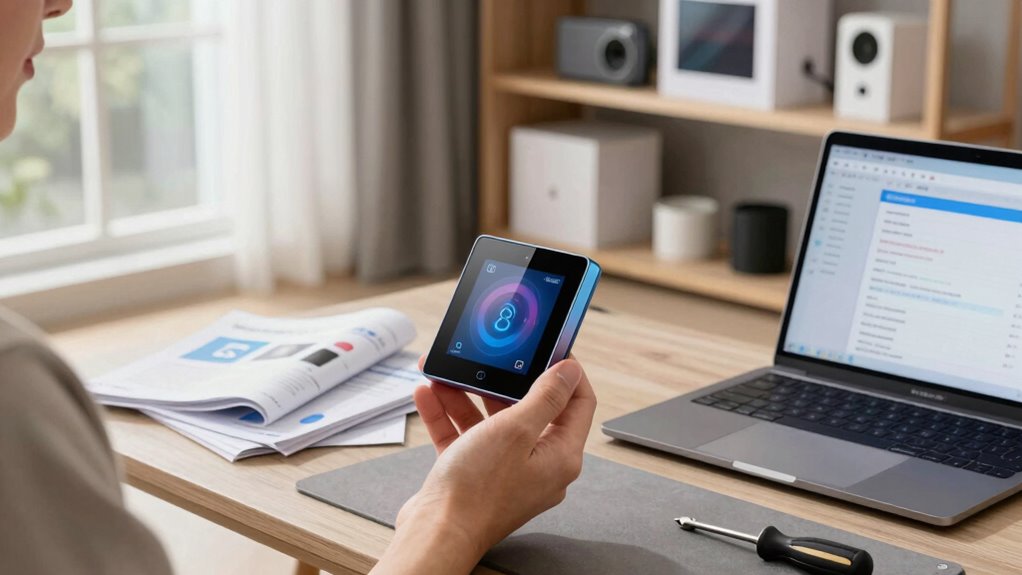
Upgrading your home tech devices can enhance your daily life, but before you make a purchase, it’s important to check a few key factors. One of the first things you should consider is smart device compatibility. Not all devices work seamlessly together, especially when it comes to smart home gadgets. If you’re adding a new smart speaker, thermostat, or security camera, you need to confirm it’s compatible with your existing ecosystem. For example, if you already have a smart home hub, verify the new device supports that platform, whether it’s Alexa, Google Assistant, or Apple HomeKit. Compatibility issues can lead to frustration, limited functionalities, or even the inability to connect the devices at all. Taking a moment to verify these details ensures a smooth integration and helps you avoid wasting money on incompatible gear.
Another critical aspect to check is network bandwidth considerations. Smart devices rely heavily on your Wi-Fi network to function correctly, especially when streaming data, receiving updates, or communicating with cloud services. Before upgrading, evaluate your current internet speed and bandwidth capacity. If you’re adding multiple devices at once, your network could become congested, resulting in lag, disconnections, or poor device performance. This is particularly true for high-bandwidth devices like 4K security cameras, video doorbells, or smart TVs. To prevent issues, consider upgrading your internet plan or optimizing your Wi-Fi setup, such as adding a mesh network or upgrading your router. A strong, fast, and reliable network ensures your new devices perform at their best and that your entire smart home system remains responsive. Additionally, researching device security features** and ensuring your network is protected can help safeguard your privacy against potential vulnerabilities. Ensuring your devices support high-quality encryption can further enhance your security measures. Moreover, staying informed about firmware updates** can help you keep your devices secure and functioning optimally over time.
Beyond compatibility and bandwidth, it’s also wise to examine the device’s software updates and security features. An upgrade is only worthwhile if the device is supported with regular updates, which help patch vulnerabilities and improve functionality. Check whether the device manufacturer provides ongoing support and security patches, especially for internet-connected devices that could be vulnerable to hacking. This proactive approach protects your privacy and keeps your smart home ecosystem safe and efficient.
In addition, think about your specific needs and how the new device fits into your daily routine. Will it genuinely improve convenience, security, or energy efficiency? Sometimes, it’s better to hold off on upgrades until you’ve fully assessed how they’ll integrate into your existing setup. By considering compatibility, network bandwidth, security, and your personal needs, you can make smarter decisions that enhance your home’s tech environment without unnecessary hassle or expense.
As an affiliate, we earn on qualifying purchases.
Frequently Asked Questions
How Do I Determine if My Current Device Is Outdated?
You can determine if your device is outdated by checking if it still receives feature updates and software support from the manufacturer. Look for a device refresh, as newer models often include improved performance and security. If your device struggles with current apps or no longer receives updates, it’s probably time to contemplate upgrading. Staying informed about the latest tech releases helps you decide when your device has become outdated.
Are There Compatibility Issues With Existing Home Systems?
Yes, compatibility issues can arise with existing home systems when upgrading. You should check if the new device’s firmware updates are compatible with your current setup and confirm power compatibility to avoid electrical problems. Verify that the device supports your existing network protocols and smart home platform. Doing these checks helps prevent integration issues, ensuring your upgrade works smoothly without disrupting your home automation system.
What Is the Typical Lifespan of Home Tech Devices?
Most home tech devices last around 3 to 5 years, but regular device maintenance can extend their lifespan. Keep software updated, clean hardware, and address issues promptly. When considering an upgrade, think about upgrade costs versus continued maintenance. If repairs become frequent or costly, it’s often more economical to substitute the device. Staying proactive helps you get the most out of your tech investments and ensures your home stays connected.
How Do I Ensure Data Security During an Upgrade?
Your data security during an upgrade is vital—don’t risk losing everything! You must implement robust backup strategies to safeguard your info and use data encryption to keep sensitive details out of reach from hackers. Before upgrading, double-check that your backups are complete and encrypted. Keep your software updated, and verify the security settings are active. This way, your data remains protected, no matter what happens during the upgrade process.
Is Professional Installation Necessary for All Upgrades?
You don’t always need professional installation for home tech upgrades, but it depends on the device. For complex systems like smart home hubs or security cameras, professional help guarantees proper setup and avoids costly mistakes. If you’re comfortable with DIY tips, you can handle simpler upgrades, saving on costs. However, consider the cost considerations of hiring a pro versus doing it yourself, especially if safety or warranty issues are involved.
As an affiliate, we earn on qualifying purchases.
Conclusion
Before upgrading your home tech, remember that not every new device guarantees better performance or value. Do your research, read reviews, and confirm compatibility with your existing setup. Sometimes, sticking with your current device or waiting for a better upgrade can save you money and frustration. The theory that newer is always better isn’t always true—sometimes, a well-maintained older device outperforms the latest model. Make informed choices to truly enhance your smart home experience.
As an affiliate, we earn on qualifying purchases.
As an affiliate, we earn on qualifying purchases.
Halloween Picks
halloween
As an affiliate, we earn on qualifying purchases.