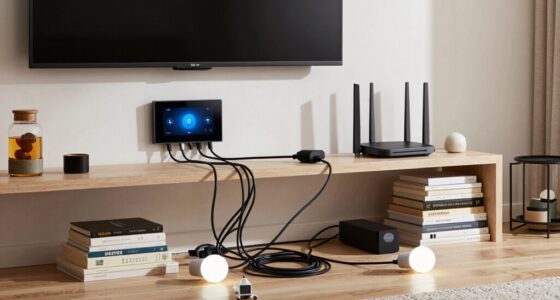

To build a smart home offline, start by choosing local-only devices that communicate via Zigbee or Z-Wave, avoiding cloud dependence. Set up a central hub like a Raspberry Pi with home automation software such as Home Assistant. Program routines and scenes to run locally based on sensors or switches, and store your data on a dedicated server or NAS. Verify strong security with updated firmware and encryption. Keep exploring for more tips on creating a secure and efficient offline smart home.

Get the little things that make your day delivered free — and shop member deals
- Fast, free delivery on millions of items
- Access to Prime Big Deal Days deals on October 6–7
- Prime Video, Amazon Music and more included
Key Takeaways
- Use local-only devices with Zigbee or Z-Wave protocols that operate independently of internet connections.
- Set up a centralized hub like Raspberry Pi with Home Assistant or openHAB for local device management.
- Program automation scenes and routines to run locally via device APIs or physical switches, avoiding cloud reliance.
- Store all data on local servers, NAS, or SD cards, and back up regularly to ensure data integrity offline.
- Implement strong local network security, including encrypted Wi-Fi and physical device security measures.
Choosing Local-Only Smart Devices and Sensors

If you’re building a smart home without relying on the internet, choosing local-only smart devices and sensors is essential. These devices operate entirely within your home’s local network, ensuring your privacy and reducing dependence on external servers. Look for products specifically designed for offline use, such as those with built-in local control options or open-source firmware. Zigbee and Z-Wave protocols are popular choices because they communicate directly with hubs or controllers without needing internet access. Avoid devices that require cloud connections for basic functions, as they won’t work offline. Prioritize devices with manual controls and local APIs, giving you full access to manage your smart home without external dependencies. Selecting the right local-only devices ensures your system remains reliable, private, and functional even without an internet connection.
Setting Up a Centralized Home Automation Hub

Setting up a centralized home automation hub is the backbone of a reliable offline smart home system. It acts as the main control point, connecting your devices and sensors locally. Start by choosing a hub that supports your devices, such as a Raspberry Pi, a dedicated smart home controller, or a local server. Verify it has enough processing power and connectivity options, like Ethernet or Wi-Fi, to handle your network’s needs. Install compatible software that allows device management and automation locally, such as Home Assistant or openHAB. Keep your hub updated and secure, using strong passwords and network segmentation. With a solid hub in place, you create a dependable foundation for managing your offline smart home efficiently.
Creating Automated Scenes and Routines Without Internet

You can create automated scenes and routines directly on your devices without depending on the internet. Local scene programming allows you to set up customized actions that trigger based on your preferences. Offline routine triggers ensure your smart home responds automatically, even when you’re disconnected.
Local Scene Programming
Even without an internet connection, automating your smart home is entirely possible through local scene programming. This method allows you to craft routines that run directly on your devices, eliminating reliance on cloud services. You can set up scenes that activate multiple devices simultaneously based on specific conditions or times. For example, you might program a “Good Morning” scene that turns on lights, adjusts the thermostat, and opens blinds. Using local scene programming, you can:
- Create custom routines tailored to your daily schedule
- Trigger scenes manually or based on local sensor data
- Adjust device settings without internet interference
- Maintain privacy by keeping all automation on-site
This approach ensures your smart home remains functional and responsive, even offline.
Offline Routine Triggers
Since internet access isn’t available, automating routines relies on local triggers that activate scenes based on specific conditions. You can set up triggers like motion sensors, door/window sensors, or light levels to initiate routines automatically. For example, when a motion sensor detects movement in a room, it can turn on lights or adjust the thermostat. Time-based triggers, such as scheduled routines at sunrise or sunset, work locally without cloud services. Additionally, you can use physical switches or buttons to activate scenes instantly. These local triggers ensure your routines run smoothly and reliably, even without internet. By configuring your smart devices to respond to these conditions, you create a seamless, offline automation system tailored to your needs.
Implementing Local Storage and Data Management
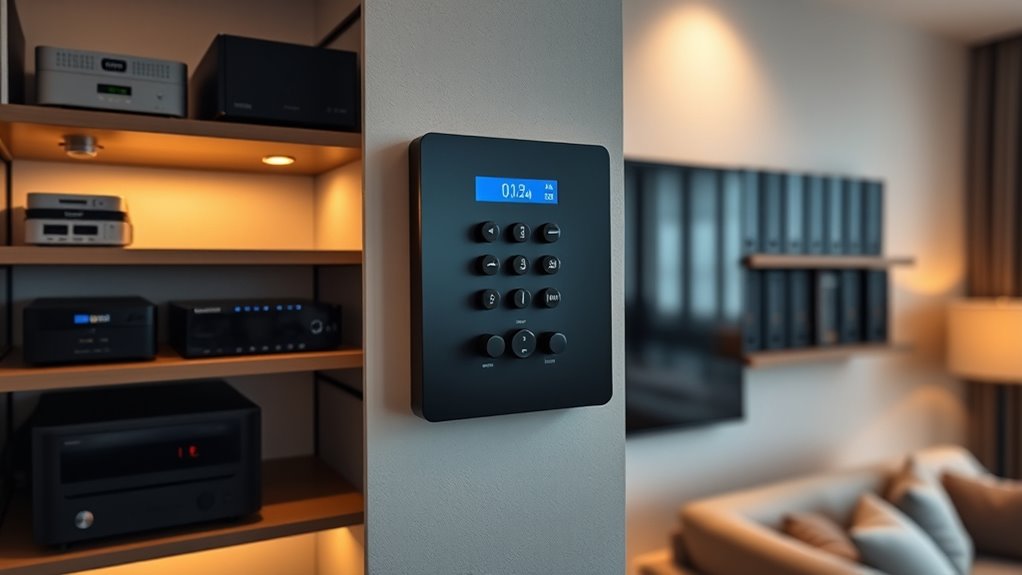
You need reliable local data storage options to keep your smart home running smoothly without internet access. Managing data offline requires choosing the right hardware, like SD cards or local servers, to store your device information securely. Guarantee you regularly back up and organize your data to maintain efficient control over your smart system.
Local Data Storage Options
When building a smart home without relying on the internet, choosing the right local data storage options is essential for reliable operation. You need solutions that are secure, accessible, and capable of handling your data needs. Consider these options:
- Solid-State Drives (SSDs): Fast, durable, and ideal for storing large data sets.
- Network-Attached Storage (NAS): Centralized storage that allows multiple devices to access data locally.
- MicroSD Cards: Compact, affordable, perfect for small-scale or portable data management.
- Internal Memory Modules: Built-in storage within controllers or hubs for quick data access.
Selecting the right option depends on your system size, data volume, and performance requirements. Make sure your storage solution aligns with your smart home’s specific needs for seamless offline operation.
Managing Data Offline
Implementing effective local data management is vital for guaranteeing your smart home operates smoothly without internet access. You need a reliable system to store and organize data from sensors, devices, and automation routines. Using a dedicated local server or a robust NAS device allows you to centralize data, making it easier to access and update. Regular backups are indispensable to prevent data loss, so automate backups whenever possible. Keep your data structured with clear labels and folders, simplifying troubleshooting and updates. Additionally, choose compatible software that supports offline operation and offers user-friendly interfaces. By managing your data efficiently, you guarantee seamless device communication, quick response times, and a resilient smart home environment that functions flawlessly even without an internet connection.
Ensuring Security and Privacy in Offline Systems

Ensuring security and privacy in offline smart home systems requires a proactive approach to safeguarding data and device access. You need to control who can interact with your devices and prevent unauthorized entry. Start by implementing strong, unique passwords for all devices. Use physical security measures like locked cabinets or secure enclosures. Regularly update firmware and software when possible to patch vulnerabilities. Finally, monitor your system for unusual activity to detect potential breaches early.
- Use secure, encrypted local networks to prevent eavesdropping
- Limit physical access to devices and control panels
- Regularly change passwords and disable unused devices
- Keep logs of device activity for review and troubleshooting
Maintaining and Troubleshooting Your Offline Smart Home

Maintaining and troubleshooting your offline smart home requires a proactive and organized approach to keep everything running smoothly. Regularly check your devices for firmware updates or manual resets to prevent issues before they arise. Keep a detailed log of device performance, noting any irregularities or failures. If a device stops responding, verify its power source and connections first. Use diagnostic tools or manual tests to identify hardware problems. For network-related issues, ensure all physical connections are secure and that signal interference is minimized. Maintain backup plans, like spare parts or alternative controls, in case of device failure. Staying organized helps you quickly identify issues, reducing downtime and ensuring your offline smart home remains reliable and secure.
Frequently Asked Questions
Can Offline Smart Home Systems Integrate With Existing Internet-Connected Devices?
Yes, offline smart home systems can integrate with existing internet-connected devices through local networks like Zigbee or Z-Wave. You set up a hub or controller that communicates with both offline devices and those on the internet, enabling seamless control. This setup guarantees your devices work together efficiently without relying on cloud services, giving you a reliable and private smart home experience.
What Are the Limitations of Offline Smart Home Automation Compared to Online Systems?
Think of offline smart home systems as the silent guardians of your domain. They can’t access real-time data or cloud updates, limiting their responsiveness and flexibility. You miss out on remote control, advanced automation, and seamless integration, much like trying to navigate without a GPS. These systems are reliable but lack the dynamic features online setups provide, so your automation might feel more static and less adaptive to changing needs.
How Can I Update Offline Smart Devices’ Firmware Securely?
You can update your offline smart devices’ firmware securely by connecting them to a trusted, isolated computer or offline storage device. Download the firmware updates from official sources, verify the files’ integrity with checksums, and transfer them via secure methods like USB or SD cards. Always guarantee your devices are disconnected from the internet during updates to prevent hacking, and follow manufacturer instructions meticulously for a safe upgrade process.
Are Offline Smart Home Solutions Compatible With Voice Control Technology?
Yes, offline smart home solutions can be compatible with voice control technology. You’ll need a local voice assistant that doesn’t rely on the internet, such as certain open-source or offline-compatible systems. These systems process voice commands locally, allowing you to control your devices without connectivity. Make sure your devices support local voice recognition, and set up a dedicated hub or controller that manages voice commands securely offline.
What Backup Options Exist if the Central Hub Fails?
If your central hub fails, you can rely on manual controls like switches and physical remotes to operate your devices, ensuring your smart home stays functional. Keep backup power sources such as uninterruptible power supplies (UPS) or batteries to prevent outages from disabling your system. These options give you peace of mind, knowing you’re not completely dependent on the hub, and can still manage your home seamlessly even during technical glitches.
Conclusion
Building an offline smart home is entirely doable and offers enhanced privacy, with no reliance on the internet. While some worry about limited remote access, local controls ensure your system remains functional and secure even during outages. By choosing the right devices, setting up a reliable hub, and maintaining your system, you create a private, efficient home automation setup. It’s a practical choice for those valuing security without sacrificing convenience.
Halloween Picks
halloween
As an affiliate, we earn on qualifying purchases.