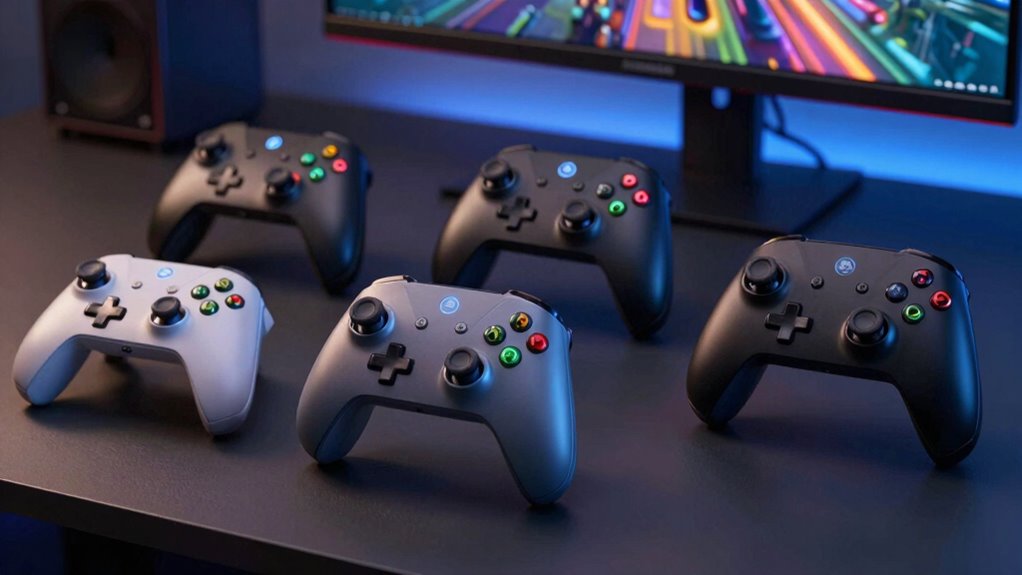

For most PC players, I’d start with the GameSir G7 Pro as the best overall pick, thanks to its broad device support and feature-rich design. The 8BitDo Ultimate 2 Wireless stands out for players who want a versatile wireless controller, while the Logitech F310 offers a simple wired option without extra setup complexity. The main tradeoffs are wired reliability versus wireless convenience, familiar Xbox-style controls versus PlayStation-style features, and basic layouts versus added customization. Compatibility can also vary by connection type and game, so check support for your PC setup before choosing. Read on for the full breakdown of all 15 options and a guide to matching a controller to the way you play.

Get the little things that make your day delivered free with Prime
- Fast, free delivery on millions of items
- Prime Video, Amazon Music and more included
- Member-only deals all year
Key Takeaways
The GameSir G7 Pro leads for all-around flexibility: it supports Xbox consoles, PC, and Android, making it a stronger cross-device choice than PC-focused wired picks.
Wireless options split by platform and feature priorities: the 8BitDo Ultimate 2 Wireless targets broad device use, while the 8Bitdo Ultimate 2C and GameSir Nova Lite 2 offer more focused wireless alternatives.
Hall effect sticks appear across several budget-minded models: the Nova Lite 2, EasySMX X15, and AceGamer Aurora II make stick design a key comparison point, but buyers should also weigh software support and connection options.
Wired controllers still have a clear role: the Logitech F310 and PowerA Xbox controller avoid charging and wireless pairing, while the included cable on the Xbox Wireless Controller gives buyers another way to play.
Extra features suit different players rather than everyone: the DualSense brings PlayStation-style controls, the Manba One V2 adds an interactive screen, and the GameSir G7 Pro 8K Aimlabs Edition targets players focused on PC performance tuning.
| GameSir G7 Pro Wireless Controller for Xbox Series X|S, Xbox One, PC, and Android | 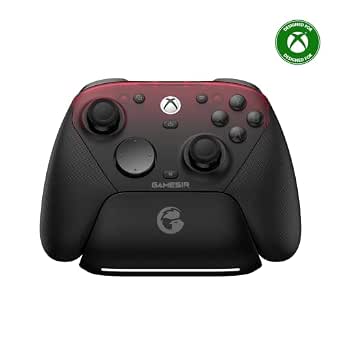 | Best for Multi-Device PC Gaming | Connectivity: Wired, 2.4G wireless, Bluetooth | Compatible platforms: Xbox Series X|S, Xbox One, PC, Android | PC polling rate: 1000Hz | VIEW ON AMAZON | See Our Full Breakdown |
| EasySMX X05Pro Wireless Gaming Controller for PC, Switch, Android/iOS | 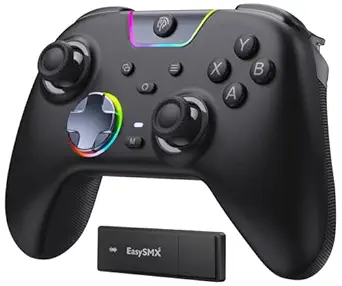 | Best for Quiet Multi-Platform Play | Compatibility: Windows PC, Nintendo Switch/Switch 2, Android, iOS | Connectivity: USB-C wired, 2.4GHz wireless, Bluetooth | Polling rate: 1000Hz wired/2.4GHz; 125Hz Bluetooth | VIEW ON AMAZON | See Our Full Breakdown |
| Logitech G F310 Wired Gamepad Controller – Blue/Black |  | Best Simple Wired Pick | Connectivity: USB wired | Compatible devices: PC, Chromebook, Android TV | Listed Windows support: Windows XP/Vista/7 | VIEW ON AMAZON | See Our Full Breakdown |
| 8Bitdo Ultimate 2C Wireless Controller for Windows PC and Android (Green) |  | Best Compact PC-and-Android Pick | Compatible platforms: Windows PC, Android | Connectivity: 2.4G wireless, wired USB | Polling rate: 1000Hz | VIEW ON AMAZON | See Our Full Breakdown |
| PlayStation DualSense Wireless Controller – Cosmic Red |  | Best for Immersive PC Games | Compatible devices: PS5, PC, Mac, Android, iOS | Connectivity: Bluetooth, USB Type-C | Buttons: 14 | VIEW ON AMAZON | See Our Full Breakdown |
| GameSir Nova Lite 2 Wireless PC Controller with Hall Effect Sticks |  | Best Multi-Platform Value | Connectivity: Bluetooth, 2.4G wireless dongle, wired | Compatible platforms: PC, Nintendo Switch, Switch 2, Android, iOS, Steam | Joystick and trigger technology: Hall Effect; triggers have 2-way trigger lock | VIEW ON AMAZON | See Our Full Breakdown |
| Xbox Wireless Controller with 9-Foot USB-C Cable, Carbon Black |  | Best for Straightforward PC Setup | Connectivity: Bluetooth, USB-C | Compatible devices: Windows, Xbox One, Xbox Series S and X, Android, iOS | Included cable: 9-foot USB-C cable | VIEW ON AMAZON | See Our Full Breakdown |
| GameSir G7 Pro 8K PC Wireless Controller (Aimlabs Edition) |  | Best for Competitive PC Play | Compatibility: Windows 10 and 11 PC | Connectivity: USB wired, 2.4G wireless | Polling rate: 8000Hz | VIEW ON AMAZON | See Our Full Breakdown |
| VOYEE Wireless Pro Controller for Nintendo Switch, Lite, OLED, and PC |  | Best Switch-to-PC Crossover | Connectivity: Bluetooth wireless, USB for PC | Compatible devices: Nintendo Switch, Switch Lite, Switch OLED, Windows PC | Battery life: 10–15 hours | VIEW ON AMAZON | See Our Full Breakdown |
| 8BitDo Ultimate 2 Wireless Controller – Black (PC, Apple, Steam, Android) |  | Best for Customizable Wireless Controls | Compatibility: PC, Apple devices, Steam, Android | Connectivity: 2.4GHz wireless, wired USB-C | Wireless range: 10 m | VIEW ON AMAZON | See Our Full Breakdown |
| EasySMX X15 Wireless Gaming Controller with Hall Effect Joysticks | 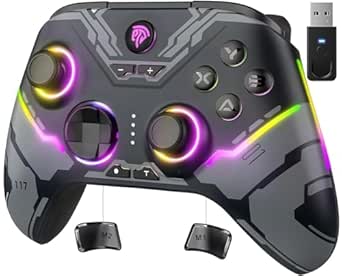 | Best for Multi-Platform Wireless Play | Connectivity: 2.4G wireless, Bluetooth, USB-C | Compatible platforms: PC, Steam, Switch, Android, iOS | Battery capacity: 1000 mAh | VIEW ON AMAZON | See Our Full Breakdown |
| Manba One V2 Wireless Gaming Controller with Interactive Screen, Black | 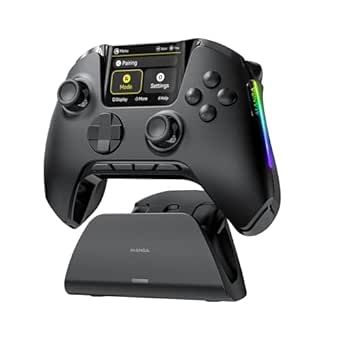 | Best for On-Controller Customization | Supported platforms: Switch, Switch 2, iOS, Android, Windows PC | Connection modes: Wired, Bluetooth, wireless dongle | Display: 2-inch interactive screen | VIEW ON AMAZON | See Our Full Breakdown |
| VOYEE Wireless Switch Controller for Switch/Lite/OLED/PC | 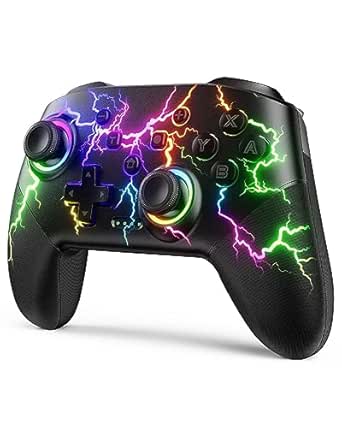 | Best for Wired PC and Switch Use | Compatible devices: Nintendo Switch, Switch Lite, Switch OLED, Windows PC | PC connectivity: Wired; listed for Windows 7/8/10 | Battery life: 10–15 hours | VIEW ON AMAZON | See Our Full Breakdown |
| AceGamer Aurora II 2.4GHz Wireless Bluetooth Controller – Rotary Motors, RGB Hall Effect Joysticks, Programmable Back Buttons | 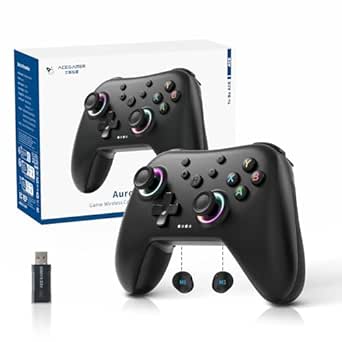 | Best Wireless Value for PC and Handhelds | Compatibility: PC (Windows 7/10+), Nintendo Switch, Switch 2, Steam Deck, Android, iOS | Connectivity: 2.4 GHz wireless dongle, Bluetooth | Battery capacity: 1000 mAh rechargeable | VIEW ON AMAZON | See Our Full Breakdown |
| PowerA Wired Controller for Xbox Series X|S – Black |  | Best for Plug-and-Play Wired PC Gaming | Connectivity: Wired USB-C | Cable length: 10 ft (3 m) | Compatibility: Xbox Series X|S, Xbox One, Windows 10/11 | VIEW ON AMAZON | See Our Full Breakdown |
| gaming controllers for pc | Connectivity | Buttons | Weight |
|---|---|---|---|
| GameSir G7 Pro Wireless Contro | Wired, 2.4G wireless, Bluetooth | 16 | 272 g |
| EasySMX X05Pro Wireless Gaming | USB-C wired, 2.4GHz wireless, Bluetooth | Silicone-damped; two top-mounted programmable buttons | — |
| Logitech G F310 Wired Gamepad | USB wired | — | 14.4 ounces |
| 8Bitdo Ultimate 2C Wireless Co | 2.4G wireless, wired USB | 14 | 280 g |
| PlayStation DualSense Wireless | Bluetooth, USB Type-C | 14 | — |
| GameSir Nova Lite 2 Wireless P | Bluetooth, 2.4G wireless dongle, wired | 16, including 2 remappable back buttons | 0.24 kg |
| Xbox Wireless Controller with | Bluetooth, USB-C | — | 15.2 ounces |
| GameSir G7 Pro 8K PC Wireless | USB wired, 2.4G wireless | 16, including 4 remappable macro buttons | — |
| VOYEE Wireless Pro Controller | Bluetooth wireless, USB for PC | — | 0.28 kg |
| 8BitDo Ultimate 2 Wireless Con | 2.4GHz wireless, wired USB-C | — | — |
| EasySMX X15 Wireless Gaming Co | 2.4G wireless, Bluetooth, USB-C | 14 | — |
| Manba One V2 Wireless Gaming C | — | — | — |
| VOYEE Wireless Switch Controll | — | 14 | 6.88 ounces |
| AceGamer Aurora II 2.4GHz Wire | 2.4 GHz wireless dongle, Bluetooth | 12 | — |
| PowerA Wired Controller for Xb | Wired USB-C | — | 7.36 ounces |
More Details on Our Top Picks
GameSir G7 Pro Wireless Controller for Xbox Series X|S, Xbox One, PC, and Android
The GameSir G7 Pro is the most flexible pick here for someone who plays on PC but also wants a controller for Xbox and Android. Its 2.4G wireless and Bluetooth options make it less tethered than the wired-only Logitech G F310, while the charging station gives the 1200mAh battery a convenient place to recharge between sessions. On PC, a 1000Hz polling rate, TMR sticks, and Hall Effect triggers suit players who value quick input and durable controls. The tradeoff is that its platform flexibility has limits: Xbox play requires a wired connection, and gyro aiming is limited to PC. Compared with the PC-and-Android-only 8Bitdo Ultimate 2C, the G7 Pro covers more systems, but its Xbox connection is not wireless.
Pros:- Works with Xbox Series X|S, Xbox One, PC, and Android
- Wired, 2.4G wireless, and Bluetooth connectivity
- TMR sticks and Hall Effect triggers are designed for precise, drift-resistant control
- Includes an auto start-stop charging station
Cons:- Xbox compatibility requires a wired connection
- Gyro aiming is limited to PC
- The charging station and multi-platform features may be unnecessary for PC-only players
Best for: PC players who also own an Xbox or Android device and want one controller with a charging station and multiple connection modes
Not ideal for: Players who want wireless play on Xbox or rely on gyro aiming across platforms
- Connectivity:Wired, 2.4G wireless, Bluetooth
- Compatible platforms:Xbox Series X|S, Xbox One, PC, Android
- PC polling rate:1000Hz
- Sticks and triggers:Mag-Res TMR sticks, Hall Effect analog triggers
- Battery:1200mAh
- Weight:272 g
- Audio jack:3.5mm
- Buttons:16
Our verdict“Choose the G7 Pro if you want a precise PC controller that can also serve your Xbox and Android setup, and accept wired play on Xbox.”
EasySMX X05Pro Wireless Gaming Controller for PC, Switch, Android/iOS
The EasySMX X05Pro stands out for PC players who share a room or game late: its silicone-damped buttons keep button presses quieter than the more conventional Logitech G F310. Hall Effect sticks and a 1000Hz polling rate over USB-C or 2.4GHz give it a responsive feel on PC, while Bluetooth makes it useful with mobile devices and Switch. The dual-stage adjustable triggers and rumble add control options that the simpler F310 does not offer. That flexibility is limited by platform support, however: it is not compatible with Xbox, PlayStation, Luna, or GeForce, and Bluetooth polling drops to 125Hz. Choose a wired or 2.4GHz connection for fast PC play; Bluetooth is better suited to convenience than low-latency sessions.
Pros:- Quiet, silicone-damped buttons suit shared rooms and late-night gaming
- Hall Effect sticks with 1000Hz polling over USB-C or 2.4GHz
- Adjustable dual-stage triggers and two rumble motors add control and feedback
- Supports Windows PC, Switch, Android, and iOS
Cons:- Not compatible with Xbox, PlayStation, Luna, or GeForce
- Bluetooth polling is 125Hz rather than 1000Hz
- The 1000mAh battery and broad feature set may be more than PC-only players need
Best for: PC players who want quieter buttons and also play on Switch, Android, or iOS
Not ideal for: Gamers who need Xbox or PlayStation compatibility, or who expect 1000Hz polling over Bluetooth
- Compatibility:Windows PC, Nintendo Switch/Switch 2, Android, iOS
- Connectivity:USB-C wired, 2.4GHz wireless, Bluetooth
- Polling rate:1000Hz wired/2.4GHz; 125Hz Bluetooth
- Joystick technology:11-bit Hall Effect
- Triggers:Dual-stage adjustable with 2+2 rumble motors
- Buttons:Silicone-damped; two top-mounted programmable buttons
- D-pad:8-way dome switch
- Battery:1000mAh rechargeable
Our verdict“Pick the X05Pro if quiet controls and PC-to-mobile or Switch flexibility matter more than Xbox support.”
Logitech G F310 Wired Gamepad Controller – Blue/Black
The Logitech G F310 is the straightforward choice for PC players who would rather plug in than manage batteries, pairing, or wireless connections. Its six-foot USB cable offers room to sit back, and the familiar Xbox 360-style layout keeps the controls easy to pick up. The floating four-switch D-pad is a useful distinction from the 8Bitdo Ultimate 2C’s Hall Effect-focused feature set: it gives directional input its own defined feel, while the F310 keeps things simple and corded. Profiler software can map buttons to keyboard and mouse commands, though that adds setup and is tied to Windows software. This controller lacks the wireless freedom and modern multi-platform breadth of the GameSir G7 Pro, and its listed compatibility centers on older Windows versions.
Pros:- Six-foot USB cable avoids battery charging and wireless pairing
- Familiar Xbox 360-style layout is easy to learn
- Floating four-switch D-pad supports distinct directional input
- Profiler software enables button programming and keyboard/mouse mapping
Cons:- Wired-only design limits freedom to move away from the PC
- Full programming features require Windows software installation
- Listed Windows compatibility focuses on older operating systems
Best for: PC players seeking a basic, wired gamepad with a familiar layout and programmable inputs
Not ideal for: Players who want wireless play, modern multi-platform support, or a controller with Hall Effect sticks
- Connectivity:USB wired
- Compatible devices:PC, Chromebook, Android TV
- Listed Windows support:Windows XP/Vista/7
- Button quantity:10 programmable buttons
- D-pad:Floating four-switch
- Cable length:6 feet
- Weight:14.4 ounces
- Power source:Corded electric
Our verdict“Choose the F310 if you want a no-fuss wired PC controller and do not need wireless or current multi-platform features.”
8Bitdo Ultimate 2C Wireless Controller for Windows PC and Android (Green)
The 8Bitdo Ultimate 2C focuses on responsive basics for Windows PC and Android rather than trying to cover every console. Hall Effect sticks and triggers, plus 1000Hz polling over 2.4G or wired USB, give PC players a low-latency alternative to Bluetooth-first controllers. Its remappable L4/R4 bumpers and onboard button mapping also make customization accessible without software, a simpler approach than the Logitech G F310’s Profiler setup. The limits are clear: compatibility is listed for Windows and Android, not Xbox or other consoles, and the provided details do not specify battery capacity or a charging station. Compared with the broader GameSir G7 Pro, the Ultimate 2C is more focused on PC and Android, with fewer platform options but straightforward remapping.
Pros:- Hall Effect sticks and triggers support precise, drift-resistant control
- 1000Hz polling is supported over 2.4G wireless and wired USB
- L4/R4 bumpers and custom mapping work without software
- Turbo function and wear-resistant metal joystick rings add useful features
Cons:- Compatibility is limited to Windows PC and Android in the supplied specifications
- Battery capacity and charging details are not provided
- Does not offer the broader Xbox support of the GameSir G7 Pro
Best for: Windows PC and Android players who want Hall Effect controls, fast wired or 2.4G input, and easy button remapping
Not ideal for: Buyers who need console compatibility, a documented battery capacity, or a multi-device charging station
- Compatible platforms:Windows PC, Android
- Connectivity:2.4G wireless, wired USB
- Polling rate:1000Hz
- Joystick type:Hall Effect
- Trigger type:Hall Effect
- Buttons:14
- Weight:280 g
- Color:Green
Our verdict“Choose the Ultimate 2C for a focused Windows-and-Android setup that prioritizes fast input and software-free remapping.”
PlayStation DualSense Wireless Controller – Cosmic Red
The PlayStation DualSense is the immersion-focused option in this group. Its haptic feedback and adaptive triggers can make compatible games feel more tactile than the straightforward controls of the Logitech G F310, while Bluetooth and USB-C let it connect to PC as well as PS5, Mac, and mobile devices. The built-in microphone and 3.5mm audio jack also give it more onboard chat flexibility than the 8Bitdo Ultimate 2C. Its appeal depends on the game: PC support for haptics and adaptive triggers can vary, so those features are not a reason to expect the same experience in every title. The supplied details also do not specify polling rate, battery capacity, or Hall Effect sticks, making it less suited to buyers choosing chiefly for measurable competitive performance.
Pros:- Haptic feedback and adaptive triggers add tactile effects in compatible games
- Connects to PC, PS5, Mac, Android, and iOS
- Bluetooth and USB-C provide wireless and wired connection options
- Built-in microphone and 3.5mm audio jack support voice chat and headphones
Cons:- Haptic and adaptive-trigger support can vary between PC games
- Supplied specifications do not state polling rate or battery capacity
- Hall Effect sticks are not specified
Best for: PC players who also own a PS5 and want compatible games to offer tactile haptics and adaptive trigger effects
Not ideal for: Competitive players prioritizing specified high polling rates or Hall Effect sticks, and buyers who need those immersive features in every PC game
- Compatible devices:PS5, PC, Mac, Android, iOS
- Connectivity:Bluetooth, USB Type-C
- Buttons:14
- Haptic features:Haptic feedback, adaptive triggers
- Audio:Built-in microphone, 3.5mm audio jack
- Color:Cosmic Red
- Model number:CFI-ZCT2W
- Dimensions:7.68 x 7.48 x 2.87 inches
Our verdict“Choose the DualSense if you value immersive feedback in compatible PC games and want one controller that also serves a PS5 or mobile setup.”
GameSir Nova Lite 2 Wireless PC Controller with Hall Effect Sticks
The Nova Lite 2 makes the most sense for PC players who also want one controller for Switch, mobile, or Steam gaming. Its Hall Effect sticks and triggers are designed to resist drift, while the 1000Hz polling rate gives it a responsive feel on PC. Unlike the Windows-only GameSir G7 Pro 8K PC, this model can connect to several device types, including through Bluetooth, a 2.4G dongle, or a cable. That flexibility comes with less specialized performance: its polling rate is below the G7 Pro’s 8000Hz, and full remapping and tuning require separate software. The two rear buttons and adjustable trigger locks offer useful control options, but buyers who want a simpler plug-in setup may prefer the Xbox Wireless Controller and its included cable.
Pros:- Hall Effect sticks and triggers are designed to resist drift.
- Bluetooth, 2.4G wireless, and wired connections support a broad range of devices.
- 1000Hz polling rate and adjustable settings suit responsive PC play.
- Two remappable rear buttons add control without moving fingers from the sticks.
Cons:- Full customization requires installing GameSir software.
- Battery-powered use requires charging, unlike a wired-only controller.
Best for: PC players who also game on Switch or mobile and want Hall Effect controls with several connection options.
Not ideal for: Players seeking the highest listed polling rate or a no-software setup for customizing buttons and dead zones.
- Connectivity:Bluetooth, 2.4G wireless dongle, wired
- Compatible platforms:PC, Nintendo Switch, Switch 2, Android, iOS, Steam
- Joystick and trigger technology:Hall Effect; triggers have 2-way trigger lock
- Polling rate:1000Hz
- Buttons:16, including 2 remappable back buttons
- Vibration:Dual asymmetric motors
- Weight:0.24 kg
- Power:Battery powered
Our verdict“Choose the Nova Lite 2 if you want one drift-resistant controller for PC and several other platforms rather than the G7 Pro 8K’s more specialized PC performance.”
Xbox Wireless Controller with 9-Foot USB-C Cable, Carbon Black
This Xbox Wireless Controller is a sensible PC pick for players who want familiar controls and the option to switch between wireless and wired play. The included 9-foot USB-C cable provides a direct connection when you do not want to rely on Bluetooth, while the hybrid D-pad and textured grips suit everyday play across genres. Compared with the feature-heavy GameSir Nova Lite 2, it offers fewer listed customization options and no Hall Effect stick claim, but its straightforward layout may be easier to use without software tuning. Wireless operation relies on AA batteries, which are replaceable but not rechargeable through the controller. The 3.5 mm headset jack is useful for compatible setups, though Windows, game, and device support still determine which features work.
Pros:- Included 9-foot USB-C cable supports wired play without a separate cable purchase.
- Bluetooth and USB-C provide wired and wireless connection options.
- Hybrid D-pad and textured grips offer familiar, practical controls.
- Wireless battery life is listed at up to 40 hours with AA batteries.
Cons:- Wireless use requires AA batteries.
- Device, operating system, and game support affect compatibility and features.
Best for: PC players who want a familiar Xbox-style layout, a long included USB-C cable, and the choice of wired or wireless play.
Not ideal for: Buyers prioritizing drift-resistant Hall Effect sticks, advanced rear-button customization, or rechargeable power built into the controller.
- Connectivity:Bluetooth, USB-C
- Compatible devices:Windows, Xbox One, Xbox Series S and X, Android, iOS
- Included cable:9-foot USB-C cable
- D-pad:Hybrid
- Audio:3.5 mm headset jack
- Wireless battery life:Up to 40 hours with AA batteries
- Power source:AA batteries
- Weight:15.2 ounces
Our verdict“Pick this Xbox controller for familiar PC controls and a ready-to-use wired option, but choose the Nova Lite 2 if Hall Effect controls and broader customization matter more.”
GameSir G7 Pro 8K PC Wireless Controller (Aimlabs Edition)
The GameSir G7 Pro 8K PC is the specialist in this group for Windows players chasing high-frequency input and extensive controls. Its 8000Hz polling rate works over wired and 2.4G connections, and the TMR sticks are designed to resist stick drift. Dual-mode Hall Effect and micro-switch triggers let players choose analog travel or a more immediate digital feel. Four remappable macro buttons and a six-axis gyroscope give it more ways to tailor inputs than the simpler Xbox Wireless Controller. The tradeoff is a firm platform boundary: this model is listed for Windows 10 and 11 only, not Xbox or Nintendo Switch. At a listed 0.7 kg, it is also heavier than the Nova Lite 2, so its competitive-focused features may be unnecessary for casual, multi-device play.
Pros:- 8000Hz polling rate is available over wired and 2.4G wireless connections.
- TMR sticks are designed to resist stick drift.
- Dual-mode triggers offer analog and micro-switch input options.
- Four remappable macro buttons and a six-axis gyroscope expand control choices.
Cons:- Listed compatibility is limited to Windows 10 and 11, with no Xbox or Switch support.
- The listed 0.7 kg weight is heavier than the Nova Lite 2.
Best for: Windows 10 or 11 players who want very high polling, drift-resistant sticks, and several programmable controls for competitive games.
Not ideal for: Console or multi-platform households, and players who prefer a lighter controller or have no use for advanced input tuning.
- Compatibility:Windows 10 and 11 PC
- Connectivity:USB wired, 2.4G wireless
- Polling rate:8000Hz
- Joystick technology:TMR magnetic, anti-stick-drift
- Trigger technology:Hall Effect analog and micro-switch
- Buttons:16, including 4 remappable macro buttons
- Motion control:6-axis gyroscope
- Warranty:1 year
Our verdict“Choose the G7 Pro 8K for feature-rich competitive play on Windows, but look to the Nova Lite 2 if you need broader platform support.”
VOYEE Wireless Pro Controller for Nintendo Switch, Lite, OLED, and PC
The VOYEE S08 is aimed at players whose controller time is split between a Windows PC and a Nintendo Switch. Its one-key pairing, gyro control, programmable buttons, and turbo function give it a different emphasis from the Xbox Wireless Controller, which sticks to a more familiar, straightforward layout. The rechargeable battery is listed for 10–15 hours, and the non-slip design is intended for longer sessions. For PC use, however, the description specifies USB connectivity, so it is less convenient as a cable-free desktop controller than the Bluetooth-capable Nova Lite 2. RGB lighting adds personalization, but battery life drops when the lights are on. This is a feature-packed crossover choice, not the clearest pick for someone who only needs a simple PC gamepad.
Pros:- Supports Nintendo Switch models and Windows PC.
- Gyro control, turbo, and programmable buttons add flexibility for supported games.
- Rechargeable battery is listed for 10–15 hours of use.
- Non-slip ergonomic design and customizable RGB lighting add comfort and personalization.
Cons:- PC connectivity is listed as USB, making it less convenient for wireless PC play.
- Battery life decreases significantly when RGB lighting is on.
Best for: Switch owners who also play on a Windows PC and want gyro, turbo, programmable buttons, and a rechargeable controller.
Not ideal for: PC-only players who want wireless PC play or buyers who expect the full listed battery life while using RGB lighting.
- Connectivity:Bluetooth wireless, USB for PC
- Compatible devices:Nintendo Switch, Switch Lite, Switch OLED, Windows PC
- Battery life:10–15 hours
- Charging time:3–4 hours
- Features:RGB lighting, turbo, 6-axis gyro, HD vibration, programmable buttons
- Weight:0.28 kg
- Color:Star Blue
- Model:S08
Our verdict“Choose the VOYEE S08 if Switch and PC are both part of your setup; for wireless PC use, the Nova Lite 2 is the more flexible fit.”
8BitDo Ultimate 2 Wireless Controller – Black (PC, Apple, Steam, Android)
The 8BitDo Ultimate 2 suits PC players who want a low-latency wireless connection alongside several ways to tailor their inputs. Its 2.4GHz link is listed at under 1 ms latency, with a 1000Hz polling rate and a 10 m range. Switchable Hall Effect linear or tactile trigger modes let the same controller handle games that favor smooth travel or a sharper press, while rear paddles and extra bumpers add accessible inputs. Compared with the GameSir G7 Pro 8K PC, it has a lower listed polling rate but broader compatibility, including Apple devices, Steam, and Android. The included charging dock makes power management convenient, though it takes desk space and adds another piece to the setup. Buyers who want a minimal controller may find its extra controls unnecessary.
Pros:- Listed latency is under 1 ms over a 10 m 2.4GHz connection.
- 1000Hz polling rate and optional wired USB-C connection support responsive play.
- Switchable Hall Effect linear and tactile trigger modes adapt to different game styles.
- Back paddles, extra bumpers, and a charging dock add convenience and input options.
Cons:- The charging dock adds bulk to a desk or travel setup.
- Listed compatibility does not include Xbox or Nintendo Switch.
Best for: PC and Steam players who want responsive 2.4GHz wireless, configurable trigger feel, extra controls, and a charging dock.
Not ideal for: Buyers who want a compact, uncomplicated setup, or who need listed Xbox or Nintendo Switch compatibility.
- Compatibility:PC, Apple devices, Steam, Android
- Connectivity:2.4GHz wireless, wired USB-C
- Wireless range:10 m
- Latency:Under 1 ms
- Polling rate:1000Hz
- Trigger modes:Switchable linear Hall Effect or tactile
- Additional controls:2 back paddles and extra R4/L4 bumpers
- Charging:Multifunctional charging dock and USB-C adapter included
Our verdict“Pick the Ultimate 2 for adaptable wireless controls and dock charging across PC and mobile platforms, rather than the Windows-focused G7 Pro 8K’s higher polling rate.”
EasySMX X15 Wireless Gaming Controller with Hall Effect Joysticks
The EasySMX X15 is a flexible PC pick for players who also want to use one controller with Switch and mobile devices. Its Hall Effect sticks and triggers are designed to resist drift, while 2.4G, Bluetooth, and USB-C give you options for different setups. Compared with the wired-only PC connection on the VOYEE S08, the X15 offers more freedom at a desk or on the couch. Its two programmable back buttons add shortcuts without moving your thumbs from the sticks, and the stated battery life reaches up to 20 hours. The tradeoff is a simpler feature set than the Manba One V2: there is no screen, gyro, or headset jack. The listed weight of 0.35 g also appears unreliable, so I would not use it to judge comfort.
Pros:- Three connection options: 2.4G wireless, Bluetooth, and USB-C
- Hall Effect joysticks and triggers are designed to resist stick drift
- Two programmable back buttons support shortcuts and combos
- Battery life is listed as up to 20 hours
Cons:- No microphone or headset jack
- No gyro sensor
- Listed weight of 0.35 g appears to be a data error
Best for: PC players who want one wireless controller for Windows, Switch, and mobile gaming, with drift-resistant controls and programmable rear buttons.
Not ideal for: Players who need a headset jack, gyro controls, or a dependable published weight specification.
- Connectivity:2.4G wireless, Bluetooth, USB-C
- Compatible platforms:PC, Steam, Switch, Android, iOS
- Battery capacity:1000 mAh
- Battery life:Up to 20 hours
- Polling rate:1000 Hz
- Buttons:14
- Dimensions:2.95 x 4.69 x 6.5 inches
- Warranty:12 months
Our verdict“Choose the X15 if you want a drift-resistant wireless controller that can move between PC and several other platforms, and skip it if gyro or headset support matters.”
Manba One V2 Wireless Gaming Controller with Interactive Screen, Black
The Manba One V2 makes the strongest case for players who want to change controller settings without reaching for a phone or opening a PC app: its 2-inch interactive screen puts those adjustments on the controller. It also brings Hall Effect sticks and triggers, six-axis gyro, and four programmable back buttons with macro support, giving it more built-in customization than the two-back-button EasySMX X15. For PC, the wireless dongle is the better fit than Bluetooth, which is described as less stable on that platform; wired play is another option. The included charging station helps keep the pad ready between sessions. Its limits are platform-specific: it does not support Xbox, PlayStation, or GeForce Now, and it cannot wake a Switch or Switch 2. That makes it feature-rich, but not a universal PC-and-console choice.
Pros:- Interactive screen lets you adjust settings without an app
- Hall Effect sticks and linear Hall Effect triggers
- Four programmable back buttons support macros
- Includes a charging station and wireless receiver
Cons:- Not compatible with Xbox, PlayStation, or GeForce Now
- Bluetooth connection to PC is described as less stable than the dongle
- Does not support wake-up on Switch or Switch 2
Best for: PC players who like adjusting controls on the device itself and want gyro, macro-capable rear buttons, and a charging station.
Not ideal for: Players who need Xbox or PlayStation support, rely on GeForce Now, or want a Switch controller that can wake the console.
- Supported platforms:Switch, Switch 2, iOS, Android, Windows PC
- Connection modes:Wired, Bluetooth, wireless dongle
- Display:2-inch interactive screen
- Battery capacity:1800 mAh
- Joystick and trigger technology:Hall Effect joysticks and linear Hall Effect triggers
- Back buttons:4 programmable buttons with macro support
- Motion control:6-axis gyroscope
- Wired polling rate:800 Hz+
- Included accessories:Smart charging station and wireless receiver
Our verdict“Pick the Manba One V2 for its screen-based customization and extensive controls, provided its platform exclusions do not affect your setup.”
VOYEE Wireless Switch Controller for Switch/Lite/OLED/PC
The VOYEE S08 fits buyers whose main setup is a Switch but who also want a straightforward wired option for Windows PC. Unlike the wireless PC connections on the AceGamer Aurora II, this controller connects to PC through a cable, so it is a weaker match for couch play at a computer. Its programmable M1/M2 buttons, turbo modes, gyro, and adjustable vibration offer a broad set of play features, while one-key pairing and wake-up functions suit Switch use. The RGB lightning-bolt design is more conspicuous than the understated PowerA wired controller, which may be a plus or a distraction depending on taste. Battery life is listed at 10–15 hours for wireless play, but mobile Bluetooth support is not specified. I would choose it for Switch-led use, not as a flexible wireless PC pad.
Pros:- Programmable M1/M2 buttons and three turbo speeds
- Six-axis motion control and four-level vibration feedback
- One-key pairing and wake-up functions for Switch
- Listed wireless battery life of 10–15 hours
Cons:- PC connection is wired rather than wireless
- Native Bluetooth support for mobile devices is not specified
- Charging time is listed as 3–4 hours
Best for: Switch owners who also play Windows PC games at a desk and want programmable buttons, gyro, and a wired PC connection.
Not ideal for: PC players who want wireless play at a distance or shoppers seeking stated Bluetooth support for phones and tablets.
- Compatible devices:Nintendo Switch, Switch Lite, Switch OLED, Windows PC
- PC connectivity:Wired; listed for Windows 7/8/10
- Battery life:10–15 hours
- Charging time:3–4 hours
- Weight:6.88 ounces
- Dimensions:5.9 x 2.57 x 4.17 inches
- Buttons:14
- Features:RGB LED, programmable buttons, turbo mode, 6-axis gyro, dual vibration motors
Our verdict“Choose the S08 for Switch-first gaming with occasional wired Windows play, but look to the AceGamer Aurora II for wireless PC use.”
AceGamer Aurora II 2.4GHz Wireless Bluetooth Controller – Rotary Motors, RGB Hall Effect Joysticks, Programmable Back Buttons
The AceGamer Aurora II is a practical pick for PC players who want wireless flexibility across a desktop, Steam Deck, and other handheld devices. It connects by 2.4 GHz dongle or Bluetooth, giving it a clearer wireless-PC advantage over the wired-PC VOYEE S08. Hall Effect joysticks are intended to resist drift, and two programmable back buttons add shortcuts without the extra setup features of the four-button Manba One V2. The 1000 mAh battery and rotary motors round out a useful everyday package. Its platform list is broad, including Switch 2, but it does not support Xbox. Pairing instructions may also take more patience than a simpler wired option such as the PowerA. This is a balanced cross-device controller, not the pick for players who want a screen, gyro, or extensive rear controls.
Pros:- 2.4 GHz dongle and Bluetooth connection options
- Hall Effect joysticks are designed to resist drift
- Compatible with PC, Steam Deck, Switch, Switch 2, Android, and iOS
- Two programmable back buttons and a 1000 mAh battery
Cons:- Not compatible with Xbox consoles
- Pairing instructions may be challenging for beginners
- No gyro or interactive settings screen is listed
Best for: PC and Steam Deck players who want a wireless controller that can also connect to Switch, Android, or iOS, with drift-resistant sticks.
Not ideal for: Xbox owners, beginners who want especially simple pairing, or players seeking a screen, gyro, or more than two programmable rear buttons.
- Compatibility:PC (Windows 7/10+), Nintendo Switch, Switch 2, Steam Deck, Android, iOS
- Connectivity:2.4 GHz wireless dongle, Bluetooth
- Battery capacity:1000 mAh rechargeable
- Joystick technology:Hall Effect
- Additional features:Rotary motors, RGB lighting, 2 programmable back buttons
- Buttons:12
- Color:Midnight Black
- Warranty:Product warranty; details via seller
Our verdict“The Aurora II suits players who want one wireless pad for PC and several handheld platforms, but Xbox users should choose another controller.”
PowerA Wired Controller for Xbox Series X|S – Black
The PowerA Wired Controller is the no-battery, no-pairing choice in this group for PC players who prefer a direct connection. Its 10-foot USB-C cable offers room to sit back from a computer, while the headset jack and familiar Xbox layout make it a more conventional PC gamepad than feature-heavy wireless options such as the Manba One V2. Dual rumble motors and impulse triggers add tactile feedback, though trigger effects vary by game. The tradeoff is clear: the cable limits movement, and this controller lacks the wireless flexibility and drift-resistant Hall Effect sticks offered by the EasySMX X15. Its listed compatibility covers Windows 10/11 and Xbox consoles, so it is less suited to older Windows systems or players who want one controller for mobile and Switch as well.
Pros:- 10-foot USB-C cable avoids battery charging and wireless pairing
- 3.5 mm headset jack supports a wired headset
- Dual rumble motors and impulse triggers provide tactile feedback
- Listed for Xbox Series X|S, Xbox One, and Windows 10/11
Cons:- Wired connection limits movement compared with the EasySMX X15 and AceGamer Aurora II
- Impulse trigger effects vary by game
- Windows compatibility is listed for Windows 10/11, not older versions
Best for: Windows 10/11 players who want an Xbox-style controller with a headset jack, tactile feedback, and no battery charging or wireless pairing.
Not ideal for: Players who need wireless freedom, Hall Effect sticks, or broad compatibility with Switch and mobile devices.
- Connectivity:Wired USB-C
- Cable length:10 ft (3 m)
- Compatibility:Xbox Series X|S, Xbox One, Windows 10/11
- Audio connection:3.5 mm headset jack
- Feedback:Dual rumble motors and impulse triggers
- Weight:7.36 ounces
- Dimensions:2.56 x 6.14 x 4.21 inches
- Warranty:2-year limited warranty
Our verdict“Choose the PowerA if you want a simple wired PC controller with a headset jack and Xbox-style feedback, and avoid it if you need wireless play.”

How We Picked
I ranked these controllers by how well they serve PC players across connection reliability, setup, compatibility, control layout, and day-to-day usability. I also weighed practical differences such as wired play, wireless options, Hall effect sticks, programmable controls, and support for devices beyond Windows PCs. A feature earned more weight when it could change a buying decision, not simply because it appeared on a spec sheet.
The order favors models with a useful blend of PC suitability and versatility, then gives space to controllers that make a strong case for a particular need, such as a familiar console layout, lower-complexity wired play, or extra customization. A product with specialized features does not automatically outrank a simpler controller: software, connection compatibility, and the buyer’s preferred platform matter too. Since configurations and support can vary, I recommend checking the manufacturer’s current compatibility details before buying.
Factors to Consider When Choosing Gaming Controllers For Pc
Choosing a PC controller is less about finding the longest feature list and more about avoiding a mismatch with your games, setup, and preferred controls. I’d settle the connection and compatibility questions first, then decide whether extras such as stick technology or back buttons justify added complexity.
Match the connection to your setup
A wired controller is a sensible choice if you play near your PC and want to avoid charging or wireless pairing. Wireless models give you more freedom from the desk, but the exact connection method matters: Bluetooth and a dedicated wireless connection are not interchangeable in every setup. Check whether the controller supports the connection your PC can use, and whether any required receiver is included. If you switch between PC and console, confirm how the controller changes devices rather than assuming it can move between them seamlessly. A common mistake is choosing wireless for convenience without checking receiver needs or supported platforms. Pick wired for a fixed, low-maintenance setup; choose wireless when distance and device switching matter more.
Check game and operating-system compatibility
Most PC controller decisions start with whether your games recognize the controller’s input layout, but platform support can vary by model and connection mode. Xbox-style layouts are familiar across many PC games, while a PlayStation-style controller may need game-level or system-level support for some features. Multi-platform claims are useful only if they match how you plan to connect each device. Before buying, check the manufacturer’s compatibility list and the games or launchers you use most. Do not assume that working on a console means every feature will work identically on Windows. If your library is varied, a broadly supported layout is often a safer choice than a specialized feature set.
Choose stick features for how you play
Hall effect sticks may appeal to players who want a different approach to stick sensing, but that feature alone does not tell you whether a controller feels right or suits your games. Stick tension, dead-zone behavior, grip shape, and adjustment options can matter just as much during play. For shooters, check whether the controller’s software or game settings let you tune sensitivity and dead zones to your preference. For platformers and casual games, comfort and consistent input may outweigh fine-grained tuning. Avoid treating a named stick technology as a guarantee of better performance. Compare the whole control experience and confirm which adjustments are available on PC.
Decide whether customization will earn its place
Back buttons, profiles, remapping, and on-controller screens can be useful when you have specific actions you want to reach without moving your thumbs from the sticks. They add little value if you prefer standard controls or do not plan to configure them. Check whether customization happens through PC software, onboard controls, or both, and whether settings persist after disconnecting. Extra controls can also take time to learn and may be easy to press by accident if their placement does not suit your grip. For a first controller, a clear standard layout can be easier to live with than a feature-dense model. Pay for customization when you can name the games or actions that will benefit from it.
Think about power, cable length, and maintenance
Wireless convenience comes with a power routine, so check how the controller charges and whether its battery arrangements suit your play habits. A wired model removes that task but ties you to a cable, making cable length and desk layout part of the decision. Some buyers prefer a detachable or replaceable cable arrangement because it can be easier to manage around a PC station. Also check what parts or accessories come in the box instead of assuming a wireless controller includes every connection option you need. A controller used for long sessions should fit your charging habits as well as your hands. The right choice is the one whose upkeep feels minor rather than becoming a reason to stop using it.
Prioritize comfort over a crowded feature list
Grip shape, button reach, and stick placement affect every session, while features such as lighting or extra profiles may only matter occasionally. If possible, compare the controller’s layout with a familiar gamepad you already find comfortable. Players with smaller hands may prefer a less bulky shape, while others may want roomier grips for longer play. Look at the product’s weight and dimensions where available, and check whether the button layout matches your muscle memory. A common buying mistake is focusing on a headline feature before considering hand fit. If comfort is uncertain, favor a straightforward design and a return policy that lets you check the fit at home.
Frequently Asked Questions
Should I choose an Xbox-style or PlayStation-style controller for PC games?
I’d choose the layout that matches your game library and the controls you already know. Xbox-style controllers can be a straightforward fit for many Windows games, while the DualSense suits players who prefer PlayStation’s stick and button arrangement. Some PC games show one set of button prompts regardless of the controller, so check whether that matters to you. Also distinguish basic input support from advanced features, which may depend on the game, connection, or software. If you play across several platforms, weigh each platform’s support rather than choosing based on console familiarity alone.
Is a wireless controller a good choice if my PC has no Bluetooth?
It can be, but only if the controller supports a wireless method your PC can use, such as a compatible included receiver. Bluetooth support should not be assumed when a product is described as wireless. Check the exact connection options and whether any adapter is part of the package. If you would need to buy or configure extra hardware, a wired model may be the simpler fit for a desktop. Decide based on your PC’s ports and wireless features, not the word “wireless” alone.
Do Hall effect sticks mean I should choose one of those controllers?
Not on their own. Hall effect sticks are a point of difference on models such as the GameSir Nova Lite 2, EasySMX X15, and AceGamer Aurora II, but buyers should still compare comfort, connection support, and available control settings. A stick technology does not settle whether a controller’s shape or layout suits you. Check whether the model works with your PC and games in the way you plan to use it. If you do not have a particular reason to prioritize that feature, a more familiar controller can be a better match.
When does a wired PC controller make more sense than a wireless one?
A wired controller makes more sense when you play near your PC, want to avoid battery upkeep, or prefer a simple connection routine. The Logitech F310 and PowerA Wired Controller are examples of wired options in this roundup, while the Xbox Wireless Controller also includes a USB-C cable for wired play. Check cable reach against your desk or living-room arrangement before buying. A fixed cable can feel limiting if you play from a couch, but it removes pairing and charging from your routine. Let your seating distance and habits decide which tradeoff matters more.
Will a controller that supports several platforms work the same way on all of them?
No; multi-platform support does not always mean identical features, controls, or connection methods everywhere. A controller may connect to a PC one way and use a different method on Android, Switch, or a console. Some customization options may also depend on PC software or a specific platform. Check the current compatibility details for each device you plan to use, including whether the listed functions apply to the connection mode you prefer. If you mainly play on PC, give that experience more weight than a long list of secondary platform claims.
Conclusion
For most PC players, I’d choose the GameSir G7 Pro as the best overall option for its combination of PC suitability and cross-device support. The Logitech F310 is my best value-style pick for buyers who want uncomplicated wired play, and the 8BitDo Ultimate 2 Wireless makes more sense for those prioritizing wireless versatility. Beginners who want a familiar, direct setup should look at the Xbox Wireless Controller with USB-C cable or a straightforward wired model such as the PowerA. For premium or specialized needs, compare the GameSir G7 Pro 8K Aimlabs Edition for PC-focused tuning, the DualSense for a PlayStation-style layout, and the Manba One V2 for an interactive screen. Match the final choice to your PC’s connection options and the features you will actually use.
Halloween Picks

HOPOCO Halloween Pumpkin Fog Machine with 12 LED Colors and 4 Light Modes

Star Wars Yoda and R2-D2 Inflatable Halloween Decor, 6 ft with LEDs, Indoor/Outdoor

Thuodo 8 FT Tall Halloween Inflatable Three-Headed Dragon with LEDs
As an affiliate, we earn on qualifying purchases.