
To dictate effectively, use a good-quality microphone placed about one to two inches from your mouth and speak clearly in a quiet environment. Make certain your microphone is functioning properly by testing it beforehand. Avoid background noise and noisy settings to improve accuracy. Speak naturally and enunciate each word for better recognition. Proper setup and technique can greatly boost your voice typing results—if you want detailed tips, keep going to discover more.
Key Takeaways
- Use a high-quality, noise-canceling microphone placed 1-2 inches from your mouth for clear voice capture.
- Dictate in a quiet environment with minimal background noise to improve recognition accuracy.
- Test and calibrate your microphone beforehand to ensure proper functionality and optimal performance.
- Speak naturally and enunciate clearly to help the software accurately transcribe your speech.
- Regularly update your voice recognition software and maintain your microphone for consistent, reliable results.
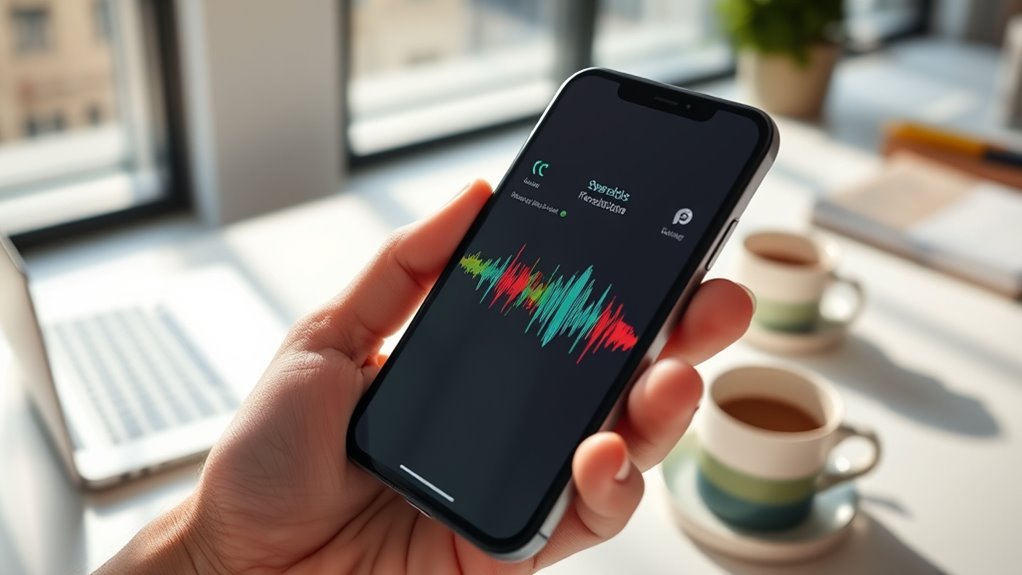
Have you ever wondered how voice typing can transform the way you work and communicate? When you start using voice recognition tools, you’re opening up a new world of efficiency and convenience. However, to get the most out of voice typing, especially in regard to speech accuracy, you need to pay attention to your microphone setup. The quality of your microphone directly impacts how well your device captures your voice, which in turn affects the accuracy of the transcription. A good microphone ensures your words are clear and distinct, reducing misunderstandings and the need for constant corrections. To optimize speech accuracy, consider using a microphone designed for voice input, such as a noise-canceling headset or a quality external microphone. Position it correctly—about an inch or two from your mouth—to avoid capturing unnecessary background noise or muffling your voice. This setup helps your device pick up your speech crisply, making the recognition process smoother and more precise. Using the right microphone setup is especially important for achieving high accuracy in speech recognition. Once your microphone is set up properly, you’ll notice a significant improvement in the accuracy of your voice-to-text conversions. Clear pronunciation is also key—speak naturally but enunciate your words to ensure the software understands you. If your microphone picks up too much ambient noise or if you’re in a noisy environment, it can confuse the recognition software, leading to errors. So, find a quiet spot and speak directly into the microphone for the best results. Many voice typing platforms also allow you to do a quick microphone test or calibration to ensure everything is working correctly before you start dictating. Taking a moment to verify your setup can save you time editing and correcting errors later on.
Additionally, keep your microphone clean and free of dust or debris, which can muffle sound quality. Regularly updating your voice recognition software or app also helps improve speech accuracy, as developers often release improvements and bug fixes that enhance performance. Remember, your speech accuracy isn’t just about the software; it’s about how well your hardware captures your voice. When you combine a proper microphone setup with clear, deliberate speech, voice typing becomes a powerful tool that can speed up your work, reduce typing fatigue, and make communication more efficient. So, invest some time in configuring your microphone correctly—your productivity and the accuracy of your dictations depend on it.
Top picks for "voice dictate computer"
Open Amazon search results for this keyword.
As an affiliate, we earn on qualifying purchases.
Frequently Asked Questions
Can Voice Typing Work Without an Internet Connection?
Yes, voice typing can work offline, but it depends on the app you use. Some programs offer offline capabilities, allowing you to dictate without an internet connection, which enhances privacy considerations by keeping your data local. Make sure to enable offline mode beforehand, as many voice recognition tools require initial online setup. This way, you can enjoy the convenience of voice typing anytime, anywhere, with added privacy and security.
How Accurate Is Voice Typing Compared to Manual Typing?
Voice typing is generally less accurate than manual typing, especially in noisy environments or with complex vocabulary. The accuracy comparison shows that manual typing often delivers near-perfect precision, while voice recognition may misinterpret words or punctuation. However, with practice and clear speech, voice typing improves and can be quite efficient. You should consider your needs; for quick drafts, voice typing works well, but for precision, manual typing remains superior.
What Languages Are Supported for Voice Dictation?
You can access voice dictation in many languages, thanks to multilingual support from most platforms. Popular languages like English, Spanish, French, and Chinese are widely supported, but regional dialects are increasingly recognized too. This makes it easier for you to speak naturally without worrying about accent or dialect variations. Just confirm your device’s language settings are correct, and you’ll enjoy accurate dictation across different languages and regional dialects.
How Do I Correct Mistakes Made During Voice Typing?
To correct mistakes during voice typing, you can use voice command customization to say “delete” or “undo,” which helps edit voice input quickly. You can also manually edit the text by clicking or tapping where the mistake is and typing the correction. For seamless editing, familiarize yourself with voice commands specific to your device or software, making editing voice input faster and more efficient.
Is Voice Typing Safe and How Is My Privacy Protected?
Voice typing is generally safe, but you should be aware of privacy concerns. Your voice data might be stored or shared, so check the app’s privacy policy. Reputable services use data encryption to protect your information from unauthorized access. To stay safe, use trusted platforms, disable cloud storage if you’re concerned, and review privacy settings regularly. This way, you keep your voice data secure and maintain control over your privacy.
Conclusion
Think of voice typing as your trusted compass, guiding you through the vast forest of words. With each command, you carve a clearer path, transforming silent thoughts into spoken truths. As you master this skill, you’ll find your voice becomes a powerful tool, opening doors that once seemed distant. Embrace it, and remember—your words are the map, and your voice is the compass leading you to your destination. Happy dictating!