
To fix Wi-Fi dead zones cheaply, start by placing your router in a central, open, and elevated spot away from large metal objects, microwaves, or cordless phones that can cause interference. Experiment with different locations to find the best coverage and switch to a less congested channel or the 5 GHz band if available. Small adjustments in placement and reducing interference often make a big difference—keep exploring these tips for even better results.
Key Takeaways
- Place your router in a central, elevated, and open location to maximize coverage and reduce dead zones.
- Experiment with different spots to find the highest, least obstructed position for better signal reach.
- Switch to a less congested Wi-Fi channel or enable auto-channel to minimize interference from household devices.
- Use the 5 GHz band if available, as it is less crowded and offers faster speeds.
- Keep routers away from metal objects, microwaves, and cordless phones to improve signal strength and stability.
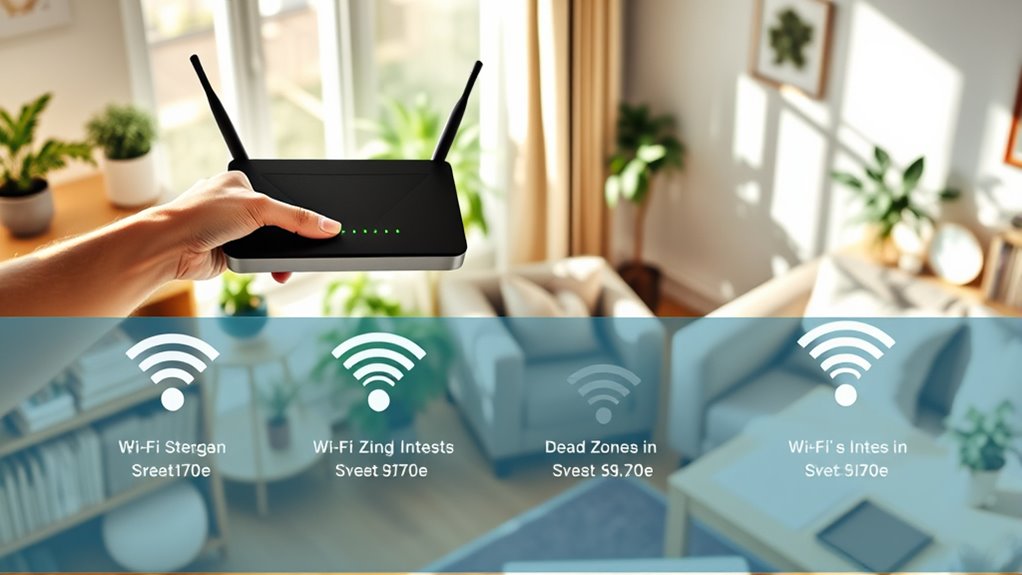
Have you ever been frustrated by Wi-Fi dead zones that disrupt your internet connection? If so, you’re not alone. Dead spots can be a real headache, especially when you’re trying to stream, work, or game without interruption. The good news is that fixing these issues doesn’t have to cost a fortune. Often, the problem boils down to how your router is placed and how well you mitigate interference. By paying attention to these factors, you can considerably improve your Wi-Fi coverage without breaking the bank.
Start by focusing on router placement. The position of your router plays a vital role in how well your Wi-Fi signal travels throughout your house. Ideally, you want to place your router in a central location that’s open and elevated. Avoid hiding it in closets, basements, or behind thick walls and furniture, as these obstacles weaken the signal. Keep it away from large metal objects, microwaves, and cordless phones, which can cause interference and reduce performance. Experiment with different spots until you find a position where the signal reaches all the key areas of your home. Even a small move, like placing your router on a higher shelf, can make a big difference in coverage.
Placing your router centrally and elevated boosts Wi-Fi coverage throughout your home.
Interference mitigation is another key to fixing dead zones. Many household devices operate on similar frequencies as Wi-Fi, creating interference that hampers your connection. To minimize this, check your router’s settings and switch to a less congested channel. Most modern routers have an auto-channel feature, but you can manually select a channel using your router’s admin panel. Additionally, consider switching your router to the 5 GHz band if it supports dual-band operation. This band is less crowded and offers faster speeds, though it has a shorter range. Combining strategic placement with interference mitigation can greatly enhance your Wi-Fi stability and coverage. Optimizing Wi-Fi performance is essential for maintaining a reliable connection across your entire home.
You don’t need expensive equipment or professional help to improve your Wi-Fi coverage. Simple adjustments like relocating your router to a more suitable spot and reducing interference can make a noticeable difference. Keep in mind that every home is different, so it might take a bit of trial and error to find the perfect setup. But once you do, you’ll enjoy a more dependable, faster connection throughout your house. Fixing Wi-Fi dead zones is within your reach — just start with smart placement and interference mitigation, and watch your signal improve.
Frequently Asked Questions
Can I Use My Smartphone as a Wi-Fi Extender?
Yes, you can use your smartphone as a Wi-Fi extender by enabling Wi-Fi sharing or creating a hotspot. Simply turn on your smartphone’s hotspot feature, which shares your mobile data connection, then connect your devices to it. This method helps extend your Wi-Fi coverage temporarily, especially in dead zones. Keep in mind, using your phone as an extender can drain your battery quickly and may use a lot of data.
Do Wi-Fi Dead Zones Affect Streaming Quality?
Wi-Fi dead zones can substantially impact your streaming quality, with 75% of users experiencing buffering issues due to weak signal strength. When you’re in a dead zone, Wi-Fi interference and poor signal strength cause interruptions, making streaming frustrating. To improve your experience, move closer to your router or remove obstacles. Ensuring a strong, interference-free connection helps maintain smooth streaming and avoids annoying pauses.
How Often Should I Update My Router Firmware?
You should update your router firmware whenever updates are available, ideally every few months. Regular updates improve router security by fixing vulnerabilities and guarantee firmware compatibility with new devices. Keeping your firmware current helps maintain a stable connection, reduces dead zones, and protects your network from threats. Check your router’s admin settings or manufacturer’s website regularly to stay informed about updates and keep your Wi-Fi running smoothly.
Are Mesh Networks Worth the Investment?
If you’re tired of dead zones, mesh networking is definitely worth considering, especially for larger homes. It seamlessly spreads your Wi-Fi signal, acting like signal boosting on steroids, so you get consistent coverage everywhere. While it might seem like a splurge, compared to constantly troubleshooting or upgrading your router, a mesh network provides a reliable, easy-to-manage solution that keeps all your devices connected without frustration.
Will Adding More Devices Slow Down My Wi-Fi?
Adding more devices can slow down your Wi-Fi because increased device congestion leads to Wi-Fi interference, making it harder for your network to perform efficiently. When many devices connect simultaneously, they compete for bandwidth, which can cause lag and reduced speeds. To minimize this, limit the number of active devices or prioritize essential ones. Ensuring your router is optimized and avoiding interference sources can also help maintain good Wi-Fi performance.
Conclusion
Fixing your Wi-Fi dead zones doesn’t have to break the bank. Sometimes, a simple repositioning or a budget-friendly extender can make all the difference. Coincidentally, the best spot for your router might be the one you least expected—near a window or higher up. With a little trial and error, you’ll enjoy seamless coverage and reconnect with your favorite online moments. After all, the only dead zone should be in your old Wi-Fi setup, not your house.