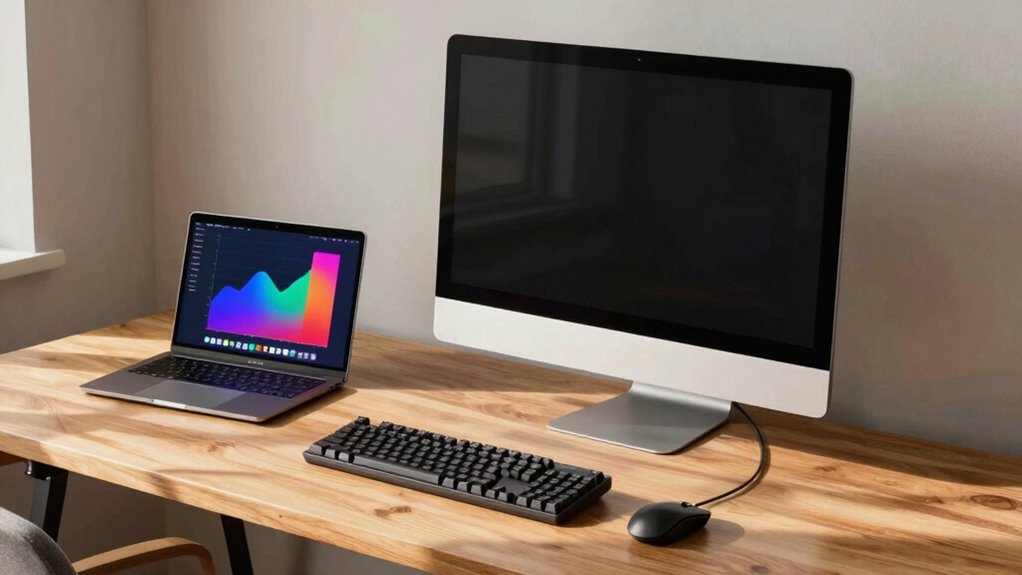

If you want a stable, powerful setup with better ergonomics and upgrade options, a desktop may suit you best, especially if you have a dedicated workspace. A laptop offers portability, flexibility, and easier setup for smaller spaces or changing environments. High-performance laptops can handle demanding tasks, but desktops usually provide higher power capacity for intensive work. To find out which fits your needs better, there’s more for you to discover on how to choose the right one.
Key Takeaways
- Desktops offer better ergonomic setups and higher performance for demanding tasks and extended work periods.
- Laptops provide portability and flexibility for working from different locations within the home.
- Desktops require dedicated space but allow easier hardware upgrades and expandability.
- Laptops are ideal for limited space and minimal setups, with wireless accessories for convenience.
- Power capacity and cooling systems in desktops support intensive applications, while laptops are suitable for lighter or mobile work.

Choosing between a desktop and a laptop for your home office depends on your specific needs and workspace. If you prioritize comfort and productivity, considering ergonomic design is vital. Desktops typically offer better ergonomic options, allowing you to choose larger monitors, adjustable keyboards, and ergonomic chairs that help prevent strain during long work hours. Laptops, on the other hand, often come with built-in screens and keyboards, which can limit ergonomic flexibility unless you invest in additional accessories like stands or external keyboards. If you work for extended periods, ergonomic design becomes a key factor in reducing fatigue and maintaining good posture. Additionally, multi-device setups can enhance productivity and flexibility, especially when using multiple peripherals or screens alongside your main device. Power capacity is another significant aspect to evaluate. Desktops generally have a higher power capacity, which means they can handle more demanding tasks like video editing, 3D rendering, or running multiple applications simultaneously without slowing down. They also offer options for upgrading components such as RAM, graphics cards, and storage, which can extend their lifespan and performance. Desktops can also benefit from advanced cooling systems, ensuring consistent performance during intensive workloads. The ability to customize and upgrade hardware components makes desktops a long-term investment for users with evolving needs. Moreover, a dedicated workspace can improve focus and organization, making desktops especially suitable for a permanent home office setup. When considering your overall setup, ergonomic accessories like adjustable monitor stands and keyboard trays can further improve comfort. Laptops, however, are designed for portability and often have limited power capacity. While some high-end models can handle intensive workloads, they typically run hotter and may throttle performance to manage heat. If your work involves resource-heavy tasks, a desktop might be the better choice to guarantee consistent power and performance. The size and space your home office offers play a big role in your decision. Desktops require a dedicated workspace with enough room for a monitor, tower, and peripherals. If your space is tight or you prefer a minimalist setup, a laptop’s compact design might be more suitable. Laptops also offer the advantage of mobility, allowing you to work from different areas of your home, or even outside if needed. This flexibility can boost productivity if you like changing your environment or need to work in different locations. Another consideration is connectivity and peripherals. Desktops usually have more ports and options for connecting external devices like printers, external drives, or additional screens. While many laptops now include multiple ports, some might require adapters or hubs to connect all your peripherals. If you rely on multiple external devices, a desktop’s expandability could save you hassle. Conversely, if you prefer a simple setup and need to move around frequently, a lightweight laptop that supports wireless accessories might be more convenient. Ultimately, your choice depends on balancing ergonomic comfort, power capacity, space, and portability. If you need a powerful, customizable machine for intensive tasks and a stable workspace, a desktop is ideal. If you value mobility and a streamlined setup, a laptop can meet your needs while still offering sufficient performance for most home office tasks.
ergonomic adjustable monitor stand
As an affiliate, we earn on qualifying purchases.
As an affiliate, we earn on qualifying purchases.
Frequently Asked Questions
Which Device Offers Better Ergonomics for Long Working Hours?
A desktop generally offers better ergonomics for long hours because it allows you to set up your monitor, keyboard, and mouse at ideal heights, promoting good posture. You can also incorporate ergonomic accessories like adjustable chairs and monitor stands for peak posture. Laptops tend to cause strain because of their fixed screens, but you can improve ergonomics with external keyboards, mice, and stands to help with posture enhancement during extended use.
How Do Desktop and Laptop Options Compare in Upgradeability?
Back in the day, desktops ruled the upgrade game, and that’s still true. You’ll find more hardware customization and repairability options with a desktop, letting you swap out components easily. Laptops, on the other hand, are less upgrade-friendly, often limiting hardware changes. If you prioritize flexibility and future-proofing, a desktop’s your best bet. For simple repairs, desktops also tend to be more accessible and straightforward.
What Are the Security Differences Between Desktops and Laptops?
You’ll find desktops generally offer better security options, like easier hardware upgrades and physical access control, reducing risks. Laptops, however, face more vulnerabilities due to portability, increasing exposure to theft or loss. Both devices benefit from cloud security and data encryption, but desktops often allow more thorough security setups. With laptops, you need to be extra vigilant about securing data when you’re on the go, using encryption and secure cloud services.
Which Is More Energy-Efficient for a Home Office Setup?
Laptops are more energy-efficient for a home office because they consume less power than desktops. Their design emphasizes energy conservation, with lower energy consumption during operation and standby modes. If you prioritize power efficiency, a laptop can reduce your electricity bills and environmental impact. Desktops typically use more energy due to their larger components and constant power draw, making laptops a smarter choice for energy-conscious setups.
How Do Desktop and Laptop Options Impact Internet Connectivity?
Imagine your internet connection as a highway; a desktop often acts like a dedicated lane, offering wired stability, ensuring smooth, reliable wireless performance. Laptops, relying on Wi-Fi, can face interference, causing stability issues. Hardware compatibility matters too—desktops usually have more ports and expansion options, making it easier to connect external routers or adapters. Your choice impacts how seamlessly you stay connected and productive at home.
high performance desktop computer
As an affiliate, we earn on qualifying purchases.
As an affiliate, we earn on qualifying purchases.
Conclusion
Choosing between a desktop and a laptop depends on your needs, but remember, a desktop offers a sturdy, dedicated workspace that can handle heavy tasks without the worry of battery life. Imagine yourself settling in at your desk, a strong, reliable machine ready to support your workday—no interruptions for charging or overheating. Whichever you pick, make sure it fits your workflow so you can stay productive and comfortable every day.
As an affiliate, we earn on qualifying purchases.
home office ergonomic keyboard tray
As an affiliate, we earn on qualifying purchases.
As an affiliate, we earn on qualifying purchases.