To secure your smart home against hacks and privacy threats, keep your devices’ firmware up to date and use strong, unique passwords for each device. Enable two-factor authentication and segment your network to isolate smart devices from your main ones. Turn off unnecessary features and monitor activity regularly. Use strong Wi-Fi encryption and avoid installing untrustworthy apps or devices. Staying vigilant improves your security—learn more strategies to protect your smart home effectively.
Key Takeaways
- Keep device firmware and apps updated regularly to patch security vulnerabilities.
- Use strong, unique passwords and enable two-factor authentication for all devices.
- Segment your network by creating separate Wi-Fi networks for smart devices and main devices.
- Disable unnecessary features, remote access, and open ports on devices to minimize attack surfaces.
- Monitor device activity and network traffic for unusual behavior or unauthorized access attempts.
Keep Your Device Firmware Up to Date
Keeping your device firmware up to date is essential for maintaining your smart home’s security. Firmware updates patch vulnerabilities that hackers might exploit, so ignoring them leaves your devices exposed. Regularly check for updates on your smart devices, either through the manufacturer’s app or website. Enable automatic updates if available, so you don’t have to remember to check manually. These updates often include security improvements, bug fixes, and new features that enhance device performance. Don’t delay installing updates, as outdated firmware can be a weak link in your security chain. Staying current guarantees your devices operate securely and efficiently, reducing the risk of breaches. Making firmware updates a routine part of your smart home maintenance helps protect your privacy and keeps your network safe. Understanding firmware vulnerabilities can help you grasp the importance of timely updates in preventing exploitation.
Use Strong, Unique Passwords for Each Device

While updating your device firmware helps fix security flaws, using strong, unique passwords for each device adds an extra layer of protection. Avoid reusing passwords across multiple devices, as this can make it easier for hackers to access your entire smart home. Create passwords that combine uppercase and lowercase letters, numbers, and symbols, making them harder to guess. Consider using a password manager to generate and store complex passwords securely. This way, you won’t have to remember each one but can still access your devices safely. Regularly review and update your passwords, especially if you suspect any compromise. Implementing proper security practices is essential for safeguarding your devices and maintaining your privacy in a connected home environment.
Enable Two-Factor Authentication Whenever Possible

Enabling two-factor authentication (2FA) adds an essential layer of security to your smart home devices by requiring a second form of verification beyond just your password. This markedly reduces the risk of unauthorized access, even if your password is compromised. When you activate 2FA, you’ll typically receive a code via text, email, or an authenticator app that you must enter to log in. Not all devices support 2FA, so check your device settings. Here’s a quick overview:
| Device Type | 2FA Support | Verification Method |
|---|---|---|
| Smart Cameras | Yes | App notification or code |
| Voice Assistants | Sometimes | Voice confirmation |
| Security Systems | Usually | App or SMS code |
| Smart Locks | Often | App or email confirmation |
Use 2FA whenever possible to keep your smart home safer. Implementing strong authentication methods further enhances your device security and helps protect your privacy.
Segment Your Network to Isolate Smart Devices
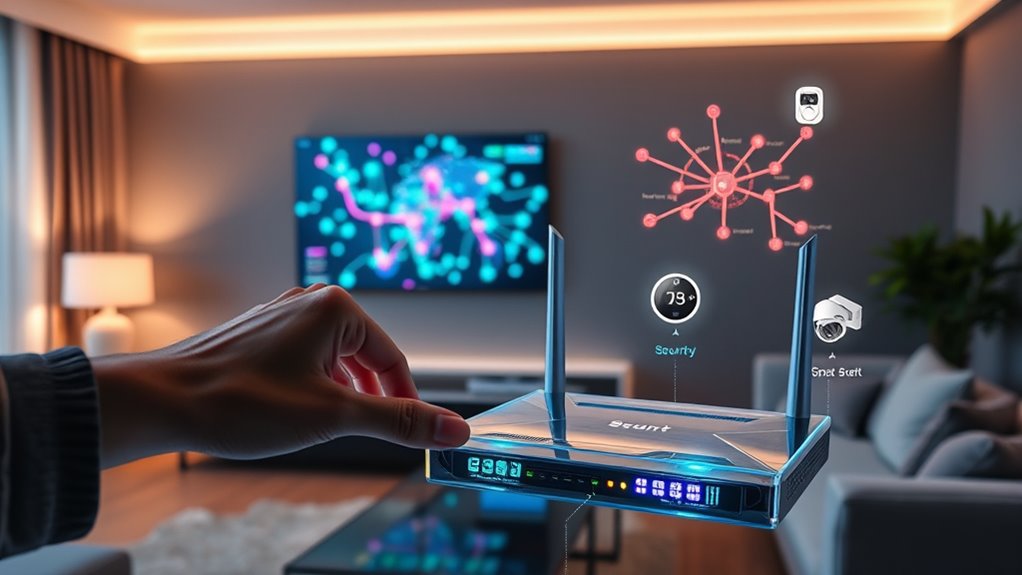
Securing your smart home isn’t just about strong passwords and 2FA; it also involves controlling how your devices connect to the internet. One effective step is network segmentation. By creating separate networks—such as a dedicated Wi-Fi network for your smart devices—you prevent potential exploits from spreading to your main devices like computers and smartphones. This way, even if a smart device gets compromised, hackers can’t easily access your personal data or other connected devices. Use your router’s settings to set up a guest or IoT network, and connect your smart gadgets there. Regularly update your router’s firmware and ensure strong, unique passwords. Segmentation adds an extra layer of security, making it harder for hackers to move laterally within your home network. Additionally, understanding the importance of contrast ratio in your home entertainment setup can help you optimize your viewing experience when integrating smart home media systems.
Turn Off Unnecessary Features and Services
To keep your smart home secure, start by disabling any device connections you don’t use. Turn off remote access features that aren’t necessary, and limit mobile notifications to only essential alerts. These steps reduce potential entry points for hackers and protect your privacy. Additionally, reviewing your privacy settings and managing your cookie preferences can further enhance your security by controlling data sharing and tracking.
Disable Unused Device Connections
Many smart home devices come with features or services that you might not need, but leaving them enabled can open unnecessary security gaps. For example, some devices have open ports, cloud integrations, or remote access options you rarely use. To tighten security, review each device’s settings and disable connections or features that aren’t essential. Turn off unused Bluetooth, Wi-Fi, or Zigbee connections, especially if you don’t plan to control the device remotely. Check for any open ports or services that could be exploited by hackers. Disabling these unnecessary connections can also prevent potential security vulnerabilities, further safeguarding your smart home. By disabling unused connections, you reduce potential entry points for cybercriminals and limit what malicious actors can access. Regularly auditing your device settings helps keep your smart home secure and minimizes privacy risks.
Turn Off Remote Access
After disabling unnecessary device connections, you should focus on turning off remote access features that aren’t needed. Many smart devices offer remote control options so you can manage them from anywhere, but keeping these features enabled can expose your home to hacking risks. Check your device settings and disable remote access unless it’s essential for your routine. For example, turn off remote management on your cameras, smart locks, and thermostats if you don’t require remote control. This reduces the attack surface and prevents unauthorized incursions. Remember, the fewer access points left open, the harder it is for hackers to exploit your system. Regularly review your device settings and disable remote access for any features you don’t actively use. Additionally, leveraging European cloud innovation can enhance your device security by providing more secure and compliant data hosting options.
Limit Mobile Notifications
Have you reviewed your smart home app notifications lately? Limiting notifications helps prevent sensitive information from reaching unintended eyes and reduces distractions that could reveal your activity. Turn off alerts for non-essential updates, like routine status checks or promotional messages. Focus on notifications that alert you to critical issues, such as security breaches or unusual activity. Many apps allow you to customize notification settings—use these features to control what alerts you receive. By doing so, you minimize the risk of exposing sensitive details and avoid potential social engineering attacks. Regularly review these settings, especially after app updates or device changes. Keeping notifications limited and relevant enhances your privacy and ensures you only get alerts that truly matter. Additionally, reviewing your dog’s meal preferences can help ensure your pets stay healthy and well-nourished.
Regularly Monitor Device Activity and Network Traffic

How can you guarantee your smart home stays secure? Regularly monitoring device activity and network traffic is essential. Keep an eye on your device logs and look for unfamiliar or suspicious activity, such as unexpected reboots or new device connections. Use network monitoring tools or your router’s interface to track data flow and identify unusual spikes in traffic. This helps you spot potential breaches early. Set up alerts for unauthorized access attempts or device anomalies. By staying vigilant, you can quickly respond to threats before they escalate. Consistent monitoring provides insight into your network’s health, allowing you to take proactive steps to block malicious activity and protect your privacy and devices effectively. Understanding network traffic patterns can also help you distinguish normal device behavior from potential threats.
Secure Your Wi-Fi Network With Strong Encryption
To safeguard your smart home, start by choosing strong, unique passwords for your Wi-Fi network. Enable WPA3 encryption to guarantee your data stays secure from hackers. These steps make it much harder for intruders to access your connected devices. Additionally, consider local automation features that can limit device exposure to external threats and enhance your privacy.
Choose Robust Passwords
Choosing a strong password is essential to protect your Wi-Fi network from unauthorized access. A weak password can allow hackers to infiltrate your smart home devices and compromise your privacy. To create a robust password, avoid common words, predictable sequences, and personal information. Instead, use a mix of uppercase and lowercase letters, numbers, and symbols. Consider using a password manager to generate and store complex passwords securely. Regularly update your passwords to prevent long-term vulnerabilities. Additionally, ensure each device has a unique password to limit potential damage if one gets compromised. Remember, your Wi-Fi password is the first line of defense against unauthorized access, so make it strong, unique, and difficult to guess.
- Use at least 12 characters
- Include a combination of character types
- Avoid dictionary words or common phrases
- Change passwords periodically
- Do not reuse passwords across devices
Enable WPA3 Encryption
Are you aware that upgrading your Wi-Fi security protocol can substantially strengthen your smart home defenses? Switching to WPA3 encryption offers enhanced security features that protect your network from hacking attempts. Unlike WPA2, WPA3 uses more robust encryption standards, making it harder for attackers to intercept or decipher your data. To enable WPA3, access your router’s settings and check if it supports this protocol; if it does, activate WPA3 from the wireless security options. This upgrade ensures your smart devices, from cameras to locks, communicate over a more secure connection, reducing vulnerabilities. Don’t forget to update your router’s firmware regularly to maintain peak security. Enabling WPA3 is a simple yet powerful step to safeguard your smart home against unauthorized access and privacy threats.
Be Cautious When Installing New Devices and Apps
Whenever you install new smart home devices or apps, it’s vital to proceed with caution. Always research the manufacturer’s reputation before downloading or connecting anything. Check for recent security updates and reviews to ensure the device isn’t vulnerable. Be wary of granting excessive permissions that could compromise your privacy. Keep default passwords and change them immediately to prevent unauthorized access. Finally, review privacy policies to understand what data is collected and how it’s used.
- Verify device compatibility with your existing network
- Use strong, unique passwords for each device
- Enable two-factor authentication if available
- Keep firmware and apps updated regularly
- Limit device access to trusted networks only
Educate Yourself About Common Security Threats
To effectively protect your smart home, it’s essential to understand the common security threats you might face. Hackers often target weak passwords, outdated firmware, or unsecured networks to gain access. Phishing scams can trick you into revealing sensitive information, while malware can infect your devices through malicious links or downloads. Many attackers exploit vulnerabilities in poorly secured devices or default settings. Ransomware can lock you out of your system until a ransom is paid. Additionally, privacy threats arise when data from smart devices is intercepted or shared without your consent. Staying informed about these risks helps you take proactive steps, like updating firmware, using strong passwords, and enabling two-factor authentication. Knowledge is your best defense against potential attacks on your smart home.
Frequently Asked Questions
How Can I Identify if My Smart Home Devices Are Compromised?
You can identify if your smart home devices are compromised by noticing unusual activity, like unexpected device behavior or increased data usage. Check for unfamiliar devices connected to your network and review device settings for any changes you didn’t make. Keep your firmware updated, change default passwords, and run security scans regularly. If you suspect a breach, disconnect affected devices immediately and perform a factory reset to eliminate potential threats.
What Are the Best Practices for Backing up Smart Device Configurations?
You should regularly back up your smart device configurations to guarantee you can restore settings if needed. Use the device’s app or web interface to export configurations, and save these files securely on a cloud service or an external drive. Keep backups updated after any changes, and encrypt files for added security. This way, you can quickly recover your setup and minimize disruption if something goes wrong.
Are There Specific Brands Known for Better Smart Home Security?
Yes, some brands are known for better smart home security, such as Arlo, Ring, and Nest. These companies prioritize security features like encrypted communications, regular firmware updates, and robust user authentication. When choosing a brand, look for those with strong reputation, transparent privacy policies, and active security support. By selecting trusted brands, you reduce vulnerabilities and better protect your smart home from hacks and privacy threats.
How Does Physical Security Impact Smart Home Privacy?
Physical security plays a vital role in protecting your smart home privacy. By securing entry points like doors and windows, you prevent unauthorized access that could lead to hacking or tampering with your devices. Strong locks, surveillance cameras, and alarm systems act as deterrents and help you monitor activity. When you prioritize physical security, you greatly reduce the risk of intrusions that could compromise your smart home’s data and privacy.
What Legal Protections Exist if My Smart Home Data Is Hacked?
If your smart home data gets hacked, you’re protected by laws like the Federal Trade Commission Act and state data breach laws that require companies to notify you and take corrective action. You can also pursue legal action against companies if they fail to secure your data properly. Keep records and report breaches promptly to authorities to make sure your rights are safeguarded and to help prevent future incidents.
Conclusion
By following these steps, you’re taking vital steps to protect your smart home from hacks and privacy threats. Remember, isn’t your peace of mind worth the effort? Staying vigilant and proactive guarantees your devices remain secure, giving you control over your digital sanctuary. Don’t wait for a breach to act—prioritize your security today and enjoy the convenience of your smart home without the risks. After all, safeguarding your privacy is an investment worth making.