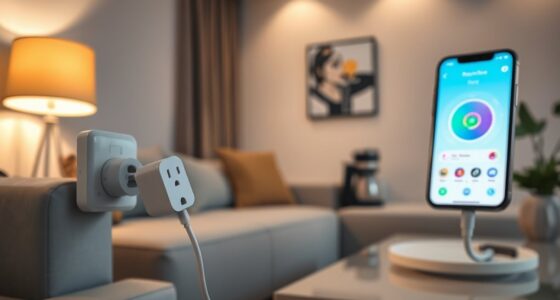
To improve your smart device performance, place them centrally in your home away from walls, metal objects, and electronic interference like microwaves or cordless phones. Keep devices in open areas with minimal obstructions, and avoid placing them in corners or areas with thick walls, especially brick or concrete. Ensuring proper placement reduces signal loss and boosts connectivity. Want to learn more about strategic placement tips to maximize your devices’ efficiency? Keep exploring to find out more.
Key Takeaways
- Position devices centrally in the home to ensure optimal communication with other gadgets and the Wi-Fi router.
- Keep devices away from thick walls, large metal objects, and sources of interference like microwaves and cordless phones.
- Place devices in open, unobstructed areas to minimize signal blockage and enhance connectivity.
- Avoid proximity to electronic devices that emit signals, which can cause interference and reduce performance.
- Test different locations to find spots with the strongest, clearest signals for consistent device operation.
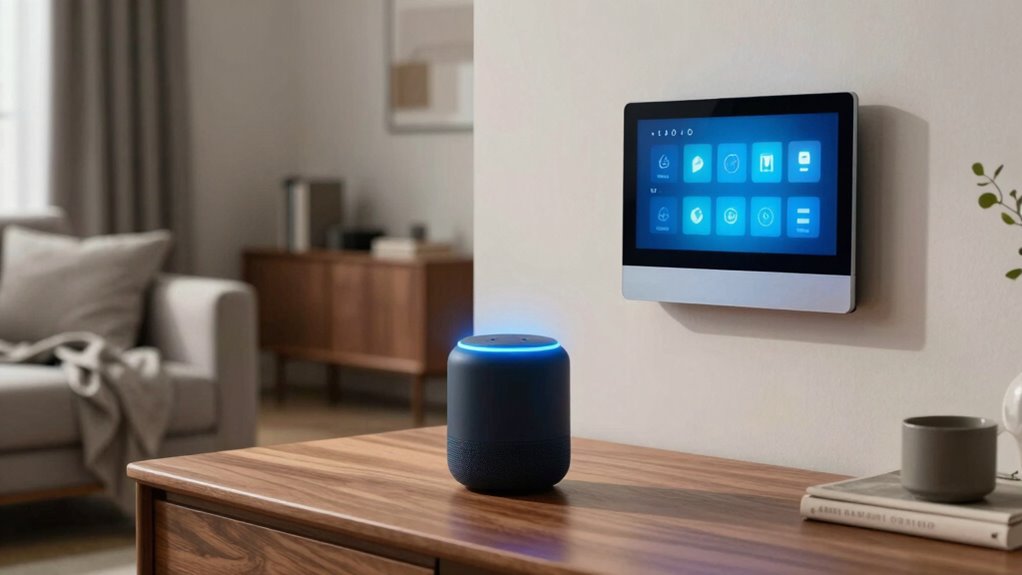
Have you ever wondered why your smart device doesn’t perform as well as expected? Often, the issue stems from where you place it and the environment around it. Your device’s performance relies heavily on device compatibility and signal strength, both of which are directly influenced by its location. If your device isn’t placed correctly, it might struggle to connect or operate smoothly.
Start by considering device compatibility. Different devices have specific requirements for ideal operation. For example, some smart home hubs work best when positioned centrally in your house, guaranteeing they can communicate with all connected devices efficiently. If you place your smart device in a corner or far from other gadgets, it may not work as intended. Make certain your device is compatible with your network and other devices, and position it where it can easily communicate without barriers. Compatibility isn’t just about the device itself but also about its relation to your Wi-Fi router, smart home system, or other connected gadgets.
Ensure your smart device is compatible with your network and placed centrally for optimal communication and performance.
Signal interference is another vital factor. Your smart device’s performance can be hampered by signals from other electronics, thick walls, or metal objects. Devices like cordless phones, microwave ovens, or baby monitors can create interference that weakens your Wi-Fi signal. To minimize this, avoid placing your smart device near such electronics. Instead, position it in a spot with minimal interference, ideally in open areas with fewer obstructions. Walls, especially those made of concrete or brick, and large metal surfaces can block signals, reducing performance considerably. If you notice your device drops connection often, it’s worth testing different locations to find a spot with a clearer signal. Additionally, device placement strategies can significantly improve your device’s connectivity and overall performance. Proper placement can also help mitigate signal loss, leading to a more reliable connection. Additionally, understanding the role of contrast ratio in your environment can help you choose the optimal setup for your smart devices, ensuring they operate at peak efficiency. Moreover, being aware of potential sources of interference can help you choose the best spot for your device. Recognizing the importance of environmental factors can further assist in optimizing your device’s placement for consistent performance.

TP-Link AC1200 WiFi Extender – 1.2Gbps Home Signal Booster, Dual Band 5GHz/2.4GHz, Up to 1600 Sq.ft and 32 Devices, EasyMesh Compatible, One Ethernet Port (RE315)
- Enhanced Wi-Fi Coverage: Eliminates dead zones with strong signal
- Dual Band Speed: Supports 867 Mbps on 5GHz and 300 Mbps on 2.4GHz
- Wide Coverage Area: Up to 1500 sq.ft for reliable connections
As an affiliate, we earn on qualifying purchases.
As an affiliate, we earn on qualifying purchases.
Frequently Asked Questions
Can Smart Devices Be Placed Outdoors Safely?
Yes, you can place smart devices outdoors safely if you guarantee proper outdoor weatherproofing. Use weather-resistant enclosures to protect against rain, dust, and extreme temperatures. Also, consider signal interference from trees, buildings, or other electronics, which can weaken connectivity. Position your devices in open, unobstructed areas for peak signals, and regularly check their protective covers to maintain safety and performance in outdoor conditions.
How Do I Hide Smart Device Cables Effectively?
Sure, you can hide smart device cables with the subtlety of a magician. Use cable management solutions like clips, conduits, or raceways to conceal those pesky wires. Concealment techniques such as running cables behind furniture or under rugs also work wonders. Not only do these tricks keep your space tidy, but they also protect your cables from damage. Who knew that hiding wires could be an art form?
What Are Common Placement Mistakes to Avoid?
You should avoid poor device positioning that causes signal interference, like placing your smart device near metal objects or thick walls. Keep devices elevated and centralized to guarantee ideal signal strength. Don’t clutter power outlets or cords, which can block signals or cause overheating. Also, steer clear of placing devices too close to other electronics that might cause interference. Proper placement enhances connectivity and overall smart device performance.
Do Smart Devices Need Specific Power Sources?
Imagine it’s the age of the Renaissance, and you’re upgrading your smart home. Smart devices don’t need specific power sources, but power compatibility is essential. You should make certain your outlets match device requirements, avoiding voltage issues. For placement optimization, place devices near power sources to prevent cords from cluttering. Using surge protectors can safeguard your gadgets. Proper power setup ensures your smart devices operate smoothly and efficiently, enhancing your home’s intelligence.
How Does Room Size Affect Device Placement?
Room size impacts device placement because larger rooms can weaken signals, so you should place devices centrally for better coverage. Consider room acoustics, as echoing spaces can interfere with sound quality, and avoid placing devices near furniture interference, which can block signals or cause sound distortion. Keep devices elevated and clear of obstructions to guarantee ideal performance, especially in bigger rooms where signals have more distance to travel.
As an affiliate, we earn on qualifying purchases.
Conclusion
By strategically placing your smart devices, you can maximize their performance and enjoy seamless automation. Remember, the right placement can improve connectivity by up to 30%, reducing frustration and enhancing your smart home experience. So, take the time to position devices thoughtfully—near routers, away from obstructions, and in central locations. Doing so guarantees you get the most out of your investment, making your smart home smarter and more responsive every day.
Wi-Fi extender for smart devices
As an affiliate, we earn on qualifying purchases.
As an affiliate, we earn on qualifying purchases.
router placement for optimal Wi-Fi
As an affiliate, we earn on qualifying purchases.
As an affiliate, we earn on qualifying purchases.